
Let's be honest, few things are more infuriating than internet running slower than the M1 during peak hour. That spinning wheel of death when you're trying to stream the footy or join a video call is enough to make anyone want to throw their modem out the window.
Before you consider such drastic measures, let’s run through some quick first aid for your sluggish connection.
Think of this as the digital equivalent of checking if the power point is switched on. No complex tech jargon, just straightforward fixes you can try right now. These are the go-to moves we use when a client on the Central Coast calls up complaining about a sudden drop in speed.
Start with the Obvious Wins
Sometimes, the simplest solution is the right one. Before you start digging into complex diagnostics, tackle these common culprits that often cause internet grief. You'd be surprised how often one of these gets things back on track.
-
The Classic Reboot: It's a cliché for a reason. Turning your modem and router off, waiting a full 60 seconds, and then turning them back on clears out their memory and can resolve a host of mysterious issues.
-
Check Your Router's Hideout: Is your router tucked away in a cupboard, behind the telly, or stuffed in a corner? Wi-Fi signals hate walls and obstructions. Moving it to a central, elevated spot in your home is one of the most effective ways to boost your Wi-Fi signal.
-
Disconnect Unused Gadgets: Every single device connected to your network—from smart speakers to old tablets—uses a slice of your bandwidth. Disconnecting anything you're not actively using can free up precious speed for the things that matter.
For a quick run-through, here's a handy checklist to keep on file.
Quick Fixes for Slow Internet Checklist
| Action | Why It Works | How-To in 30 Seconds |
|---|---|---|
| Reboot Modem & Router | Clears temporary glitches and memory leaks. | Unplug both for 60 seconds, then plug the modem in first. Wait for it to fully connect before plugging in the router. |
| Move Your Router | Physical barriers (walls, furniture) weaken Wi-Fi signals. | Find a central, high-up spot in your home, away from other electronics and metal objects. |
| Disconnect Idle Devices | Reduces network congestion and frees up bandwidth. | Go into your Wi-Fi settings on any phones, tablets, or laptops not in use and turn Wi-Fi off. |
Running through this simple list can often solve the problem in under five minutes, saving you a lot of time and frustration.
We're all using the internet more than ever. It's not just you; it's a nationwide trend. With Australians spending an average of 6 hours online daily and fixed broadband speeds jumping by over 43% in a single year, our hunger for faster, more reliable connections is constantly growing.
This massive demand highlights why even small improvements matter. A faster connection isn't just about quicker downloads; it supports our digital-first lifestyle, from remote work in a Sydney apartment to streaming HD movies in a Newcastle home. Getting these basics right is the essential first step toward a smoother online experience.
Finding the Real Cause of Your Slow Internet
Right, so the quick fixes didn't do the trick? No dramas. It's time to put on your detective hat and figure out what’s actually strangling your connection. Before you start blaming your provider or giving the NBN box a stern talking-to, we need some cold, hard data. The best way to get it is by running an internet speed test.
This isn't just about chasing a big number; it's about understanding what that number means for you. Think of it as a diagnostic tool that tells you whether you're getting the speeds you're actually paying for.
Running a Proper Speed Test
To get an accurate reading, don't just whip out your phone while you're on the back deck. For the most reliable result, you need to plug a computer directly into your router with an Ethernet cable.
Why? This simple step takes your dodgy Wi-Fi out of the equation and measures the raw speed coming into your house.
Make sure to close down any background apps, especially anything that might be downloading updates or streaming. Then, head to a reliable testing site like Speedtest.net and hit ‘GO’.
Here’s an example of what you might see after running a test.
The screenshot shows three key metrics: download speed, upload speed, and ping. These numbers tell the true story of your connection's health.
What Do These Numbers Even Mean?
It’s easy to get lost in the jargon, so let’s break it down in terms you’ll understand, whether you’re in Gosford or Chatswood.
-
Download Speed (Mbps): This is how quickly you can pull data from the internet. It's the most advertised number and affects how fast websites load, how smoothly Netflix streams, and how long it takes to download a big file. A high number here is like having a wide, clear run on the M1—everything just flows.
-
Upload Speed (Mbps): This is the opposite—it’s how quickly you can send data out. It’s crucial for video calls on Zoom or Teams, uploading large files to Dropbox, or online gaming. A slow upload speed is like being stuck in holiday traffic trying to get out of Sydney; it’s a frustrating crawl.
-
Ping (ms): Also known as latency, this measures your connection's reaction time in milliseconds. A low ping is vital for gaming and real-time communication. A high ping causes that annoying lag where you get shot in a game before you even see the other player.
The goal is to compare your speed test results to the "Typical Evening Speed" advertised in your NBN plan. If you're paying for an NBN 50 plan that promises 48 Mbps in the evening and you're only getting 20 Mbps, you've found your first major clue.
Is Your Plan the Real Problem?
Sometimes, the issue isn't a fault but a mismatch. Your internet plan might have been perfect a few years ago, but now you have more devices, more people streaming, and maybe even a new home office setup. That basic plan just can't keep up with the demand anymore.
Thankfully, the NBN infrastructure has been getting some serious love lately. Recent upgrades mean that the real-world speeds for many Aussies have improved, especially during those busy 7 pm to 11 pm peak hours. For instance, some NBN 100 plans can now hit speeds up to 500 Mbps, and in certain areas, top-tier plans are even faster.
With 74% of Australians now on plans of 50 Mbps or higher, it might be time to see if an upgrade is the simplest fix.
If your tests show your wired speed is solid but your Wi-Fi is terrible, then the problem lies within your own home network. But if even your wired connection is slow, it points towards an issue with your plan or the line itself. Knowing where your weak points are is critical, and if it involves wiring, understanding what's involved with a new data points installation can help you plan your next steps.
Pinpointing this difference is the key to knowing how to improve your internet speed for good.
How to Optimise Your Home Wi-Fi Network
Think of your home Wi-Fi a bit like the M1 Pacific Motorway. When traffic’s flowing, it's brilliant. But one small bottleneck—someone hogging the outside lane doing 80—and the whole thing grinds to a halt. This is your guide to becoming the traffic controller of your own network, making sure you get a smooth run from Newcastle to Sydney and everywhere in between.
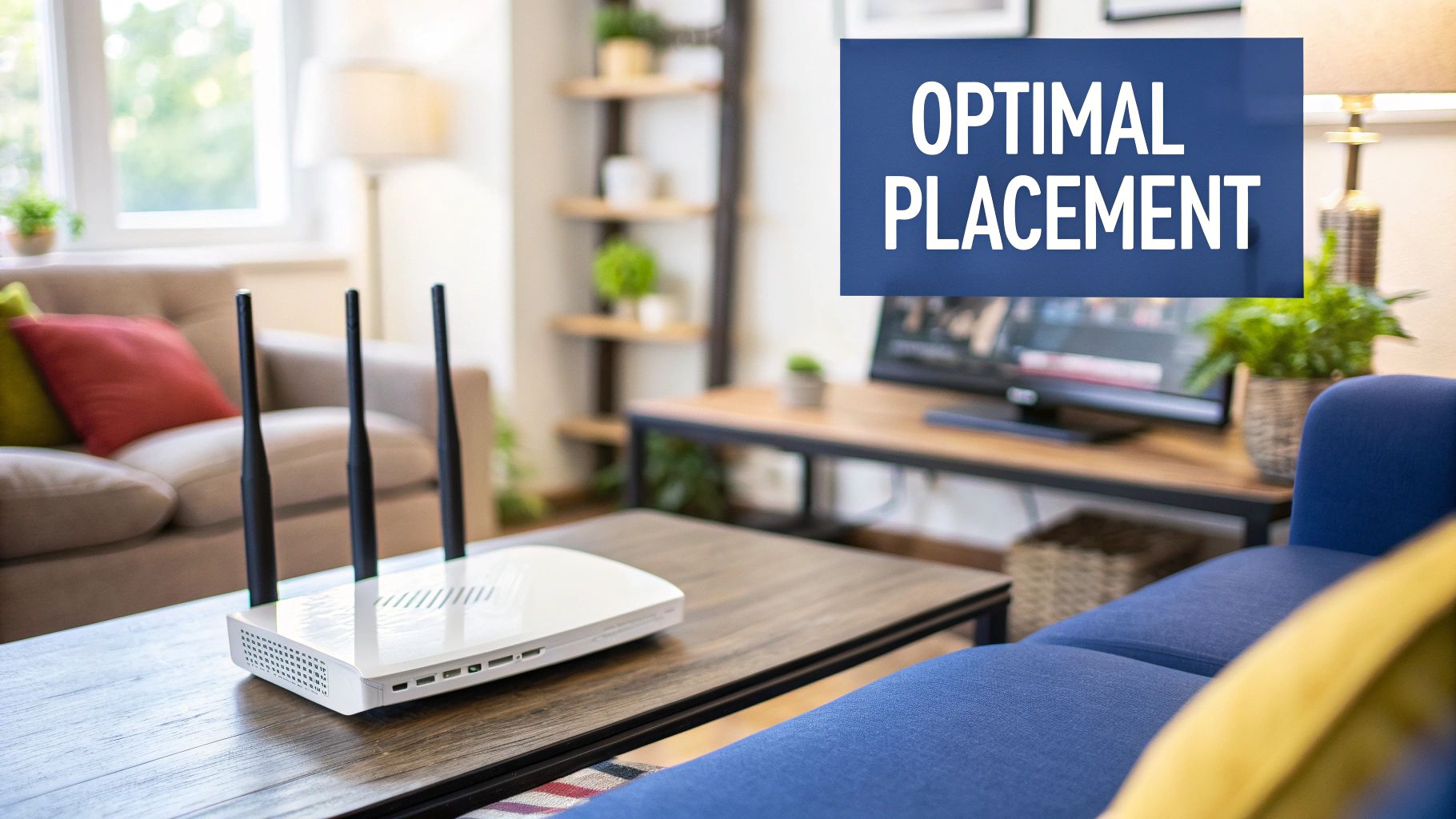
Often, the NBN connection coming into your house is perfectly fine. The real drama happens somewhere between the router and your device. It’s a signal scuffle, and your job is to clear the path.
Location, Location, Location
Just like buying property on the Central Coast, your router's performance is all about location. Hiding it away in a cupboard or shoving it behind the telly is like trying to get a signal in the depths of the Mooney Mooney Bridge—it’s just not going to happen.
Wi-Fi signals are just radio waves, and they really don't like travelling through solid objects. Things like brick walls, big metal fridges, and even the fish tank are notorious signal killers.
For the best results, you need to get your router into a central, elevated position. Think of it as giving your Wi-Fi the best possible vantage point to broadcast its signal across your entire home. Keep it out in the open and away from other electronics that can cause interference, like microwaves and cordless phones.
Dodge the Wi-Fi Traffic Jam
If you live in a dense Sydney suburb or a new estate up near Newcastle, you’re not just dealing with your own Wi-Fi—you're competing with dozens of your neighbours' networks, too. It’s a digital traffic jam, and all those signals clashing can seriously slow you down.
Most routers automatically pick a Wi-Fi channel, but sometimes they get it wrong and jump into the most congested one. The good news is you can usually change this manually in your router's settings.
- 2.4 GHz Band: This one has a longer range but is way more prone to interference. Channels 1, 6, and 11 are your best bet as they don't overlap with each other.
- 5 GHz Band: This band offers much faster speeds over a shorter distance and is generally less crowded. If your devices support it, this is the lane you want to be in.
Just switching to a less crowded channel can give you an instant, noticeable speed boost, especially during those peak times when everyone in the neighbourhood is online.
Your home network setup is becoming more crucial as Australia's digital backbone gets stronger. While the government pours billions into NBN upgrades and 5G rollouts, our national average fixed broadband speed still sits around 53.38 Mbps, placing us a measly 69th globally. This means making the most of the connection you have is more important than ever.
Upgrades are coming, with big plans to deliver speeds up to 1 Gbps to more homes. But until then, optimising what's inside your four walls is the fastest way to improve your internet experience.
Kill the Dead Spots with a Mesh Network
Got a larger home or one of those classic Aussie brick builds? You've probably got Wi-Fi dead spots—that one room where the signal just gives up the ghost. You might think a simple Wi-Fi extender is the answer, but they often create more problems than they solve by cutting your speed in half.
Enter the hero of modern home networking: the mesh Wi-Fi system.
A mesh system uses multiple nodes, or points, placed around your house to create a single, seamless, and powerful Wi-Fi network. It's like having a series of mini-routers all working together to blanket your entire property in a strong, consistent signal.
If you're tired of the Wi-Fi dropping out every time you walk to the back deck, a mesh system is a total game-changer. They're built to handle the demands of a modern Aussie household with dozens of connected devices. To get a better idea of what might suit your place, have a look at our guide comparing a https://advancedcomtech.com.au/blog/wifi-extender-vs-mesh/.
Go Wired for the Ultimate Power Move
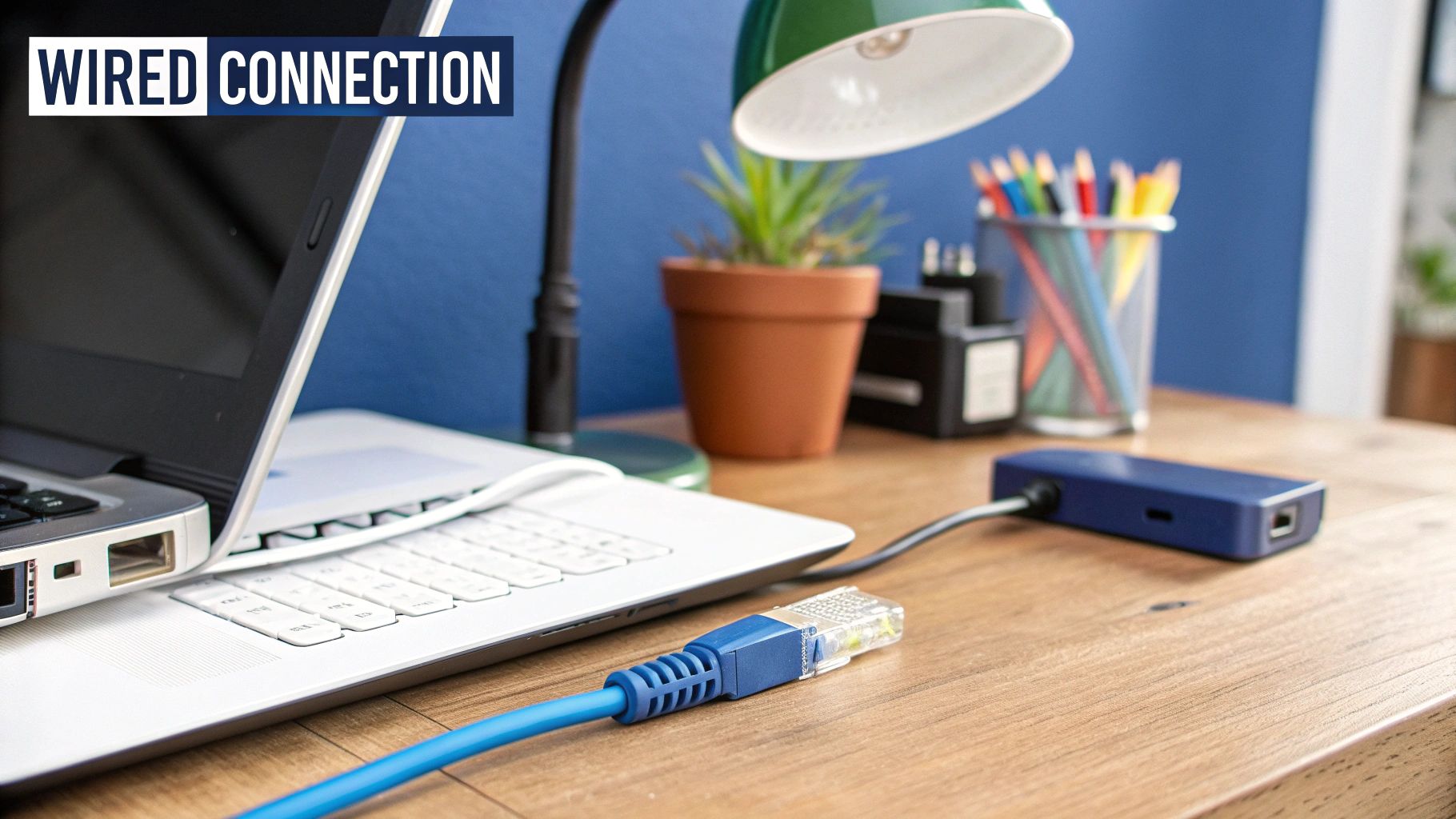
For anything that demands absolute peak performance—like your gaming console, work-from-home PC, or the smart TV for streaming the 4K footy—nothing beats plugging it in.
Connecting a device directly into your router with an Ethernet cable is the ultimate power move. It completely bypasses all the potential Wi-Fi interference, congestion, and signal issues, giving you the fastest, most stable connection your plan allows. It's a direct, private lane on the M1 with no speed limit.
It’s a simple fix, but it guarantees you're getting every last megabit you pay for.
Choosing the Right NBN Plan and Hardware
Sometimes, the only real fix is to spend a bit of money. Sticking with that cheap, dusty router your internet provider gave you five years ago is like trying to win the Bathurst 1000 in a Hyundai Getz. It’ll get you around the track, sure, but you’re never going to hit top speed.
This is your no-nonsense guide to upgrading your plan and hardware, without needing a degree in computer science. Let’s cut through the jargon and get straight to what actually makes a difference.
Is Your Router the Real Culprit?
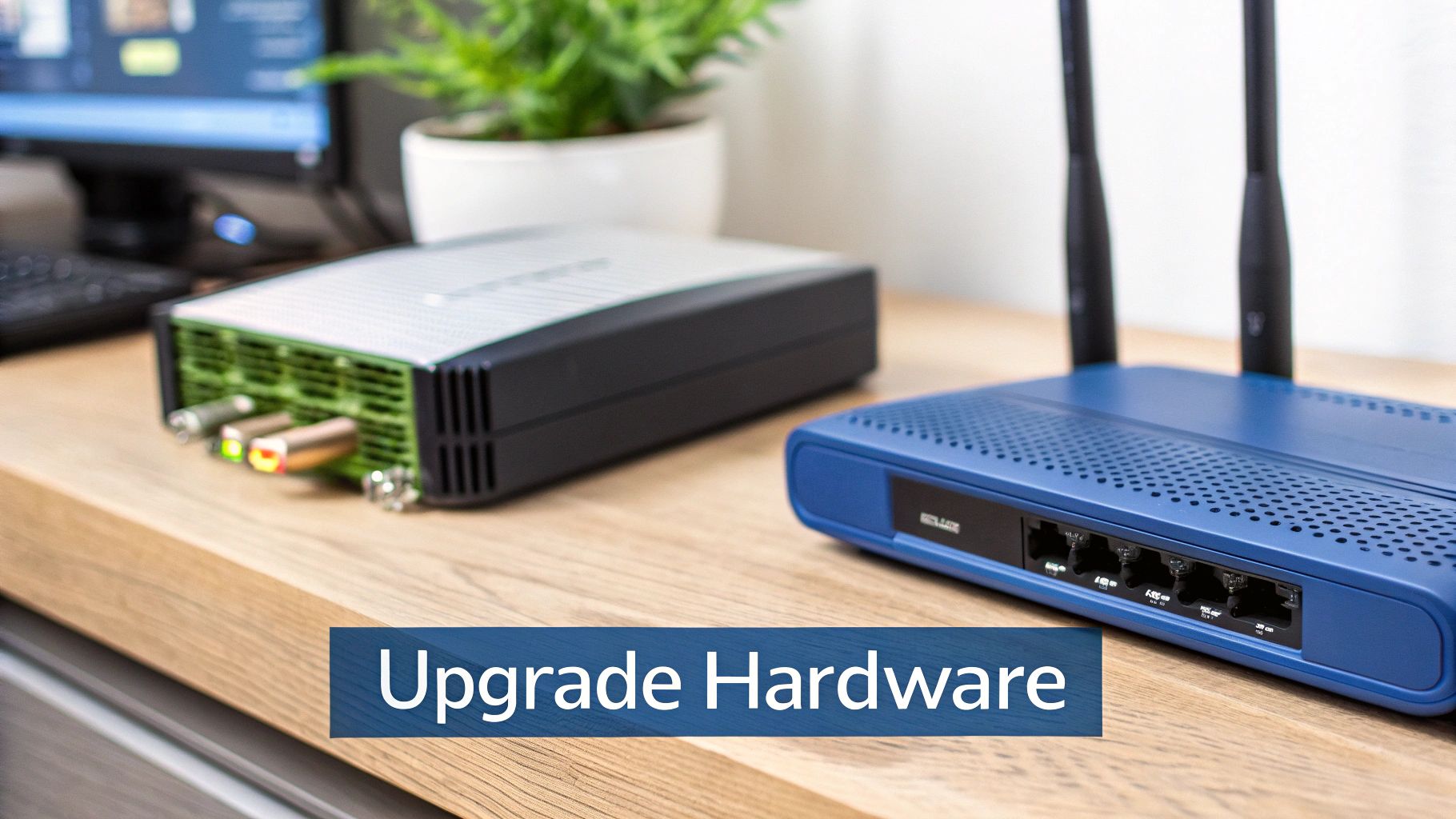
First, let's look at that little box blinking away in the corner. An old or underpowered router can be the single biggest bottleneck in your entire network. It honestly doesn't matter if you're paying for a top-tier NBN plan; if your router can't handle the speed, you're just throwing money away.
Think of your NBN connection as a fire hose. A cheap router is like squeezing that hose through a tiny garden nozzle. All that potential is there, but only a trickle is getting through to your devices. This problem gets a lot worse in a busy family home where multiple phones, TVs, and computers are all fighting for bandwidth at the same time.
So, when you're shopping for a new modem-router, here’s what you should be looking for:
- Wi-Fi 6 (802.11ax): This is the latest standard, and it's a game-changer for homes crammed with connected devices. It’s simply far more efficient at managing traffic, which means less lag and fewer dropouts when everyone is online at once.
- Dual-Band or Tri-Band: Modern routers broadcast on different frequency bands (2.4 GHz and 5 GHz), which is like having separate lanes on a motorway. The 5 GHz band is your express lane—perfect for your gaming console or smart TV that needs faster speeds over shorter distances.
- More Antennas: It might look a bit like a sci-fi spider, but more antennas generally mean better coverage and a stronger, more reliable signal throughout your house.
This image shows the basic difference between the two main Wi-Fi bands.
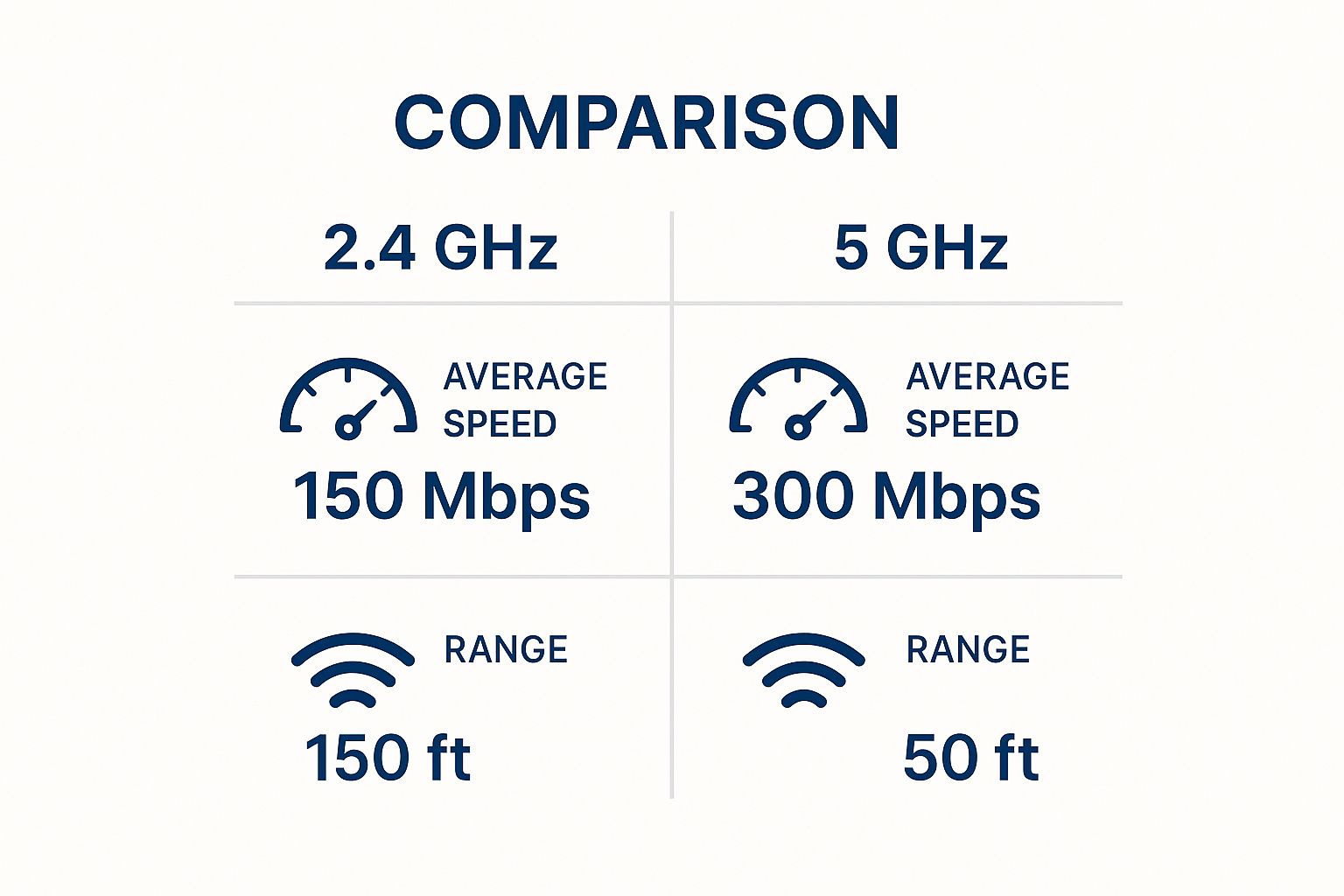
The key takeaway? Use the 5 GHz band for any speed-critical devices that are close to the router, and leave the 2.4 GHz band for gadgets that are further away or don't need blistering speeds.
Matching Your NBN Plan to Your Life
Now, onto the plan itself. Being on the wrong NBN plan is a surprisingly common headache. Maybe you signed up for a basic plan years ago, but now your household’s internet needs have completely changed. A plan that was perfectly fine for one person in a small flat will absolutely struggle with a family of four all trying to stream, game, and work from home.
It's all about matching your speed tier to how you actually use the internet. Anything less is just a recipe for daily frustration.
I've put together a simple table to help you figure out where you sit. It’s a good starting point for matching a plan to your household.
Which NBN Speed Tier is Right for You?
| NBN Speed Tier | Best For | Example Household Scenario |
|---|---|---|
| NBN 25 | 1-2 people. Basic browsing, emails, SD streaming, and social media. | A single person or couple who mainly use the internet for checking emails, browsing news sites, and watching YouTube. |
| NBN 50 | 2-4 people. HD streaming, online gaming, and working from home. | A small family streaming Netflix on one TV while someone else works on their laptop and the kids are on their tablets. |
| NBN 100 | 4+ people & heavy users. 4K streaming, multiple gamers, large downloads. | A busy household with multiple simultaneous 4K streams, a serious online gamer, and people frequently downloading large files. |
| NBN 250+ | Power users & tech-heavy homes. Future-proofing, massive file transfers. | A home with multiple smart devices, content creators uploading large videos, and a need for the absolute fastest connection. |
Ultimately, finding that sweet spot is the goal. Paying for a super-fast plan you don't use is a waste, but being on a plan that's too slow costs you time and sanity every single day.
Most providers make it easy to switch plans, so it's always worth reviewing your needs every year or so. If you're constantly hitting roadblocks and your speed tests show you're getting what you pay for, that's a dead giveaway you’ve outgrown your current plan. For many, upgrading from an NBN 25 to an NBN 100 plan feels like going from a country backroad to the M1—everything just flows.
For those in regional or rural areas where NBN can be a bit patchy, other options are becoming much more popular. If you're curious about alternatives to fixed-line NBN, you can learn more about Starlink satellite internet and see if it might be a better fit for your location.
Advanced Tricks for Serious Speed Freaks
Alright, so you've nailed the basics. Maybe you've even upgraded your plan, but you're still chasing that extra edge. You want your connection to feel less like a sluggish crawl through peak-hour traffic and more like an open highway—fast, responsive, and completely reliable.
Welcome to the pointy end of network optimisation.
We're about to get a bit more hands-on with your router's settings. Don't worry, I'll walk you through it and explain why these tweaks can turn a good connection into a brilliant one.
These are the one-percenters, the small adjustments that can give you a noticeable boost exactly when you need it most. Let's dive in and squeeze every last drop of performance out of your network.
Tame Your Traffic with Quality of Service
Ever been on a crucial Zoom call when everything suddenly freezes up? You do a quick check and realise someone else in the house just started streaming the latest blockbuster in 4K, hogging all the bandwidth. Frustrating, right? This is exactly where a nifty router feature called Quality of Service (QoS) saves the day.
Think of QoS as the traffic controller for your home network. It lets you tell your router which devices or apps get priority access to your internet connection.
You can usually set rules to prioritise things like:
- Video Conferencing: Keep those work calls crystal clear and professional.
- Online Gaming: Lower your ping and finally get rid of that infuriating lag.
- Streaming Video: Make sure movie night is a buffer-free experience.
By setting up QoS, you're creating a VIP lane on your digital highway. When the network gets busy, the important stuff gets to go first. Most modern routers have this feature, and you can typically find it in the advanced settings menu.
Keep Your Router's Brain Up to Date
Here’s one of the most overlooked but critical tips I can give you: keep your router's firmware updated. The firmware is the software that runs the entire show. Manufacturers are constantly releasing updates, and they don't just patch security holes—they often include major performance improvements.
These updates can:
- Boost your Wi-Fi stability and speed.
- Fix annoying bugs that cause dropouts or slow connections.
- Add support for newer features and technologies.
Ignoring a firmware update is like never servicing your car. It might seem fine for a while, but eventually, you'll notice things just aren't running as smoothly as they should. Checking for an update is usually as simple as logging into your router's admin panel and clicking a button. It’s a five-minute job that pays off big time.
For the real tech-heads and competitive gamers, changing your DNS settings can be a game-changer. By switching from your provider's default to a faster public DNS, you can sometimes shave precious milliseconds off your connection's response time. It might sound small, but in competitive gaming, every millisecond counts.
The Last Resort: Hardwired Advantage
We've touched on this before, but for the serious speed freaks, it's worth repeating. If you have a device that absolutely cannot fail—like a work computer handling massive files or a gaming console in the middle of a tournament—you need to bypass Wi-Fi altogether.
A dedicated, hardwired connection is non-negotiable here. For a permanent, professional setup, it’s worth looking into a proper home network cable installation. This gives you the fastest, most reliable link possible, running straight from your router to your device with zero interference.
Got a Nagging Internet Question? You're Not Alone.
Got a question about why your internet is acting up? You're not the only one. It feels like every second person from Woy Woy to Warners Bay has a theory about what’s slowing down their connection.
We've rounded up the most common questions we hear from locals and are here to give you some quick, straight-up answers. No tech-jargon, just practical info to help you figure out what's really going on.
Why Does My Internet Grind to a Halt at Night?
Ah, the classic complaint. It’s almost always down to one thing: peak hour traffic. Think of it like the M1 at 5 pm on a Friday. Everyone in your neighbourhood is jumping online between 7 pm and 11 pm to stream Netflix, game, or scroll through their phones.
All that demand puts a serious strain on the local NBN infrastructure, causing a major slowdown for everyone. Your provider's advertised "Typical Evening Speed" is the most honest number to look at here. If your speed drops way below that figure, it might be a sign that your provider has crammed too many people onto their network in your area.
Will a New Router Actually Speed Things Up?
Yes, it absolutely can, but it’s crucial to understand how. A fancy new router won't magically turn your NBN 50 plan into an NBN 100 plan. What it will do is make sure you get every last bit of speed you're paying for, right across your home.
An old or basic router, especially the freebie your provider sent you, often can't keep up with the Wi-Fi demands of a modern Aussie household.
Here’s where a new one makes a difference:
- Smarter Wi-Fi: Modern routers with Wi-Fi 6 are much better at managing lots of devices at once. This means less lag and fewer frustrating dropouts.
- More Reach: They usually have more powerful antennas that can blast a stronger signal through walls, finally killing those annoying dead spots in the back room or out on the deck.
So while it won't change your NBN plan, it'll make your Wi-Fi experience feel a world away from what you’re used to. And let's be honest, that's what most of us notice day-to-day.
Your internet connection is a team effort between your plan, your hardware, and your provider's network. If one part of that team is slacking off, the whole experience suffers. A good router ensures your home setup isn't the weak link in the chain.
Is 5G Home Internet a Decent NBN Alternative?
For some people, it's a fantastic alternative. If you're lucky enough to have solid 5G coverage, like in many parts of Sydney, the Central Coast, and Newcastle, you could see speeds that rival or even demolish many NBN plans.
The biggest plus is that it’s completely wireless, so you’re not at the mercy of the physical NBN lines running to your house. This is a game-changer if your area has old, dodgy copper wiring. The catch? Performance can be more up-and-down than a fixed-line connection, and can be affected by everything from local network congestion to a big storm rolling in.
Your best bet is to check the 5G coverage maps for your exact address and find a provider that offers a no-risk trial period. That way, you can properly test it in your own home before you commit.
Does a VPN Really Slow Down My Internet?
Yep, it almost always will. When you use a VPN (Virtual Private Network), you're wrapping all your internet traffic in a layer of encryption and sending it through an extra server. This process adds a couple of detours to your data's journey, which naturally slows things down.
How much of a slowdown you experience really depends on the VPN service. A quality, paid VPN with servers located here in Australia will have a much smaller impact on your speed than a freebie that's routing your traffic through some server on the other side of the planet.
For everyday browsing, you might not even notice the difference. But for anything speed-critical like online gaming, you’ll definitely feel the extra lag. It’s a trade-off between speed and privacy, so it's best to only switch it on when you really need it.
If you've tried everything and are still battling a slow, patchy connection, the problem might be lurking in your home's wiring or network setup. Advanced Comtech specialises in diagnosing and fixing these exact issues for homes and businesses across the Central Coast, Sydney, and Newcastle. Whether it's a professional network installation or a complete smart home setup, we deliver reliable solutions that just work. Get in touch with us at https://advancedcomtech.com.au to see how we can help.





