Choosing to get a CCTV alarm installation is the first real step in properly securing your property. It’s not just about cameras; it's about a complete system where cameras and alarms work hand-in-hand to scare off intruders and gather solid evidence if something does happen. Think of it as creating a proactive security shield, rather than just passively recording what goes on.
Why You Need a Security System in NSW
Let's be honest, figuring out a security system can feel like a mammoth job. You’re wading through cameras, alarms, and a whole lot of techy jargon, so it's tempting to just chuck it in the "too hard" basket. But before you get lost in the gear, it's worth having a proper think about why you're considering this in the first place.
Are you trying to stop those porch pirates from snatching your online orders in a quiet Sydney suburb? Maybe you need to keep a watchful eye on your Newcastle shop after you've locked up for the night. Or perhaps it’s simply about getting that extra bit of peace of mind for your Central Coast home, knowing everything is safe and sound while you're away.
Getting Your Priorities Straight
We recently worked with a family in Terrigal who felt a bit vulnerable after some petty crime popped up in their neighbourhood. Their first thought was to just stick a couple of cheap cameras on the walls and call it a day. But once we sat down and had a yarn, they realised their main goal wasn't just to record a break-in—it was to stop one from ever happening.
That small realisation changed their entire approach. Instead of a basic camera-only setup, they went for an integrated system. Now, if a motion sensor on their back patio is tripped, it doesn't just start the camera recording; it also triggers a loud alarm and pings a notification straight to their phones. It’s a subtle difference, but it’s everything. A few cameras might show you what happened, but a proper CCTV alarm installation actively works to prevent it.
The core idea is to create layers of protection. To fully grasp this, it's helpful to understand the overarching purpose of physical security safeguards before choosing your equipment.
Nailing down your personal "why" is the key to figuring out what level of security actually makes sense for your property.
Mapping Out Your Security Blueprint
Right, before you even dream of clicking "add to cart" on a shiny new camera, it's time to play detective on your own turf. A successful CCTV alarm installation is 90% planning and 10% plugging things in. Jumping straight to the gear without a solid plan is like starting a road trip from Sydney to Newcastle without a map—you’ll get somewhere, but probably not where you intended.
This is the blueprint phase. It’s all about walking through your home or business with a critical eye to pinpoint the weak spots. We're talking about that side gate that never quite latches, the low-set window tucked away behind the shed, or the main entrance to your cafe on the Central Coast that’s a bit too hidden from the street at night.
The Smart Layout vs The Scattergun Approach
I remember a cafe owner in Erina who was ready to blanket his entire shop with cameras. He wanted one in every corner, convinced more was better. After a chat, we sketched out a smarter layout. Instead of ten cameras watching everything, we used four strategically placed ones covering the till, the main entrance, the back door, and the storeroom.
He saved a bundle on equipment and installation, and the result was far more effective. He wasn't just recording; he was monitoring the exact points a thief would have to pass through. It's a classic case of working smarter, not harder.
Creating this kind of blueprint involves thinking through your property's unique vulnerabilities. This infographic helps visualise the process of laying out a security plan.
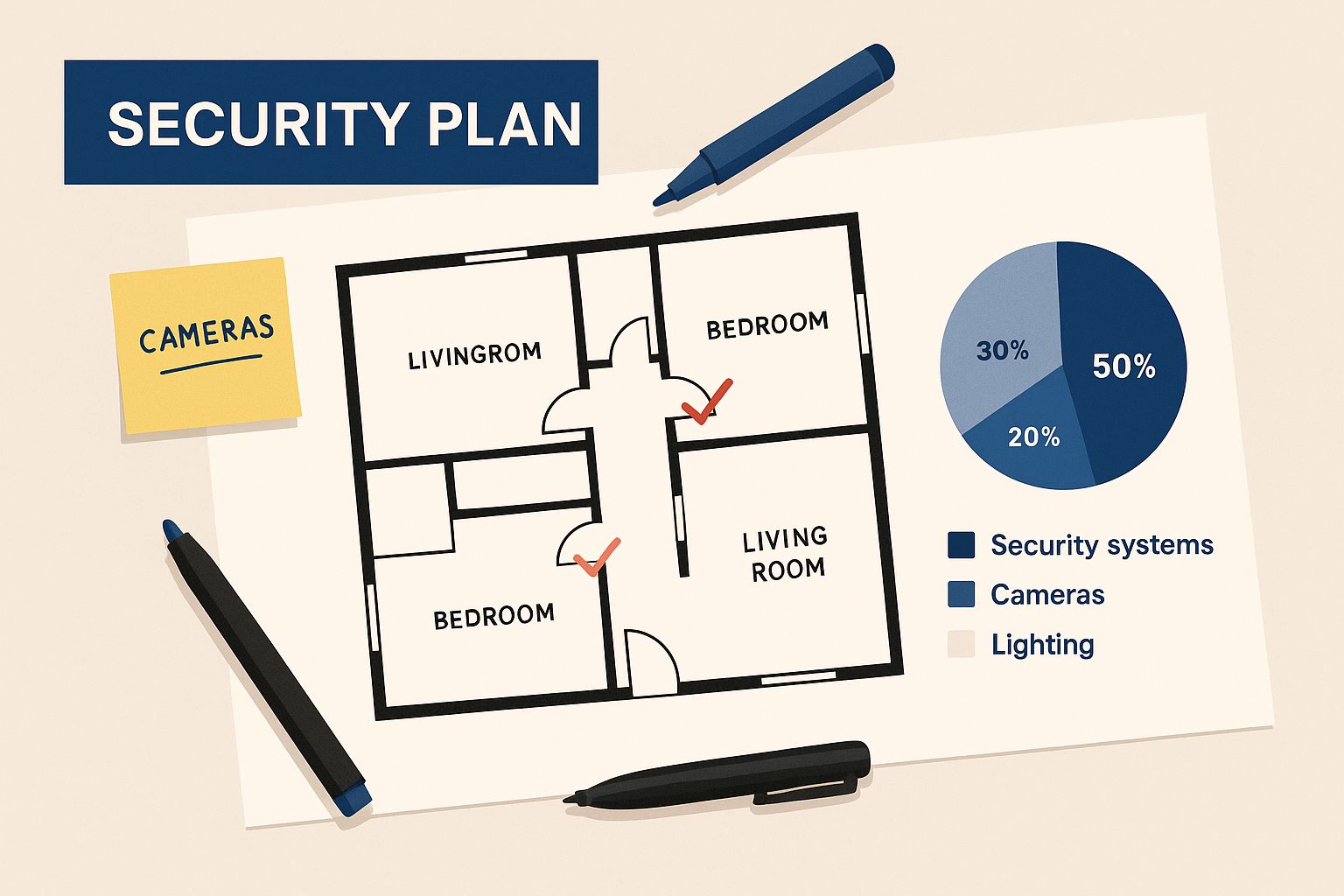
Mapping out camera locations and sensor points on a floor plan helps you see coverage gaps before you spend a single dollar.
Key Considerations for Your Blueprint
Thinking through your camera placement is crucial, and it’s about more than just pointing them at doors. You need to consider the specific challenges of each location.
- Lighting is everything: That harsh afternoon sun hitting your west-facing driveway can completely white out a camera's view, making it useless. Consider cameras with good Wide Dynamic Range (WDR) to handle tricky lighting.
- Indoor vs. Outdoor: Outdoor cameras are built tough to handle Aussie weather, from scorching summer days to bucketing rain. Indoor cameras are more discreet and designed for different lighting conditions. Never use an indoor camera outside.
- Coverage vs. Privacy: Your goal is maximum coverage of your property, not your neighbour's backyard BBQ. Be mindful of angles to respect privacy while securing your boundaries.
Getting this planning stage right is the single most important part of the job. A well-thought-out plan ensures your system is effective, efficient, and doesn't create blind spots that could be exploited later.
For a deeper dive into the nitty-gritty of positioning, check out our detailed article on perfecting your security camera installation. It’s packed with tips to help you finalise your blueprint.
Choosing the Right Gear for Your Budget
https://www.youtube.com/embed/jLYECy2-t-0
Trying to decipher security tech can feel like learning a whole new language. You’re bombarded with acronyms—IP, NVR, 4K, AI detection—and it’s easy to feel like you need a translator just to pick out a camera. Let's cut through the jargon and get straight to what this stuff actually means for your home on the Central Coast or your business in Sydney.
Wired vs. Wireless: The First Big Decision
One of the first forks in the road is deciding between a wired or wireless system.
Wireless cameras are brilliant for renters or anyone who shudders at the thought of drilling holes. They’re quick to set up and get you going fast. The catch? They rely on your Wi-Fi, which, let's be honest, can sometimes be as reliable as a seagull promising not to steal your chips.
On the other hand, a hard-wired CCTV alarm installation is the gold standard for reliability. Since the cameras are physically connected to a recorder, you don't have to worry about your internet dropping out at the worst possible moment. It's a more involved setup, for sure, but it's a rock-solid, set-and-forget solution for a permanent home or business.
The Big Box Kit vs. a Professional System
We've all seen those tempting all-in-one security kits at the big hardware stores. They promise the world for a few hundred dollars. A mate of mine, Dave from Newcastle, grabbed one for his new place. It seemed fine at first, but the camera quality was grainy, especially at night, and the app was clunky as anything.
Then his neighbour's car got sideswiped. Dave went to check his footage, and while he could see a car, the number plate was just a blurry mess. He had a recording of the event, but it was completely useless as evidence. That’s the real-world difference. A professional-grade system gives you crisp, clear footage that actually helps when you need it most.
Investing a bit more upfront for quality gear means you get a system that’s reliable and effective. Cheap kits often lead to frustration and a false sense of security, which is worse than no security at all.
So, How Much Should I Actually Budget?
Alright, let's talk dollars and cents. The cost of installing a CCTV alarm system in Australia can vary wildly depending on your location and how complex the setup is.
For a pretty standard residential property with 2–4 cameras, you're likely looking at around $2,800 in New South Wales, with Sydney metro areas often creeping towards the higher end of that scale. For larger homes or small businesses needing more coverage, this can easily climb. You can get a clearer picture by reading more about what influences CCTV installation costs.
To help you decide what's right for your wallet and your peace of mind, it’s worth comparing the features you'll actually use.
Security System Feature Comparison
Trying to figure out which features are "must-haves" versus "nice-to-haves" can be tricky. This table breaks down some common options to help you see what they really offer.
| Feature | What It Means for You | Best For |
|---|---|---|
| 4K Resolution | Ultra-high-definition video that lets you zoom in on details like faces or number plates. | Properties where identifying specific details is critical. |
| AI Detection | The system can tell the difference between people, vehicles, and pets, reducing false alarms. | Homes with pets or businesses in high-traffic areas. |
| Night Vision | Allows the camera to see in low-light or total darkness, often using infrared (IR). | Virtually all outdoor applications for 24/7 monitoring. |
| Two-Way Audio | A built-in microphone and speaker let you hear and speak through the camera. | Front doors, delivery points, and monitoring kids or pets. |
| Remote Access | The ability to view live footage and recordings from your phone or computer anywhere. | Anyone who wants to check in on their property while they're away. |
| Local Storage | Footage is saved to a hard drive on-site, so you control your data and don't need a subscription. | Users who prioritise privacy and want to avoid ongoing cloud fees. |
Ultimately, the best system is the one that fits your specific needs without a bunch of expensive features you'll never touch. We've also put together a handy article that breaks down the specifics of the best security cameras for home use, which can guide your choices even further.
What Happens on Installation Day
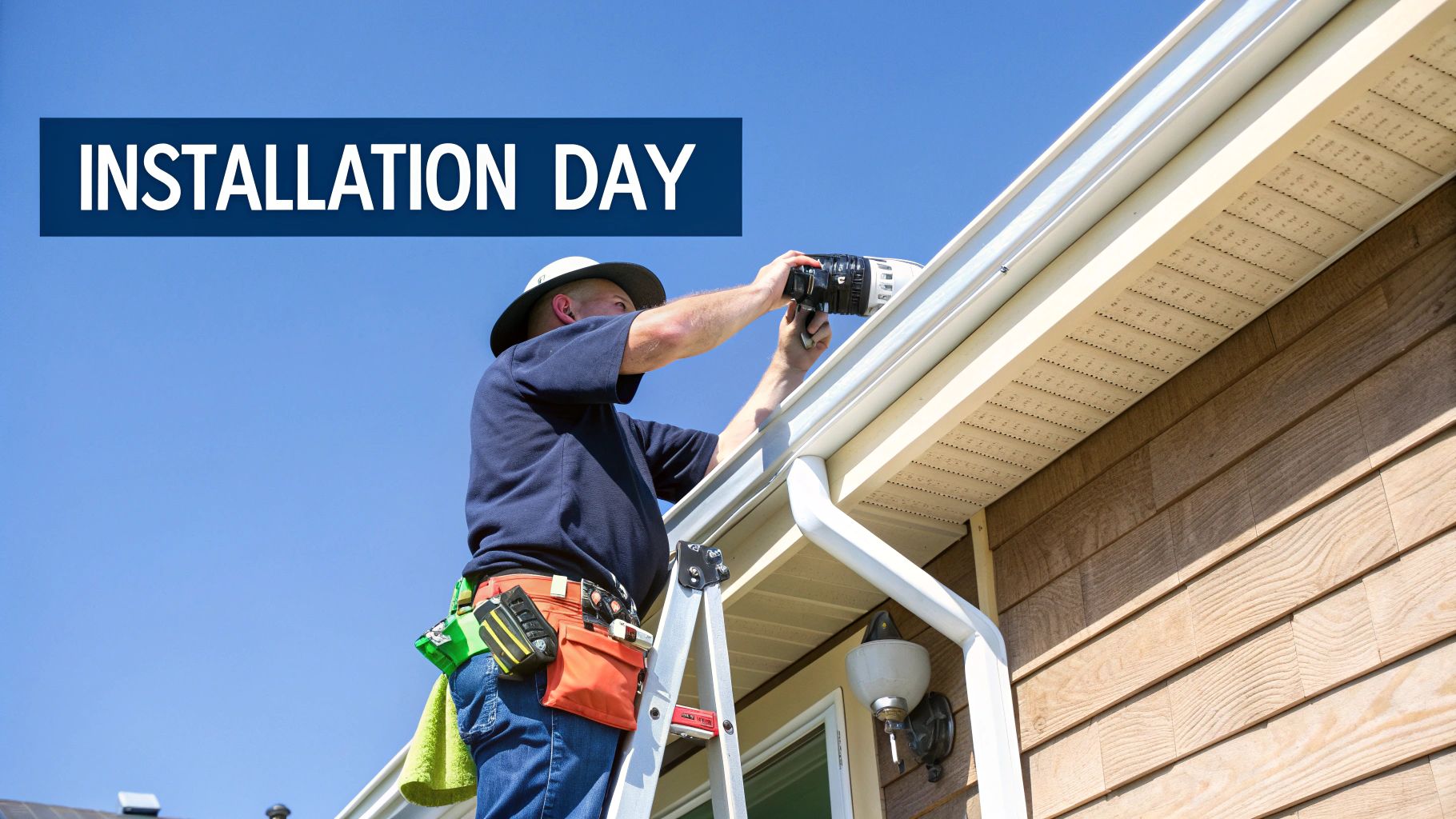
So, the big day is here. Whether you've got your tool belt on for a bit of DIY or you're waiting for our team to arrive, knowing what to expect makes everything run smoothly. This is the moment your security plan comes to life.
The first, and arguably most crucial, part of any cctv alarm installation is running the cables. This is what separates a clean, professional-looking job from a messy one that sticks out like a sore thumb. If you're tackling this yourself, always remember the golden rule: run your cables through the roof or wall cavities. It takes a bit more effort, but it keeps your wiring hidden and safe from damage.
A mate of mine up in Newcastle learned this the hard way. He tried to save some time by running his camera cables along the outside of his fascia boards. It looked fine for about a week, until a particularly cheeky cockatoo decided that bright white cable was its new favourite chew toy. He ended up having to redo the whole lot. Sometimes the shortcut really is the long way around.
The Professional Touch
If you’ve brought in a professional, they’ll follow a very methodical process. They should start by walking you through the plan one last time, just to confirm camera placements and where the main recording unit (your NVR or DVR) will be set up.
Here’s what a quality installation looks like in action:
- Drilling with purpose: They won't just punch holes anywhere. Entry and exit points for cables will be drilled carefully and then sealed with silicone to keep water and pests out.
- Secure mounting: Each camera will be mounted firmly to the eaves, walls, or poles, then angled precisely to cover the areas you agreed on.
- Tidy cable management: Any visible cables will be neatly clipped into place or run through a protective conduit. This isn't just about looking good; it's about protecting the wiring from the Aussie elements.
Don’t be afraid to ask questions. A good installer is happy to explain what they’re doing and why. Ask them how they're weatherproofing the outdoor connections or why they chose a specific mounting spot for a camera. It's your system, after all.
Once all the physical hardware is in place, the focus shifts to the brains of the operation. This means connecting all the cameras back to the recorder and then hooking that unit up to a monitor and your internet router. That connection to your router is what makes remote viewing on your phone possible.
Getting Connected and Going Live
The demand for smart, connected security has absolutely skyrocketed in Australia. It’s no longer just about recording what happened; it’s about getting real-time alerts and having control at your fingertips. IP-based cameras, which connect directly to your network, are leading the charge, making up nearly 48% of all surveillance camera revenue down under.
This is why getting the network configuration right is so critical. Your installer will get the system onto your Wi-Fi, assign it an IP address, and help you install the app on your phone.
Before they pack up, they should give you a complete walkthrough of how to use everything – viewing live footage, searching through recordings, and setting up motion alerts. This final handover is essential, ensuring you feel totally confident using your new security setup from day one. To get a better idea of what a full professional setup involves, you can learn more about our comprehensive home alarm installation services.
Keeping Your System Running Smoothly
Right, the hard yakka is done. The cameras are up, the cables are neatly tucked away, and your property is looking more secure than ever. But a successful CCTV alarm installation isn't a "set and forget" job. Now it’s time to bring it to life and make sure it stays reliable for the long haul.
Think of it like getting a new car. You wouldn't just drive it off the lot and never check the oil or tyres, would you? Your security system needs a little bit of ongoing love to ensure it’s ready to perform when you actually need it, not just on day one.
Fine-Tuning Your Digital Watchdog
First things first, let's customise your alerts. One of the best things about a modern system is getting instant notifications on your phone. But you want them to be meaningful, not just digital noise. This means properly configuring your motion detection zones.
Imagine your camera is watching your driveway. You can draw a virtual box around just the driveway itself, telling the system to ignore everything else. That way, you get a buzz when a car pulls in, but not every time the neighbour's cat saunters past on the footpath. It’s a game-changer for avoiding "alert fatigue."
Getting your settings dialled in correctly is crucial. The goal is to receive timely, relevant alerts that prompt you to act, rather than a constant stream of notifications you learn to ignore. For a deeper look into the principles of diagnosing and resolving system malfunctions, you might find useful insights from resources that discuss troubleshooting common alarm issues, even in different contexts.
This level of integration is a huge selling point for modern systems. In fact, a whopping 61% of Australian organisations found their security was far more effective when CCTV and alarms worked together. The whole industry is growing fast, too, with the surveillance camera market expected to expand by up to 6.5% annually in the coming years. It's clear these integrated solutions are the way forward.
Your Simple Security Health Check
To keep your system in top shape, a quick check every few months is all it takes. It’s not complicated, but it makes a world of difference.
-
Clean Your Lenses: Give your camera lenses a gentle wipe with a microfibre cloth to clear off any dust, spiderwebs, or grime. A clean lens means a clear picture. Simple as that.
-
Check Your Connections: Make sure all the cables are still firmly plugged into the back of your recorder. It's rare, but things can sometimes get bumped or loosened.
-
Test Your Remote Access: Log in via your phone app every now and then just to make sure you can still view your cameras. This also ensures your network connection is solid. For more tips on this, check out our guide on how to secure your WiFi network.
-
Update Your Software: If your system prompts you for a firmware or software update, don't ignore it. These updates often contain important security patches and new features that keep everything running smoothly and securely.
Your CCTV and Alarm Questions Answered
We get asked a lot of the same things by people across the Central Coast, Sydney, and Newcastle, so we’ve put the most common ones all in one place. Think of this as your go-to guide for clear, straight-up answers to help you get your head around your new security setup.
Do I Need to Tell My Neighbours I Have Cameras?
Legally, in NSW, you don’t have to let your neighbours know you’re installing cameras. That said, a quick chat over the fence is always a good idea. It's just a decent, neighbourly thing to do and can save a lot of potential awkwardness down the track.
The big legal point to remember is that your cameras must not record any private areas of their property. So, don't point them at their bedroom window or into their backyard where they have their Sunday barbie. As long as your cameras are focused on your own property lines, entry points, and public-facing areas like the street, you're in the clear.
How Much Internet Data Will My System Use?
This is a really common question, and the honest answer is: it depends. If you're glued to your phone, live-streaming glorious 4K footage all day, then yeah, you'll chew through a fair bit of data.
For most people, though, the system only uses a noticeable amount of data when it needs to. This happens when it sends you a motion alert or when you decide to log in and check the live feed. The actual 24/7 recording is all saved locally on a hard drive (your NVR or DVR), so it’s not constantly uploading to the cloud and hogging your internet. Your standard NBN plan will almost always be more than enough to handle it.
The great thing about modern systems is that the heavy lifting—the actual recording—happens right there at your house. Your internet connection is just the bridge that lets you peek in when you need to, keeping it free for more important things, like streaming the footy.
Can I Install a CCTV Alarm System Myself?
Absolutely. You can definitely go the DIY route, especially with all the wireless, plug-and-play kits you can buy off the shelf these days. They’re designed to be a pretty simple weekend project for someone who’s handy.
But when you step up to a professional, hard-wired system, it's a different ball game. You’re talking about drilling into walls, fishing cables through tricky wall cavities, and getting the network settings just right. If that sounds a bit out of your comfort zone, or you just want the job done perfectly without the hassle, calling in a licensed installer is your best bet. We make sure every camera is placed for the best possible view, the wiring is completely secure, and the whole system is configured for rock-solid reliability.
Ready to get a security system that’s installed right the first time? The team at Advanced Comtech has been securing homes and businesses across the Central Coast, Sydney, and Newcastle for years. Get in touch today for a stress-free consultation.