There's nothing more frustrating than slow, patchy internet or, worse, a complete connection dropout. When your NBN is acting up, the first thing to figure out is where the problem actually lies. Is it an issue with the wider NBN network, or is it something to do with the cabling inside your own home?
Getting this right from the start is a huge deal because it dictates who's responsible for the fix and, ultimately, who pays for it.
Why Is My NBN So Unreliable?

We’ve all been there. You’re settling in for a movie night on the Central Coast, popcorn in hand, only to be met with the dreaded spinning wheel of doom on Netflix. Or maybe you're trying to meet a deadline from your Sydney home office, and the internet has dropped out for the third time in an hour. It’s an all-too-common Aussie story.
This kind of unreliability is often the first red flag that you might need professional NBN cable repairs. Think of the NBN network like your home's plumbing. The main water pipe running down your street is NBN Co's network. All the pipes snaking through your walls to the taps? That's your internal cabling.
If the pipe in the street bursts, it’s up to the water company to fix it. But if the pipe under your kitchen sink springs a leak, that one’s on you.
NBN's Side vs. Your Side
Getting your head around this split is the most critical first step. If there’s a known outage across your Newcastle suburb, that's an NBN Co problem. But if your neighbours are streaming away happily while your connection is dead, the fault is almost certainly somewhere within your property line.
Before you spend half your day on hold with your internet provider, it pays to check a few things yourself.
Common signs of a fault on your property include:
- Constant dropouts: Your connection just vanishes and then reappears at random.
- Painfully slow speeds: Web pages take an age to load, and everything seems to be buffering. If you're always asking, "Why is My Internet So Slow?", this article explores the common culprits that can feel just like an NBN fault.
- No connection at all: The lights on your modem are flashing red or are completely off, and nothing is working.
The first rule of internet troubleshooting is figuring out where the problem isn't. By confirming your neighbours are fine and there are no network-wide outages, you can focus your attention on your own home's wiring.
For a deeper look into boosting your connection, check out our guide on how to improve internet speed. Sometimes, a few simple tweaks can make a massive difference before you need to call in the experts.
So, What's Really Messing with Your NBN?
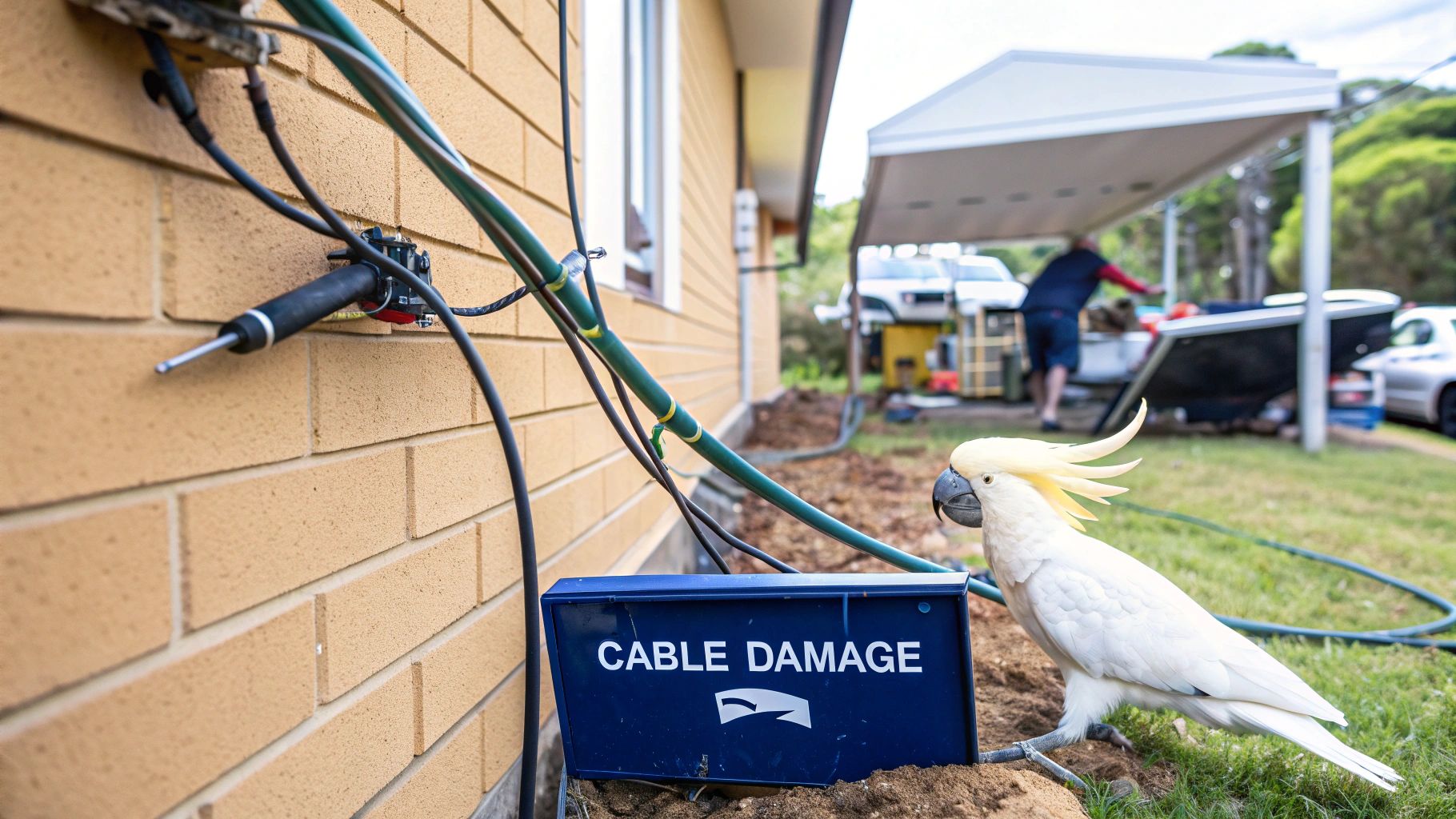
When your internet decides to pack it in right in the middle of a streaming binge, what's actually going on? More often than you'd think, the problem isn't some high-tech glitch but good old-fashioned physical damage. The NBN network is a massive, sprawling system, and its cables are surprisingly exposed to the elements and everyday life.
We see it all the time working across Newcastle and the Central Coast. One of the classic scenarios is the weekend gardener who gets a bit too enthusiastic with the shovel and accidentally "remodels" the main NBN lead-in cable. Just like that, the internet is gone, and no amount of modem-restarting is going to bring it back.
Accidents, Critters, and Mother Nature
Simple accidents are a huge source of NBN headaches. In fact, NBN Co has dealt with over 1,200 damage incidents caused by excavation and construction work. In one pretty dramatic case, a drilling crew accidentally sliced through a major fibre optic cable, knocking out the internet for around 22,000 customers. You can read more about how to work safely around the NBN network and avoid being that person.
But it’s not just human error. Mother Nature and our local wildlife love to throw a spanner in the works.
- Weather: A good downpour can flood underground pits, swamping critical connection points and causing faults that affect the whole neighbourhood.
- Wildlife: You would be amazed how often cockatoos, rats, and other critters decide that your external wiring looks like a five-star meal, chewing through cables and creating connection chaos.
- Old Age: Let's face it, cables don't last forever. Over time, especially in older homes, the internal wiring can degrade, becoming brittle, cracked, and totally unreliable.
Think of your NBN connection like a chain. It only takes one weak or broken link to bring the whole thing down—whether that's a flooded pit down the road, a dodgy old socket in your study, or a snapped cable in the backyard.
Different Tech, Different Headaches
The type of NBN connection you have also plays a big part in what's likely to go wrong. Each technology has its own set of common problems.
- Fibre to the Node (FTTN): This setup uses the old copper phone lines for the last leg into your home. These copper cables are notorious for failing due to water damage, corrosion, and just general old age, making them a prime suspect for connection issues.
- Hybrid Fibre Coaxial (HFC): If you're on an HFC connection, you're using the same kind of cable as pay TV. The weak links here are often the connectors. They can get loose, corroded, or damaged over the years, which causes the signal to drop out.
- Fibre to the Premises (FTTP): While it's generally the most robust NBN technology, the fibre optic cable itself is incredibly delicate. A bit of careless digging or even a sharp bend during a shoddy data cable installation can snap the glass fibres inside.
Getting a handle on these potential weak spots is the first step in figuring out why your internet is playing up and is where any good NBN cable repair job begins.
Your DIY NBN Troubleshooting Checklist
Before you hit the panic button and call for backup, it's worth running through a few simple checks yourself. This isn't about becoming a network engineer overnight; it's the internet equivalent of checking if the TV is plugged in at the wall before you declare it broken. Ruling out the easy stuff can save you time, money, and a whole lot of hassle.
Think of it as your pre-flight checklist for getting your internet back online. Let's start with the most legendary trick in the tech support book, but let's do it the right way.
The Classic 'Turn It Off and On Again'
Everyone knows the old power cycle trick, but there’s a proper sequence for NBN gear that gives it the best chance of working. Rushing it can mean you just end up right back where you started.
- Power Down Everything: Start by turning off your modem/router at the power point. Then, do the same for your NBN connection box (the one NBN installed).
- Take a Breather: Leave both devices completely unplugged for at least a full minute. Seriously, go make a cuppa. This gives all the internal components time to fully reset and clear any glitches.
- Power Up in Order: This part is crucial. Plug in and turn on the NBN connection box first. Now, wait. Give it a few minutes for its lights to settle down and go solid.
- Finish the Job: Once the NBN box looks happy and its lights are stable, you can plug in and switch on your modem/router. It'll also need a few minutes to boot up and establish a connection.
Following this specific sequence ensures the NBN box establishes a solid link to the network before your router even tries to connect to it. This prevents a kind of digital traffic jam that can stop things from working properly.
Quick Physical Checks
Next up, time to play detective around your setup. You'd be amazed how often a dodgy cable is the culprit behind what looks like a major fault needing nbn cable repairs.
- Check All Connections: Are the cables pushed firmly into the wall socket, the NBN box, and your router? Give each one a gentle push to make sure it’s seated securely. If you need a refresher on what a solid setup looks like, our guide on cabling for NBN is a great resource.
- Look for Damage: Give the cables inside your home a quick visual inspection. Are there any sharp kinks, chew marks from a bored pet, or spots where furniture might be squashing the line?
One last thing before you pick up the phone: do a quick search online for "[Your Provider Name] outage" or check their service status page on your mobile. The problem might be a known issue in your suburb, which will save you a phone call.
If you’ve done all this and you’re still staring at a blank screen, you can call for help knowing you've covered all the bases. Now it's time to bring in a pro.
The NBN Cable Repair Process Explained
So, you’ve tried the classic "turn it off and on again," jiggled all the plugs, and your internet is still on the blink. You're ready to call in the professionals. What actually happens when you report an NBN cable fault? It can feel like a bit of a mystery, but knowing the process helps you understand what to expect and who to call.
Your first port of call is always your internet service provider (ISP). You'll lodge a fault with them, and they’ll run their own tests from their end. If they can’t see what’s wrong remotely, they’ll schedule an NBN Co technician to come and check the network outside your property. This is where a crucial distinction comes into play: figuring out who is responsible for which part of the connection.
Before you even pick up the phone, running through these simple DIY checks can save you a world of hassle.
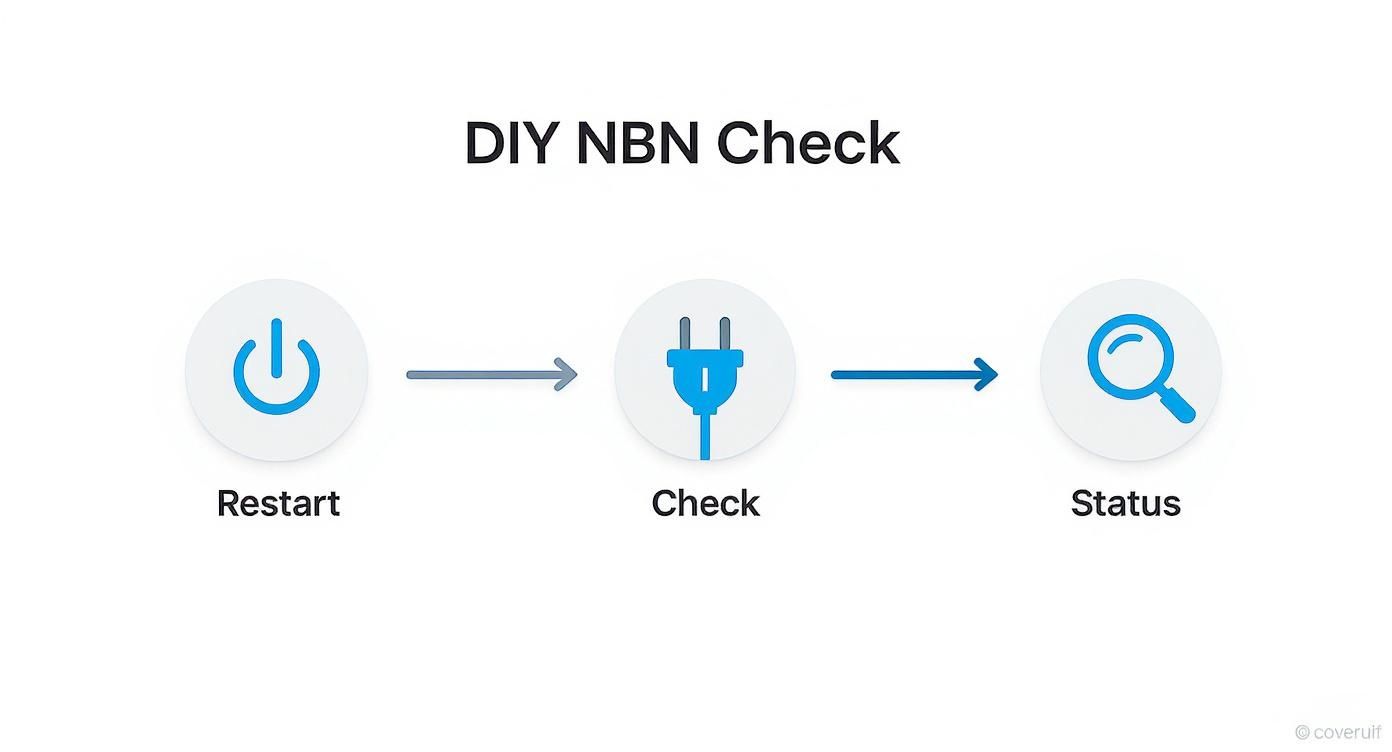
Honestly, a quick restart, a check of your cables, and a look at your ISP's outage page can solve a surprising number of problems right then and there.
NBN Co Tech vs. Private Cabler
Here’s the simplest way to think about it. The NBN Co technician looks after everything from the telephone exchange right up to the NBN connection box on the outside wall of your home. They manage the public network infrastructure. If the problem is on their turf, the repair is generally covered at no cost to you.
But what happens if the NBN Co tech shows up, runs their tests, and gives the external network a clean bill of health? At that point, their job is done. The fault has been pinpointed to your side of the property line, and you'll need to call in a private data cable installer. This is a licensed technician who specialises in everything inside your home—from the NBN box to your modem and any data points in the walls. Our team can help you find a qualified data cable installer to get your internal wiring sorted.
What Does a Repair Job Actually Look Like?
Let's walk through a typical scenario at a home in Charlestown or Gosford. A customer calls us, fed up with their NBN constantly dropping out. They’ve already spoken to their ISP, who has confirmed the external network is fine.
When our technician arrives, they don't just start pulling things apart. The first step is always methodical testing. Using a specialised network testing tool, they’ll plug directly into the wall socket to get a clear reading of the signal strength and quality. If the signal is weak or unstable, they begin the process of elimination.
They'll trace the line back, testing other sockets or heading straight to the point where the NBN cabling enters the building. With each test, they’re isolating different segments of the cable to find the exact failure point. It could be a loose connection behind a wall plate, a kink in the line, or even a section of cable that a mouse decided was a tasty snack.
This systematic approach is vital. It’s about finding the precise cause of the problem, not just guessing. With 8.84 million active NBN services across Australia, keeping the network in top shape is a massive undertaking. The good news is that about 90% of reported faults are fixed within their agreed timeframes. You can get a sense of the network's scale from the NBN Co Annual Report 2024.
Once our technician nails down the problem, they'll repair the damaged section, replace any faulty connectors, and re-test the entire line to make sure you have a stable, fast connection again.
How Much Do NBN Cable Repairs Cost?
Alright, let's get down to brass tacks: what's this going to cost? When your NBN connection drops out, that's often the first thought that flashes through your mind. The truth is, the cost of NBN cable repairs can be all over the map, and it really boils down to one crucial question: who's responsible for the fault?
Let's start with the good news. If an NBN Co technician determines the problem is on their network—say, a flooded pit on your street or a dodgy line leading up to your property's boundary—you're in the clear. That repair is on them, and it won't cost you a cent.
But, if the technician gives the external network a clean bill of health, the focus shifts to your place. Any issue with the cabling inside your property is your responsibility to fix, and that's when you'll need to open your wallet.
Breaking Down the Costs
So, what should you budget for if you need to call a private technician around Sydney, Newcastle, or the Central Coast? Every job is unique, of course, but here’s a rough idea of what to expect for common NBN repairs.
-
Simple Fault Diagnosis & Repair: For a quick fix like a busted wall socket or a loose connection point, you're usually looking at a call-out fee plus about an hour of labour. This typically lands somewhere between $150 and $250.
-
Replacing Damaged Internal Cabling: This is a bit more involved. If a possum has had a chew on the cable in your roof space or you've accidentally put a drill through one, the cost will climb. You could be looking at $250 to $500+, depending on how much cable needs replacing and how tricky it is for the technician to get to it.
-
Running a New Lead-In Cable: In a worst-case scenario where the main line running from the street to your house (the part on your property) is cactus, a full replacement might be necessary. This is a bigger job that could set you back anywhere from $400 to over $800, especially if it involves digging a new trench.
Keep in mind, these figures are just a guide. The final bill will always come down to the specific problem, the parts needed, and your technician's rates. The best way to avoid any nasty surprises is to get a clear, upfront quote before any work begins.
Why Calling a Professional Is Your Best Bet
The Aussie DIY spirit is a beautiful thing. We love giving it a crack, whether it's building a deck or fixing a leaky tap. But when it comes to the delicate, complex world of NBN cabling, grabbing a pair of pliers and hoping for the best can quickly turn a small drama into a full-blown internet catastrophe.
We once got a callout to a place in Newcastle where the homeowner, trying to save a few bucks, decided to fix a dodgy NBN socket himself. He’d watched a couple of videos and thought, "how hard can it be?"
An hour later, he'd not only fried the socket but had also shorted the line, taking out his connection completely. The professional repair ended up costing him twice what it would have in the first place.
The Right Tools and Know-How
A licensed technician doesn't just show up with a better toolkit; they arrive with years of hard-won training and on-the-job experience. They use specialised diagnostic gear, like signal testers and time-domain reflectometers, that can pinpoint the exact location of a fault down to the centimetre. No guesswork, no tearing up walls unnecessarily.
They also have an expert understanding of the strict rules set by the Australian Communications and Media Authority (ACMA). These regulations are there to make sure all cabling work is done safely and to a high standard. Getting this wrong isn't just risky; it's actually illegal for an unlicensed person to mess with it. A deep dive into a professional data cabling installation shows just how much precision is involved.
Think of it this way: you wouldn’t try to do your own electrical switchboard work, would you? Data cabling carries the same level of importance for the safety and reliability of your home’s infrastructure.
Peace of Mind Is Priceless
When you hire a pro for your NBN cable repairs, you're not just paying for a fix; you're investing in peace of mind. You get a guarantee on the workmanship, which means you can trust the repair is durable and reliable.
When you're looking for a good tech, check if they use modern systems for efficient job and cost tracking solutions—it’s often a sign of a well-run, professional operation.
Ultimately, a professional ensures your connection is stable, safe, and performing at its best. That means you can get back to your Netflix binge on the Central Coast without that dreaded spinning wheel of doom making an appearance.
Your NBN Repair Questions, Answered
Let's be honest, when the internet dies, panic sets in pretty quickly. You've got questions, and you need answers—fast. Here are some of the things we're asked most often by our customers across the Central Coast, Sydney, and Newcastle when they're staring down an NBN problem.
How Long Will the NBN Repair Take?
This is the big one, isn't it? The classic "how long is a piece of string" question. For a simple internal job, like swapping out a busted wall socket or fixing a dodgy bit of cable, a good technician can usually get you sorted in 1 to 2 hours.
But if we’re playing detective and hunting for a fault buried deep inside a wall, or we need to replace a whole run of cable, it’ll naturally take a bit longer—think several hours. And if the problem is out on the street with NBN Co's network, the timeline can be anything from a few hours to a few days, depending on what’s gone wrong.
Can I Move My NBN Box?
You sure can! We see it all the time—the NBN connection point is stuck in a garage, a laundry, or some other random corner of the house. A licensed cabler can easily and professionally move it to a much better spot, like your home office or right near the TV. It's one of the best things you can do for better Wi-Fi coverage and a more stable connection.
Moving your NBN point is more than just a tidy-up. Putting it in a central spot means your router can broadcast a much stronger and more reliable Wi-Fi signal throughout your entire home.
Even with a perfect setup, things can go wrong. The Australian Competition and Consumer Commission reports that the average fixed-line NBN service has 0.16 outages per day that last over 30 seconds, often due to maintenance and repairs. You can dig into all the details by checking out their broadband performance data.
Will My Internet Be Faster After It's Fixed?
If a dodgy cable has been slowing you down, then absolutely—a proper repair will get your speeds back to where they should be. When we fix things like corroded connections, damaged wires, or sloppy joins, we’re basically clearing out the roadblocks that were strangling your internet. You’ll finally be able to enjoy the full speed you're paying for.
Tired of battling dropouts and speeds that crawl? The team at Advanced Comtech knows how to find and fix NBN cabling problems for good. Get a solid, dependable connection by getting in touch with us at https://advancedcomtech.com.au.