
When we talk about modern security and CCTV, it’s not just about catching someone red-handed anymore. It’s about having a digital watchdog that delivers genuine peace of mind. This is the smart way to protect your home or business, whether you’re smack in the middle of Sydney or tucked away in a quiet Central Coast street.
Is Your Place Really Safe As Houses?
Let’s be honest, we all want to feel secure. But it’s easy to get a bit complacent.
Take Dave, a mate of ours who runs a small workshop near Newcastle. For years, he relied on a dusty old alarm system that probably came with the building. It chirped when he set it, and that was about the extent of its usefulness. He had that classic Aussie attitude: “She’ll be right.” Unfortunately, that doesn’t always cut it with security.
One Monday morning, Dave rocked up to find his workshop door busted and thousands of dollars in tools missing. That old alarm? It was bypassed in seconds. When the coppers asked if he had any footage, all Dave could do was shrug. That very expensive lesson was the moment he realised that relying on old-school tech is like bringing a knife to a gunfight.
The Game Has Changed
The truth is, effective security and CCTV systems aren’t just for massive corporations or fancy waterfront mansions anymore. They’ve become a non-negotiable for everyday homeowners and small business owners. It’s not about being paranoid; it’s about being prepared.
Think of a modern system as your own personal watchdog that works 24/7. It’s always alert, always watching, and it never needs a nap. It keeps an eye on things when you’re:
- Away on holiday, finally relaxing somewhere up the coast.
- Stuck in peak hour traffic on the M1, wondering if that parcel was delivered.
- Just popping down to the local shops for a quick coffee.
A good surveillance setup is a massive deterrent. Potential thieves are far more likely to skip a property with visible, modern cameras and try their luck somewhere else. It’s all about making your place a harder, less appealing target.
More Than Just Hitting Record
The whole philosophy has shifted. It’s no longer just about recording a break-in to give the police footage later. Today’s systems are interactive and smart.
They can send an alert straight to your phone the second someone steps onto your driveway, let you talk to a delivery driver from your office desk, or even tell the difference between a person and the neighbour’s cat.
This is especially important now that most systems are connected to the internet. To really benefit from these features, you need a solid connection, and just as importantly, a secure one. Ensuring your network is locked down is as crucial as locking your front door. It’s well worth understanding how to secure your WiFi network properly, because it all works together to create a complete security bubble around your property.
From Grainy Clips to AI-Powered Watchdogs
Remember those blurry security clips you’d see on the evening news? The ones where the reporter says, “police are looking for a man,” and the footage shows a fuzzy blob that could be anyone from your cousin Barry to a rogue wombat? Those days are well and truly gone, mate.
The world of security and CCTV has had a massive glow-up. We’ve moved from clunky old analogue systems that recorded grainy footage onto tapes (yes, actual tapes!) to razor-sharp, intelligent digital systems. Think of it as upgrading from an old Nokia 3310 to the latest iPhone—they both make calls, but one does a heck of a lot more.
Today’s systems are less about just recording what happened and more about proactively understanding what’s happening right now.
The Leap from Analogue to IP Cameras
The big game-changer was the switch to IP (Internet Protocol) cameras. Instead of sending a fuzzy signal down an old-school coaxial cable, IP cameras are essentially mini-computers. They capture crystal-clear digital video and send it over a network, just like your laptop sends an email.
This leap forward means a few massive improvements for homeowners on the Central Coast or businesses in Sydney:
- Razor-Sharp Detail: Modern cameras record in high definition, sometimes even 4K. This means you can actually zoom in on a number plate or get a clear look at someone’s face, not just their general shape.
- Remote Access: Because they’re on a network, you can securely check your cameras from anywhere. Whether you’re on a smoko break in Newcastle or on holiday in Bali, you can pull out your phone and see a live feed of your property.
- Power and Data in One: Many IP cameras use Power over Ethernet (PoE), which means a single network cable provides both power and data. This makes for a much cleaner and more reliable installation.
The shift to digital isn’t just a trend; it’s a complete overhaul of what surveillance can do. It’s moved CCTV from being a passive recorder of past events to an active participant in your property’s real-time security.
This technological jump is a key reason the Australian CCTV market is booming. What was a USD 1.16 billion industry in 2024 is expected to skyrocket to over USD 6.02 billion by 2033. This massive growth is fuelled by Aussies wanting smarter, more effective ways to protect their properties. You can discover more about these market trends here.
Introducing the Brains of the Operation: AI Analytics
This is where it gets really clever. Modern security and CCTV systems aren’t just seeing—they’re thinking. Artificial Intelligence (AI) analytics can now interpret what the camera sees, turning a simple motion alert into a highly specific and useful notification.
Imagine your camera in the front yard. Instead of buzzing your phone every time a car drives past or a tree branch sways in the wind, AI can tell the difference between:
- A person walking up your driveway.
- A delivery driver leaving a package.
- A vehicle lingering near your property.
- Your dog chasing the postie.
This intelligence makes your security system proactive. It can flag genuinely unusual activity, allowing you to act before something happens. For homeowners, this level of detail is a huge part of modern smart home security systems, integrating everything into one seamless, intelligent package.
It’s not just about catching a thief anymore; it’s about getting an alert that a potential one is scoping out your place, giving you the chance to prevent the crime altogether.
Choosing Your Digital Bouncer
Right, you’re convinced you need a system, but where on earth do you start? Stepping into the world of security and CCTV can feel a bit like walking into Bunnings when all you need is one specific screw. The options seem endless, the jargon is confusing, and every choice seems to lead to ten more questions.
Don’t stress. Think of this as your friendly guide to picking the right digital bouncer for your place. We’ll break down the main contenders in plain English, helping you figure out what makes the most sense for your property, your budget, and most importantly, your peace of mind.
To make it real, let’s picture two neighbours in Merewether, a typical Newcastle suburb. On one side, you have Sarah, who just wants to keep an eye on her small home and make sure her online deliveries are safe. On the other is Mark, who runs a home-based graphic design business with a lot of expensive computer gear inside. They both need security, but their needs are worlds apart.
Wired vs Wireless: The Great Cable Debate
The first big decision you’ll face is how your cameras will connect. Are you going with traditional wired cameras or modern wireless ones?
Sarah, just wanting a simple setup for her home, decides on a DIY wireless system. She can mount the cameras herself in an afternoon without drilling a heap of holes through her walls. It’s quick, easy, and connects straight to her home Wi-Fi, making it perfect for monitoring her front door and back patio.
Mark, however, can’t afford any dropouts. His business relies on constant, reliable surveillance. He opts for a professionally installed wired system. The cameras are physically cabled back to a central recorder. Sure, it’s a more involved installation, but the connection is rock-solid and isn’t at the mercy of his Wi-Fi signal, which can sometimes be a bit dodgy. If you’re considering this path, it’s worth checking out a guide on how to properly install security cameras to really understand what’s involved.
Analogue vs IP: The Brains Behind the Lens
Next up is the type of camera technology itself. While older analogue systems still exist, the market is now dominated by modern IP (Internet Protocol) cameras for a very good reason.
Think of IP cameras as the smart kids on the block. They capture high-definition digital video and connect over a network, which is the tech that allows for those crystal-clear images, remote viewing from your phone, and clever AI features. It’s no surprise that in Australia, IP-based cameras grabbed the largest revenue share of 47.92% in 2024. This trend is only set to continue as more Aussies upgrade to digital systems.
This quick visual shows just how far the technology has come.
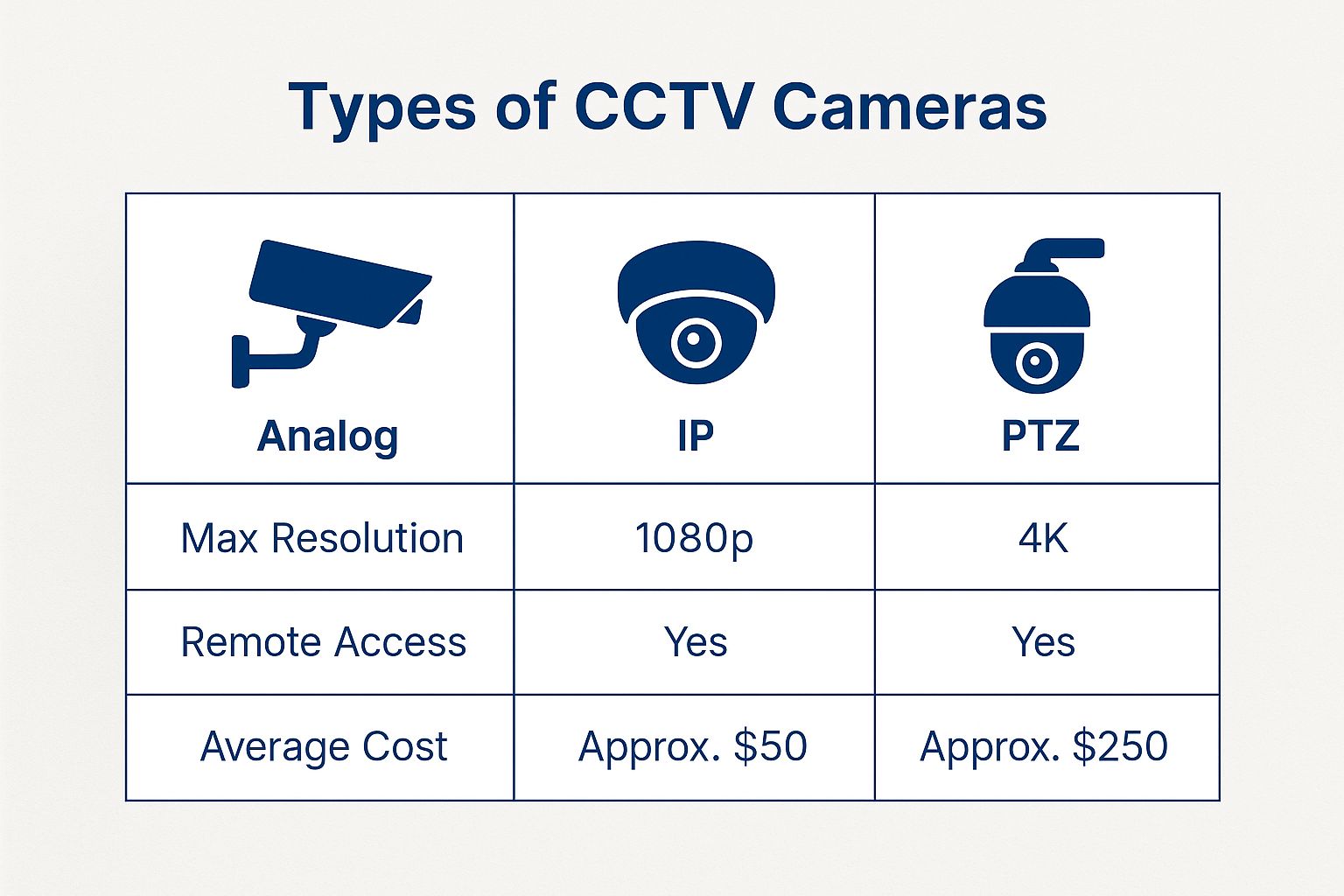
As you can see, modern IP cameras simply blow the older analogue ones out of the water when it comes to image quality and features like remote access.
Quick Guide to Choosing Your CCTV System
Feeling a bit overwhelmed by the options? This quick comparison should help you weigh up what’s best for your home or business in the Central Coast, Sydney, or Newcastle.
| System Type | Best For | Pros | Cons |
|---|---|---|---|
| Wireless IP | Renters, DIYers, small homes, and non-critical monitoring. | Easy to install, flexible placement, no major drilling required. | Relies on Wi-Fi strength, may need battery changes or recharging. |
| Wired IP | Businesses, large properties, and anyone needing top-tier reliability. | Ultra-reliable connection, powered directly, supports high-res video 24/7. | Professional installation is often needed, more complex setup. |
| Analogue | Extremely tight budgets or upgrading an old, existing coaxial cable system. | Very cheap, uses old-school BNC cables. | Low resolution, limited features, largely outdated technology. |
Ultimately, the best system is the one that fits your specific situation, balancing ease of use with the level of security you actually need.
Local vs Cloud Storage: Where Does the Footage Go?
Finally, you need to decide where your recordings will live.
Sarah’s wireless system uses cloud storage. Her video clips are uploaded to a secure server online, which she can access from an app on her phone. It’s super convenient and means her footage is safe even if a thief steals the camera itself.
Mark, on the other hand, chooses local storage. His wired IP cameras are connected to a Network Video Recorder (NVR)—basically a dedicated hard drive that sits securely inside his office. He has full control over all his footage, doesn’t need to pay a monthly subscription fee, and can record continuously, 24/7, without worrying about his internet upload speeds.
Choosing the right system isn’t about finding the ‘best’ one—it’s about finding the best one for you. It’s a balance between convenience, reliability, and what you’re trying to protect.
By understanding these core differences, you can start to build a clear picture of the perfect security and CCTV setup for your own slice of the Central Coast, Sydney, or Newcastle.
Strategic Camera Placement for Best Coverage
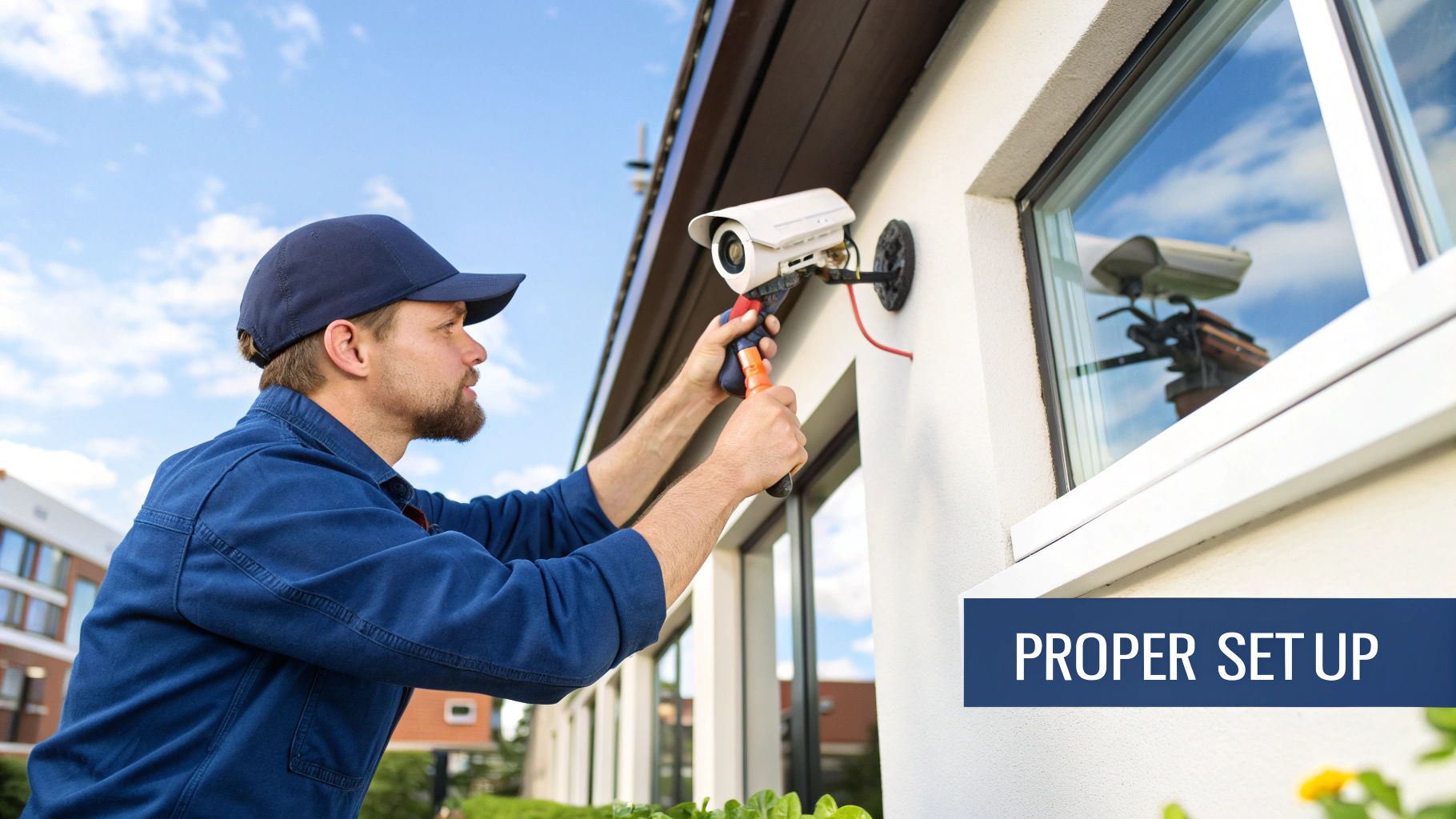
So you’ve chosen your new security and cctv system. Top stuff! But the best gear in the world is about as useful as a screen door on a submarine if it’s pointing at the wrong thing.
Strategic camera placement is the real secret sauce to effective surveillance. It’s the difference between capturing a clear shot of a potential intruder and getting a lovely, high-definition video of your lemon tree swaying in the breeze.
Think of it like setting up the perfect defence in a game of footy. You need to cover the most likely points of attack, eliminate any gaps, and make sure your key players (your cameras) have a clear view of the field. A poorly placed camera creates a blind spot, and that’s exactly where trouble likes to hide.
Let’s walk through the essential dos and don’ts for a typical Aussie home or small business, turning your property into a well-covered fortress.
Covering the Main Entry Points
Most unwanted guests don’t abseil from a helicopter; they walk right up to the front or back door. This makes your entry points the most critical areas to cover. It’s not just about catching someone breaking in, but also about monitoring deliveries, visitors, and any suss activity.
- The Front Door: This is a no-brainer. Position a camera above the door, looking down and out. This angle helps you capture faces clearly as people approach, and it’s high enough to be out of easy reach.
- Back and Side Doors: Don’t forget the other ways in! Back doors, sliding glass doors, and side entrances are often more secluded and therefore more appealing to thieves. Make sure each one has its own dedicated camera.
- The Driveway: A camera covering your driveway is brilliant. It can watch over your cars and gives you an early warning of anyone approaching your property on foot or in a vehicle.
The goal is to create overlapping fields of view where possible. Think of it as a security blanket—you don’t want any cold spots. A camera on the garage corner might cover the driveway and the path to the front door, giving you more bang for your buck.
Common Mistakes to Avoid
Getting placement right is often about avoiding a few classic blunders. A lot of DIY setups fall into these traps, which can seriously reduce the effectiveness of your security and cctv system.
First off, watch out for the sun. Pointing a camera directly where the sun rises or sets will result in “sun glare,” blowing out your image and making it impossible to see anything for hours each day. Likewise, avoid pointing cameras directly at bright security lights, as this can create a similar washed-out effect at night.
Another big one is creating blind spots right under the camera. If a camera is mounted flat against a wall, an intruder could potentially sneak up by hugging that wall. Using corner mounts or cameras with a wide-angle lens can help eliminate these dangerous gaps in your coverage.
Finally, be mindful of where your cameras are pointing. It’s one thing to cover your property, but another to start filming your neighbour’s backyard BBQ.
Respecting Privacy and the Law
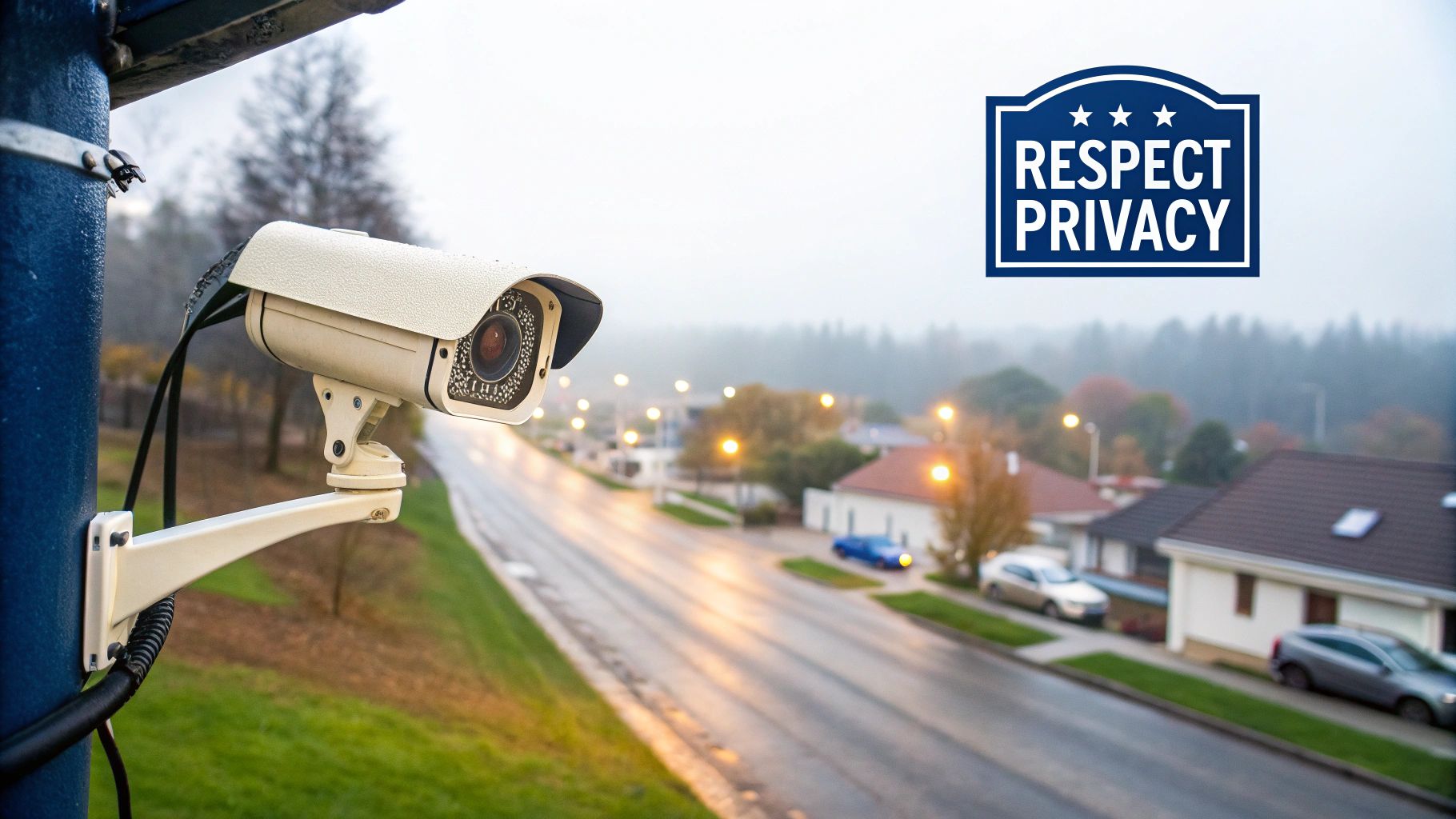
This brings us to a crucial point: privacy. Here in New South Wales, the law is pretty clear. Your security and cctv system should be focused on your property. You can’t record private activities on your neighbour’s property or listen in on conversations you’re not a part of.
Here’s a simple rule of thumb:
- Your Property: You’re free to monitor your own front yard, backyard, and the perimeter of your house.
- Public Spaces: It’s generally fine for your camera to incidentally capture a public footpath or the road in front of your house.
- Neighbour’s Property: Do not deliberately point your cameras over the fence to film their yard, windows, or private spaces. This is a big no-no and can land you in serious strife.
The best approach is to have a friendly chat with your neighbours before you install. Let them know you’re beefing up your security and assure them the cameras will only be focused on your place. It’s the courteous Aussie way and can prevent a lot of headaches down the track.
Getting the Most Out of Your System
Alright, so the sparky has packed up, the cameras are installed, and the little green light is blinking away. Job done, time for a cuppa? Not quite, mate. Installing a new security and CCTV system is a bit like getting a new smartphone—the real magic happens once you start exploring the features and making it work for you.
Leaving your system on its factory settings is like buying a Ferrari and only ever driving it to the local shops. You’re missing out on all the cool stuff! This is where you turn your CCTV from a passive box that just records things into an active, intelligent part of your daily life.
Let’s dive into the features you might not know about and the simple checks that will keep your digital watchdog in top shape for years to come.
Taming the Pesky Notifications
One of the first things you’ll notice is the constant buzz on your phone. A car drives past? Buzz. A magpie lands on the lawn? Buzz. The neighbour’s cat strolls across your driveway? You guessed it—buzz.
This is where setting up motion detection zones is a game-changer. Instead of the camera alerting you to every single movement in its view, you can draw specific boxes around the areas you actually care about.
- Zone 1: The Front Path: Draw a box covering just the walkway to your door. Now, you’ll only get an alert when someone is actually approaching your house, not just walking past on the footpath.
- Zone 2: The Driveway: Another box over your driveway will let you know when a car pulls in, ignoring the traffic on the street.
- Zone 3: The Parcel Spot: You can even create a tiny zone right where the delivery driver leaves your packages.
This simple tweak stops you from getting “notification fatigue” and ensures that when your phone does buzz, it’s for something worth checking out.
Your Eye in the Sky From Anywhere
This is arguably one of the best perks of a modern security and CCTV setup. The ability to have remote viewing means you can check in on your property from literally anywhere with an internet connection. Stuck in traffic on the Pacific Highway? You can see if the kids got home from school. Enjoying a holiday up in Port Stephens? You can quickly check if that big storm caused any dramas in the backyard.
It offers incredible peace of mind, transforming your system from a simple recorder into a live window into your home or business. It’s no wonder the Australian CCTV camera market hit around USD 555.51 million in 2024, with much of that growth driven by IP-based cameras that make remote access so easy. This shift is happening everywhere, from shopping malls (28% of deployments) to car parks (27%).
Remote access isn’t just for security; it’s for convenience. It lets you confirm a delivery has arrived, check if you closed the garage door, or even see who’s at the door before you answer it.
Keeping Your System Fighting Fit
Like any piece of important tech, your CCTV system needs a little TLC to keep it performing at its best. You don’t need to be a tech wizard; a few simple checks every few months will do the trick.
- Clean Your Lenses: Give your camera lenses a gentle wipe with a microfibre cloth. Dust, cobwebs, and grime can build up over time and turn your crystal-clear HD footage into a blurry mess.
- Check Your Connections: Make sure all the cables are still securely plugged in. Sometimes weather or vibrations can loosen things up.
- Confirm Your View: Take a quick look at each camera’s feed. Have tree branches grown in the way? Has the camera been knocked slightly off-angle? A quick adjustment can make all the difference.
By integrating your cameras with other parts of your home security, such as alarms, you create a much stronger defence. For example, some systems can be set up so that when an alarm is triggered, the cameras automatically start recording and send you the footage. Exploring how wireless home alarm systems can work with your CCTV is a great next step.
Your Top Security and CCTV Questions Answered
Alright, you’ve gotten the rundown on modern surveillance, from picking the right gear to finding the perfect spot for it. But let’s be real, there are always a few questions still buzzing around. It’s a big decision, and you want to feel confident you’re getting it right.
So, let’s dive into some of the most common queries we hear from folks right across the Central Coast, Sydney, and Newcastle. Think of this as your straight-up, no-fluff FAQ section to clear up any final bits of confusion about security and CCTV.
How Much Does a Good Security and CCTV System Cost?
This is the big one, and the honest answer is: it varies massively. It’s a bit like asking “how long is a piece of string?”—what you need determines the price.
You could grab a basic DIY camera kit from a big box store for a few hundred dollars. That might be just the ticket if all you want is to see who’s at the front door.
But for a reliable, professionally installed security system on a typical three-bedroom home, you’re usually looking at a starting point of around $1,500 to $3,000. That’ll generally get you a few high-quality cameras, a recorder, and the peace of mind that comes with a pro doing the job properly.
For businesses or larger properties needing more cameras, sharper resolution, and clever features like AI analytics, the cost can easily climb to $5,000 and well beyond. Your best bet is always to get a couple of quotes from local installers who can actually look at your property and suggest a solution that fits your needs and your budget.
Do I Need to Tell My Neighbours I’m Installing Cameras?
While you don’t legally need to get your neighbour’s permission to install cameras on your own property, a friendly chat over the fence is always a brilliant idea. It’s just good manners, and it can head off a lot of potential drama down the track.
Here in New South Wales, the Surveillance Devices Act 2007 is the main piece of legislation to know. The golden rule is simple: your cameras should only capture footage of your own property.
It’s illegal to record private conversations you’re not part of or to film inside your neighbour’s home or their private backyard. Pointing a camera at a shared fence is generally fine, but pointing it over the fence is a serious no-no.
Being upfront and letting them know your cameras are purely for your own security builds goodwill and keeps the neighbourhood peace. A quick, “G’day, just letting you know we’re putting up some cameras, they’ll only be pointing at our place,” is all it takes.
Can Police Use My CCTV Footage as Evidence?
Absolutely, and they often rely on it. High-quality CCTV footage can be incredibly powerful evidence for the police, turning a guessing game into an open-and-shut case.
If your cameras happen to capture a crime—whether it’s on your property, next door, or even just on the street out front—the police can request that footage to help their investigation. For the footage to be useful, your system needs to record clear, high-resolution video and, critically, have the correct date and time stamp on it.
This is one of the main reasons why investing in a decent quality security and CCTV system really pays off. Your footage could be the key piece of the puzzle that helps identify a suspect, track a getaway car, or prove exactly what happened.
What Happens If My Wi-Fi Drops Out?
That’s a cracking question, and the answer really depends on the type of system you have. Many of the simple wireless cameras rely entirely on Wi-Fi to send footage to the cloud or your phone. If your NBN connection drops out, they might just stop recording altogether. It’s a bit of a weak link.
Thankfully, some of the smarter wireless cameras have a great workaround: a built-in SD card for local storage. These cameras will keep recording footage onto the card even if the Wi-Fi is down, then upload it to the cloud once the connection comes back online.
But if reliable, 24/7 recording is an absolute must—say, for a business or a high-security area—a wired IP camera system is the most robust choice. Because the cameras are physically cabled to a recorder (NVR), they don’t depend on your home Wi-Fi at all. They’ll just keep on recording, no matter what your internet is doing.
How Do I Stop My Cameras From Being Hacked?
This is a massive concern, and rightly so. The last thing you want is for the system meant to protect you to become a security risk itself. Shockingly, one study found over 40,000 security cameras were openly accessible online, often because of simple setup mistakes.
The good news is that locking down your system is pretty straightforward. Here are the absolute must-dos:
- Change Default Passwords Immediately: Almost every camera ships with a generic password like “admin” or “12345”. Change it straight away to something long, strong, and unique. This is the single most important thing you can do.
- Keep Your Firmware Updated: Manufacturers release updates to patch security holes. Set your system to update automatically, or at least make a habit of checking for updates.
- Disable Remote Access If You Don’t Need It: If you only ever look at your cameras from inside your home, you can turn off the feature that makes them accessible from the internet.
- Use a Reputable Installer: A professional will make sure your network is configured securely right from the start, closing any digital backdoors that a DIY setup might accidentally leave wide open.
Your security and CCTV system is a powerful tool. By taking these simple steps, you ensure it stays your private watchdog, not a public window.
Feeling ready to take the next step towards a safer, smarter property? The world of security tech can feel a bit overwhelming, but you don’t have to figure it all out on your own. At Advanced Comtech, we specialise in designing and installing security solutions that are built for real-world reliability.
Whether you’re on the Central Coast, in Sydney, or up in Newcastle, our team has the local know-how to get the job done right, the first time. Get in touch with us for honest advice and a no-obligation quote. Let’s make your place smart, secure, and connected.





