
Let’s get straight to it. You’ve seen the cameras on your neighbour’s place in Woy Woy, heard the stories on the news, and now you’re wondering if a house CCTV system is the right move for your home in Sydney or Newcastle. The short answer? Absolutely, and for more reasons than just catching burglars red-handed.
This guide will walk you through everything, from the techy bits to the practical, everyday peace of mind that comes with a good setup.
Is a House CCTV System Worth It for Your Aussie Home?
Let’s be honest, the thought of setting up security cameras can feel a bit overwhelming. But these days, it’s not just about guarding against worst-case scenarios. For countless families across the Central Coast, Sydney, and Newcastle, it’s become a genuinely useful tool for daily life.
Take the Thompsons, a typical family from Terrigal. They always felt their street was safe enough, but after a few dodgy incidents nearby, they started feeling a bit uneasy. It wasn’t just the big worries like break-ins; it was also those little, nagging “what if” moments.
Once they had a proper house CCTV system installed, things changed. It wasn’t just about feeling safer at night. It was about all the small things that, when added up, give you real peace of mind.
More Than Just a Burglar Alarm
A modern security system brings a lot more to the table than just scaring off intruders. Think about the day-to-day wins:
- Parcel Protection: That little buzz on your phone telling you the package from The Iconic has just been dropped off. No more porch pirates or “did it even arrive?” anxiety.
- Family Check-ins: A quick glance at your phone to see the kids are home safe and sound from school.
- Mystery Solver: Finally getting to the bottom of which neighbour’s dog has been treating your prize-winning gardenias as its personal digging pit. (We’re looking at you, Fluffy).
This shift towards practical, everyday use is a huge part of why CCTV is becoming so common across Australia. It’s not just a gut feeling, either—the numbers tell the same story. The Aussie market for CCTV cameras rocketed past AUD 800 million in 2024, thanks to systems becoming more affordable and people wanting to be proactive about their security.
The real value of a good CCTV system isn’t just the footage you might need in a crisis. It’s the quiet confidence it gives you every single day, turning your home into a space you can look after, no matter where you are.
Investing in a house CCTV system is really about reclaiming that sense of control. In this guide, we’ll break down everything you need to know, from decoding the jargon to planning the perfect camera layout for your place. For more handy tips, you can check out our other articles on all things security and CCTV.
Decoding the Tech Jargon in Your CCTV System
When you start looking into a house CCTV system, it can feel like you’ve stumbled into a conversation full of acronyms. NVR, DVR, IP, PoE… it’s enough to make your head spin. What does any of this actually mean for keeping your home in Hornsby safe?
Don’t worry, I’m here to translate.
The easiest way to get your head around it is to think of your CCTV system like a human body. The cameras are the ‘eyes’, the recorder is the ‘brain’, and the cables or Wi-Fi are the ‘nervous system’ that ties it all together.
Let’s start with the brain of the operation—the part that stores and manages all that crucial footage.
The Brains of the Outfit: NVR vs DVR
You’ll hear two main terms tossed around for the recorder: NVR (Network Video Recorder) and DVR (Digital Video Recorder). They might sound similar, but in terms of technology, they’re miles apart. Picking the right one is absolutely key.
A DVR is the old-school technology. It works with older analogue cameras and has to do all the heavy lifting of processing the video footage itself. Think of it like an old VCR; it gets the job done, but it’s a bit clunky and the quality just isn’t there anymore.
An NVR, on the other hand, is the modern standard. It’s designed to work with newer, much smarter IP (Internet Protocol) cameras. These cameras are like tiny computers that process the video right at the source before sending it over to the NVR just for storage. The result? Far higher quality video and a more powerful, flexible system.
For any new house CCTV system installation today, an NVR is the undisputed champion. It’s the smart choice for crystal-clear footage and future-proof technology, leaving older DVRs in the dust.
The “nervous system” that connects everything is also a big deal. Most modern NVR systems use PoE (Power over Ethernet) technology. This is a game-changer. It means a single ethernet cable delivers both a data connection and electrical power to your cameras, making the whole installation process cleaner, simpler, and much more reliable.
NVR vs DVR: Which Brain Does Your System Need?
Here’s a straightforward comparison to help you decide between a modern Network Video Recorder (NVR) and an older Digital Video Recorder (DVR) for your home.
| Feature | NVR (Network Video Recorder) | DVR (Digital Video Recorder) | Best For |
|---|---|---|---|
| Camera Type | Works with modern IP (Internet Protocol) cameras | Works with older analogue cameras | NVR is best for new installations that need high-resolution, smart cameras. |
| Image Quality | Superior, high-resolution (up to 4K and beyond) | Lower resolution, often standard definition | NVR is the clear winner for capturing crucial details like faces or licence plates. |
| Cabling | Single Ethernet (PoE) cable for power and data | Separate coaxial cable for video and power cable | NVR with PoE offers a much simpler and tidier installation. |
| Flexibility | Highly flexible; cameras can be placed anywhere on the network | Limited; cameras must be connected directly to the DVR | NVR systems are easier to expand and reconfigure as your needs change. |
| Cost | Higher initial investment, but better value long-term | Lower upfront cost | DVR might suit a tight budget for a very basic setup, but an NVR provides far greater long-term value. |
In short, while a DVR might save you a few dollars initially, an NVR system is the superior choice for any modern home security setup. It delivers better quality, more features, and the flexibility you’ll want down the track.
The Eyes of the System: Common Camera Types
Once you’ve got the brain sorted, you need to pick the eyes. The kind of camera you choose really depends on where it’s going and what you want it to see.
This image shows some of the most popular camera types you’ll come across when planning your home security.
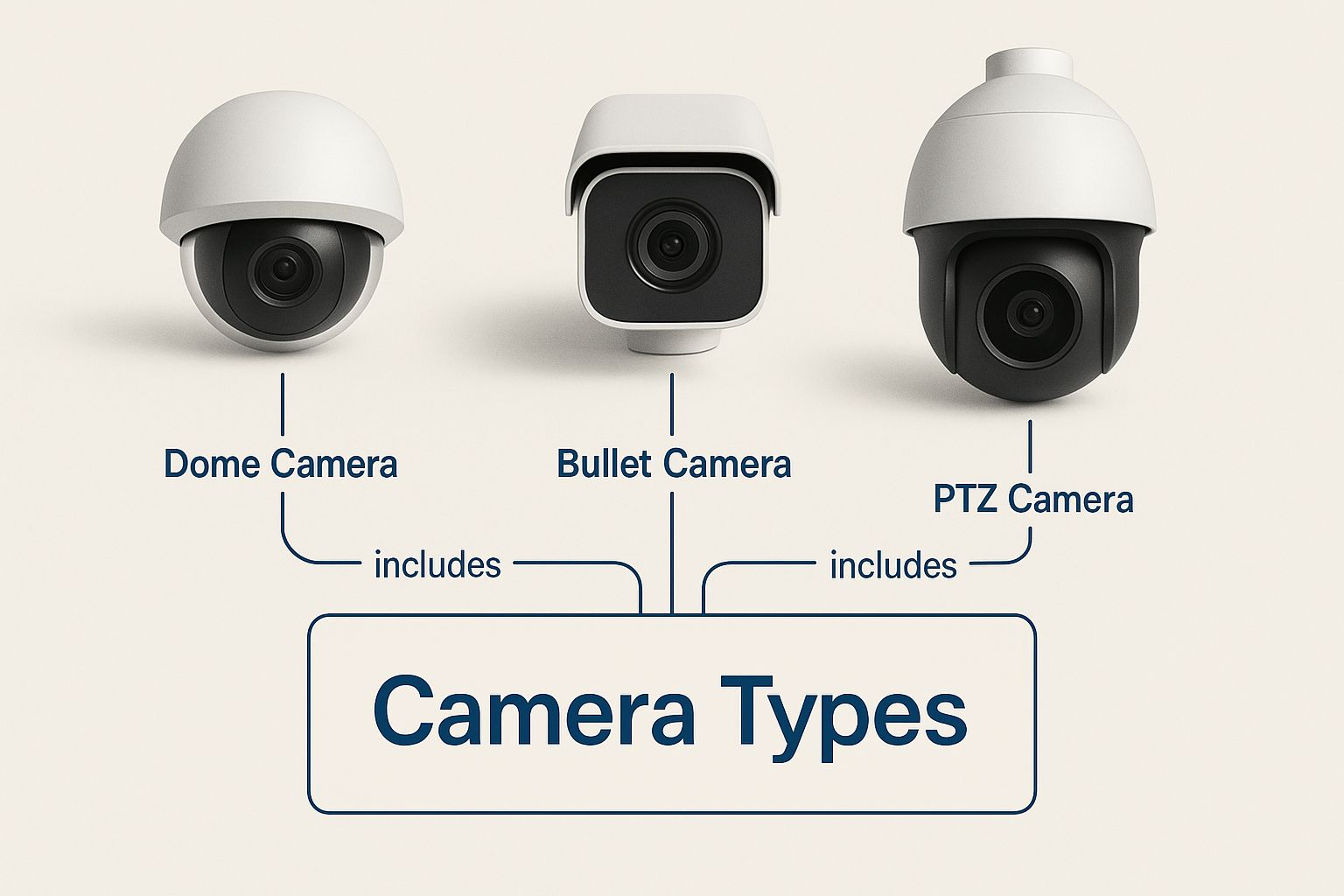
Each design has a specific job, whether you need a subtle camera for your front porch or a more obvious one to let potential intruders know they’re being watched.
Here’s a quick rundown of the main players:
- Bullet Cameras: These are the classic, highly visible cameras you often see mounted on walls. Their noticeable presence is a fantastic deterrent, making them perfect for monitoring driveways or the side of your house in Warners Bay.
- Dome Cameras: A bit more discreet and built tough, dome cameras are often found under eaves or on ceilings. Their vandal-resistant casing makes them harder to tamper with, and it’s tricky for anyone to know exactly where the lens is pointing.
- Turret Cameras: Sometimes called ‘eyeball’ cameras, these have become a massive favourite for homes. They give you amazing image quality, fantastic night vision, and are less prone to problems with spiderwebs or infrared glare that can sometimes affect dome cameras.
Finally, you’ll see specs thrown around like ‘4K resolution’ and ‘night vision’. Put simply, 4K means the image is incredibly detailed—four times clearer than standard 1080p HD. This lets you zoom in on important details like faces or number plates without the picture turning into a blurry mess. Good night vision is non-negotiable; it ensures your cameras can see clearly in the dark, keeping your property protected 24/7.
How to Plan Your Home’s Security Layout
Before you even think about adding cameras to your cart, you need a game plan. Just sticking a camera above the front door and calling it a day is a bit like putting a smoke alarm in the garden shed—it’s a start, but it’s not going to do you much good when you actually need it.
A truly effective house CCTV system requires a little bit of strategy. Think of it like planning a garden; you need to know where the sun hits, what you want to protect, and how all the pieces work together to create the perfect picture.
The Virtual Walk-Through
Let’s do a quick virtual tour of a typical Aussie home, whether it’s a terrace in Newtown or a family house in Warners Bay. Grab a cuppa, and let’s imagine we’re walking around your property with a notepad. Our goal is simple: identify the “must-watch” zones to create smart coverage without needing a camera on every corner.
First up, stand out on the street and look at your house. What are the most obvious ways someone could approach? The driveway and the front door are the clear winners. These are your absolute top priorities.
Next, walk the perimeter. Are there any side gates, sneaky alleyways, or low ground-floor windows hidden from the street? These are the exact spots that opportunistic thieves love, so they go straight onto our list. Finally, check out the backyard—patios, sheds, and back doors are all common entry points.
The goal isn’t to turn your home into a fortress, but to strategically cover the most likely paths an intruder would take. It’s about being smart with your camera placement to get the most bang for your buck.
Pinpointing Your Key Security Zones
Now that we’ve had a wander, let’s get specific. Every home is different, but they almost all share a few critical weak points. A well-planned house CCTV system will focus on these areas first and foremost.
Here’s a breakdown of the essential spots to cover:
- The Grand Entrance (Front Door): This one’s non-negotiable. A camera here not only captures everyone who comes knocking but also acts as a powerful visual deterrent. You’ll want to see faces clearly, so positioning is key.
- The Escape Route (Back & Sliding Doors): Back doors are often less visible from the street, making them a popular choice for break-ins. Make sure any rear or side entry points are covered.
- The Car Park (Driveway & Garage): Your cars and anything stored in the garage are valuable assets. A camera overlooking the driveway monitors vehicles and anyone approaching your property on foot.
- Ground-Floor Windows: Pay close attention to those at the back or side of the house, especially if they’re obscured by fences or bushes. These are classic weak points.
- Side Gates & Pathways: Don’t forget the narrow path down the side of the house! This is a common blind spot that can grant someone unseen access to your backyard.
Pro Tips for Camera Placement
Okay, you know what to watch, but how you watch it is just as important. Poor camera placement can lead to useless footage. A camera staring directly into the morning sun or one that’s easily knocked down isn’t much of a security asset.
Here are a few practical tips to keep in mind:
- Find the Sweet Spot for Height: Place cameras high enough to be out of easy reach—about 3 metres is a good rule of thumb—but low enough to capture clear facial details. Too high, and you’ll just get the top of people’s heads.
- Watch Out for the Sun: Never point a camera directly where the sun will rise or set. The intense glare can “white out” the image, making your footage completely useless for half the day. Think about the sun’s path and angle your cameras accordingly.
- Create Overlapping Fields of View: In a perfect world, one camera can see another. This simple trick makes it much harder for someone to tamper with a camera without being caught on another one.
- Consider Night-Time Conditions: Think about your lighting at night. While modern cameras have excellent night vision, they work best with a bit of ambient light. A camera pointing into pitch-black darkness will struggle more than one that’s near a porch light.
Budgeting for Your Peace of Mind and Security
Alright, let’s talk brass tacks. The big question on everyone’s mind is, “How much is a proper house CCTV system actually going to set me back?” The honest answer is that it varies, but one thing is certain—the price on the box isn’t the full story.
When you’re budgeting, it’s easy to focus just on the cameras themselves. But a reliable system has a few key parts that all add up. Think of it like baking a cake; you can’t just buy flour and expect a masterpiece.
You need to account for the whole recipe:
- The Cameras: The ‘eyes’ of your system. Costs will swing depending on the resolution and special features.
- The Recorder (NVR): The ‘brain’ that securely stores all your footage.
- The Hard Drive: This decides how many days or weeks of video you can hang onto.
- Cabling and Connections: The ‘nervous system’ that reliably connects everything together.
- Professional Installation: The expert touch that makes sure it all works when you need it most.
The True Cost of Cutting Corners
It’s tempting to grab a cheap DIY kit from the local hardware shop. Just ask Dave from Gosford. He thought he’d saved a bundle by picking up an all-in-one box and spending a Saturday up a ladder.
A few weeks later, a parcel went missing from his front porch. Dave eagerly pulled up the footage, ready to catch the thief in the act. But what he got was a grainy, pixelated blob. The camera’s angle was off, the resolution was terrible, and the person’s face was completely unidentifiable. His ‘bargain’ kit was useless when it actually mattered.
Dave’s story is a classic yarn we hear all the time. He learned the hard way that the real value of a house CCTV system isn’t in the initial savings, but in its reliability and clarity when you need to depend on it.
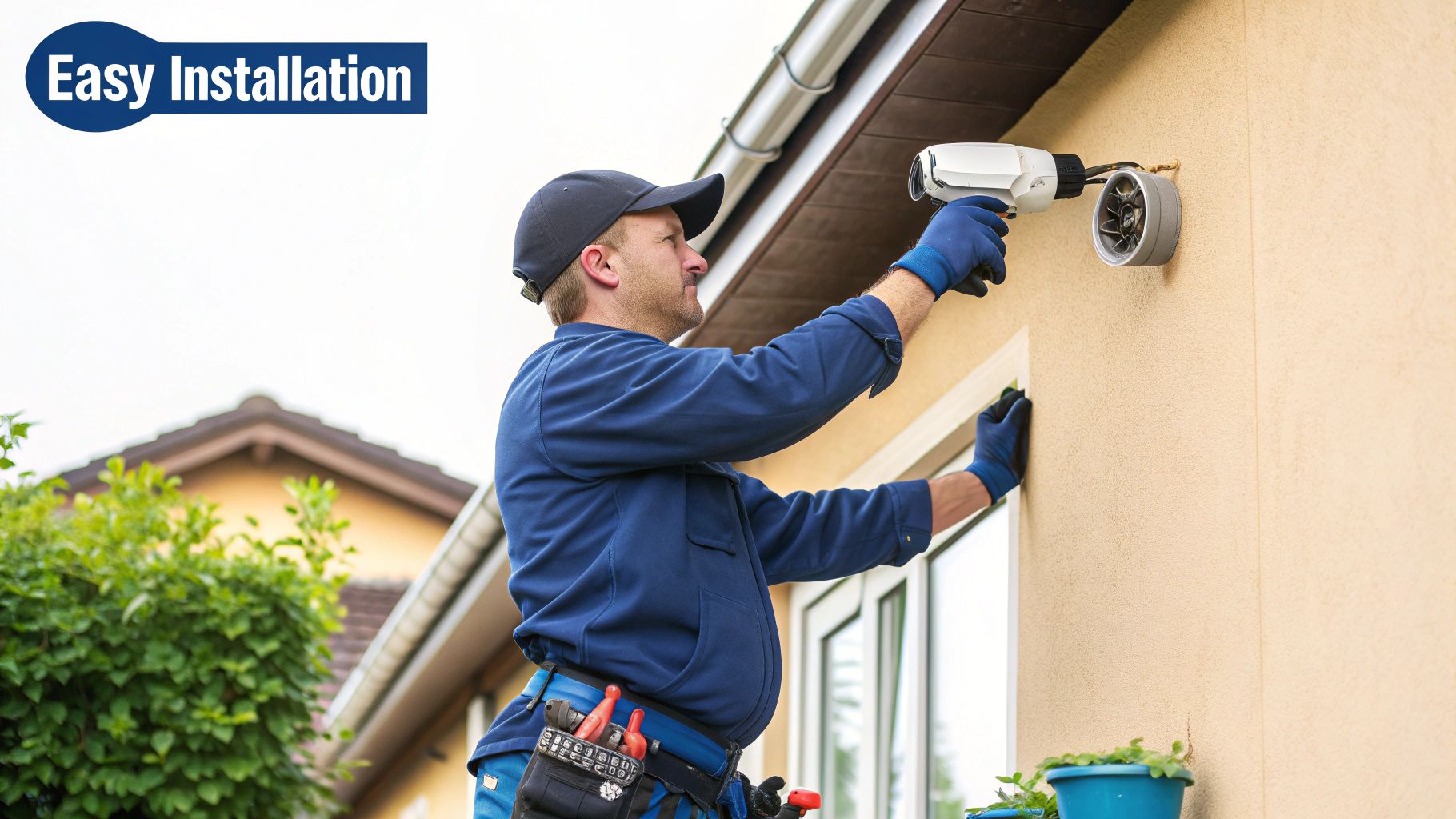
This is exactly why professional security camera installation is such a crucial part of your budget. It’s not just about running cables neatly. It’s about expert camera placement, a secure network setup, and ensuring the whole system is tweaked perfectly for your specific property.
What to Expect in New South Wales
So, what’s a realistic figure? In Australia, installation costs can vary quite a bit depending on where you are. As you can imagine, labour and demand in metro areas tend to push the prices up.
Data from 2025 shows that a professionally installed 2-4 camera system can range from around $700 in Tasmania up to $2,800 in New South Wales, where demand in Sydney and its surrounds is higher. This just goes to show that budgeting for a quality setup in our region requires a realistic look at local costs.
Ultimately, investing in a professionally installed house CCTV system is about buying dependable peace of mind. It’s a bit like insurance; you hope you never need it, but you’ll be incredibly glad you have a good policy if you do. For those also looking at other security layers, our guide on wireless home alarm systems can give you some great ideas for building a complete security solution.
Exploring Smart AI Features in Modern CCTV
Forget the old-school image of a security guard staring at a wall of grainy, black-and-white monitors. That’s a scene straight out of a 90s movie. Today’s modern house cctv system isn’t just a passive recorder; it’s more like a super-sharp, proactive security partner for your home—one that’s had a bit too much coffee and never, ever blinks. This leap forward is all thanks to Artificial Intelligence (AI).
AI is what breathes life into your cameras, turning them from simple recording gadgets into smart sentinels. In the past, any old movement would set them off. A tree branch swaying in the wind, a cat darting across the lawn, or a plastic bag blowing down your street in Newcastle—they’d all trigger an alert. This constant barrage led to “notification fatigue,” where you’d get so many pointless pings you’d just start ignoring them completely.
But AI changes the whole game. It gives your cameras the ability to actually understand what they’re seeing, not just that something moved. This means your system can finally tell the difference between a person, a vehicle, and the neighbour’s dog making a grand escape. The result? Fewer false alarms and more meaningful alerts you actually need to see.
Getting Specific Alerts That Count
The real magic of AI in a modern security system lies in its ability to filter out all that background noise. Imagine you’re enjoying dinner out in Darling Harbour when your phone buzzes. Instead of a vague and unhelpful “Motion Detected” message, you get something specific and actionable.
This level of detail comes from a few brilliant AI-powered features:
- Person Detection: The system is trained to spot the human form, so it only pings you when a person walks into the frame. This is a game-changer for monitoring your front door or backyard.
- Vehicle Detection: In the same way, you can set it to only notify you when a car pulls into the driveway. It’s fantastic for keeping an eye on your vehicles without getting an alert for every person walking their dog past your house.
- Line Crossing (Tripwire): This feature is incredibly useful. You can draw a virtual line across a specific area on your camera’s view—say, along your property boundary or at the entrance to your garage. If anyone crosses that line, you get an instant heads-up.
It’s all about making your security smarter, not just louder. With AI, you’re only alerted to the events you genuinely care about, turning your house CCTV system into a truly helpful part of your daily life.
There’s a good reason this kind of smart technology is taking off across Australia. The local CCTV market is in the middle of a huge expansion, driven almost entirely by these kinds of tech advancements. Valued at around AUD 1.7 billion in 2024, the market is projected to soar to an incredible AUD 8.7 billion by 2033, largely thanks to the integration of AI features like facial and object recognition. You can read more about these exciting market trends in the Australian CCTV industry.
Beyond Basic Detection
But the smarts don’t stop there. More advanced AI features are now becoming standard, giving you even more control and peace of mind. For instance, many systems now offer Intrusion Detection, where you can draw a custom zone—like the area around your pool or your tool shed—and get an alert only when someone enters and lingers inside that specific space.
This targeted approach to security is at the heart of what makes modern systems so effective. They work hand-in-hand with other tech to create a more connected, responsive home. If you’re curious about how these cameras slot into the bigger picture, our guide to smart home security systems is a great read on building a fully integrated setup.
At the end of the day, these AI features make sure that when your phone buzzes with a security alert, it’s actually something worth paying attention to.
Getting Your System Installed and Keeping It Healthy
So, you’ve got all the bits and pieces for your new home CCTV system sorted – the brains (the recorder), the eyes (the cameras), and all the clever AI features. What’s next? Well, now comes the part that makes the difference between a system that genuinely protects your home and one that’s just a collection of expensive gadgets: the installation.
Getting this step right is non-negotiable. You can buy the most advanced cameras on the market, but if they aren’t positioned, connected, and set up correctly, they won’t be much help when you actually need them.
Why You Should Leave Installation to the Pros
Let me tell you about a bloke I know, a classic DIY enthusiast. He decided to save a bit of cash and install his new eight-camera system himself. He spent a whole weekend on ladders, drilling through walls, and wrestling with cables. It looked okay, but the first time a proper storm rolled in, one of his “weatherproof” connections failed and took out a camera.
This is exactly where a professional installer proves their worth. It’s about so much more than just making the cables look tidy.
A pro brings expertise in:
- Proper Weatherproofing: They know how to make sure every single outdoor connection is sealed up tight, ready to handle everything from scorching summer sun to torrential rain.
- Strategic Placement: They’ve got an eye for finding the perfect camera angles to maximise coverage, while avoiding annoying sun glare or creating frustrating blind spots.
- Securing Your Network: A pro will properly configure your system on your home network, locking it down to prevent anyone from hacking into your cameras.
A professional installation means you can trust your system to be tough, reliable, and secure from the moment it’s switched on. If you’re curious about what goes into a proper setup, our guide on how to install security cameras breaks down the entire process.
Your Super-Simple Maintenance Checklist
Once your system is humming along, a little bit of ongoing care will ensure it stays that way for years. The best part? It’s incredibly easy and only takes a few minutes every so often.
It’s a bit like checking the oil and tyres on your car. A quick, regular check-up stops small problems from becoming big, expensive ones. Your CCTV system is no different.
Here’s a simple checklist to keep everything in top working order:
- Give the Lenses a Wipe: Every couple of months, just take a soft microfibre cloth and gently clean the lens on each camera. You wouldn’t believe how quickly spiderwebs, dust, and general grime can build up and ruin your picture quality.
- Do a Quick Recording Check: Once a month or so, log in and review a few seconds of footage from each camera. This is a simple way to confirm they are all recording and saving video as they should. You want to know for sure that the evidence will be there if you ever need it.
- Don’t Ignore Software Updates: If you see a notification for a firmware update for your recorder or cameras, install it. These updates aren’t just for new features; they often contain crucial security patches that protect your system from new threats.
Your Top Home CCTV Questions, Answered
When you’re thinking about a CCTV system for your home, it’s natural to have a lot of questions. We get them all the time from folks in Sydney, the Central Coast, and Newcastle. Let’s tackle some of the most common ones head-on.
“Can My Security Cameras Be Hacked?”
This is probably the number one concern we hear, and it’s a completely fair question. The honest answer is yes, any device connected to the internet carries some risk. But here’s the crucial difference: a professionally installed, high-quality system is worlds away from a cheap, off-the-shelf camera in terms of security.
The weakest link is almost always the home network itself. Your CCTV system is only as secure as the network it’s on. Think of it this way: you wouldn’t install a bank-vault door on a house with paper walls. Getting your network security right is the first, most important step. If you’re keen to tighten things up, learning how to secure your WiFi network is a fantastic place to start.
“How Much Video Can It Actually Store?”
This really comes down to the size of the hard drive in your network video recorder (NVR). A pretty standard 1TB drive might give you a couple of weeks of continuous recording from four cameras. But honestly, you don’t need footage of your garden gnome doing nothing for 12 hours a day.
That’s where motion detection comes in. Modern systems are smart enough to only record when there’s actual movement. This little feature stretches your storage massively, meaning you can often get a month or more of relevant clips. And if you need even more, upgrading the hard drive is always an option.
“Does It Need the Internet to Work?”
For basic recording? Nope. A properly installed, hardwired system is a self-contained unit. It will happily record everything to its local hard drive 24/7, even if your NBN decides to take a holiday.
But—and this is a big but—you absolutely need an internet connection to unlock all the best features. Without it, you’re missing out on the good stuff:
- Checking a live feed from your phone while you’re at work.
- Getting instant alerts when someone’s on your property.
- Saving important clips to the cloud for safekeeping.
So while it functions offline as a simple recorder, you lose all the powerful remote access and peace of mind that a connected system offers. It’s like having a Ferrari stuck in a 40km/h zone.





