
When it comes to your business, a security camera system is more than just a deterrent—it’s your eyes on the ground, 24/7. It’s about having crystal-clear footage, reliable storage, and getting an alert the second something isn’t right. This is a world away from the plug-and-play cameras you might find at your local electronics store. Investing in a proper commercial-grade setup is an investment in real protection for your staff, your stock, and your own peace of mind.
Why You Need Professional Security Cameras
We know a cafe owner on the Central Coast, Ian, who learned the hard way that a cheap camera just doesn’t cut it. Vandals hit his shop at midnight, but when he checked the recording, the footage was so grainy and pixelated it was completely useless for identification. He ended up paying for the damages out of his own pocket.
A DIY unit from a big-box store might seem like a bargain, but they often fail when you need them most. In low light, after a random firmware update, or when the Wi-Fi drops out, they can freeze up or lose connection. That’s precisely why professional systems are so important.
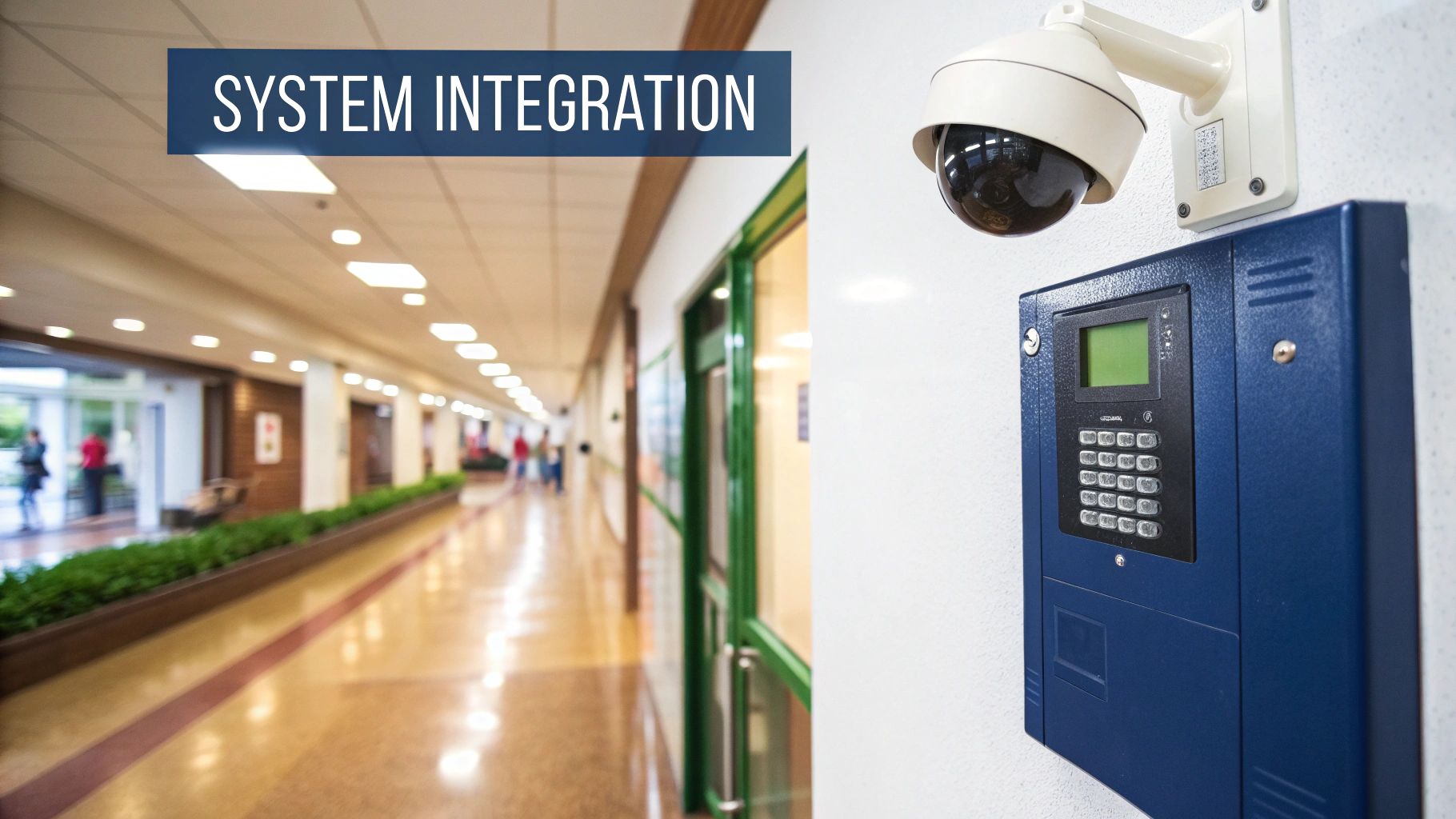
A commercial-grade setup is a whole different beast. You’re getting reliable recording, tamper-proof casings, and ongoing professional support. Better yet, they can be integrated with your access control, alarms, and even mobile apps for instant alerts.
It really boils down to a few key benefits:
- Enhanced image clarity in all lighting conditions, giving you evidence you can actually use.
- Centralised storage and retrieval, so you can find the exact footage you need in seconds, not hours.
- Tamper-proof hardware and regular maintenance from licensed pros, which minimises downtime.
- Automated alerts and analytics that notify you of unusual activity in real time.
Real-World Protection
Beyond just catching thieves, these systems are crucial for protecting your team and your reputation. Imagine a delivery driver has a slip-and-fall in your car park at night. A clear, night-vision feed can be the difference between a fraudulent liability claim and proving what really happened.
There’s a reason the market for this technology is booming. Smart city initiatives in places like Sydney and major government infrastructure spending are driving huge growth. In fact, the Australian commercial security camera market was valued at around AUD 1.8 billion and is projected to hit AUD 9.3 billion by 2033, growing at a CAGR of 17.9%. This trend makes it clear that now is the time to get serious about security. You can find more insights on the Australia CCTV market on IMARC.
Why DIY Cameras Fall Short
Off-the-shelf cameras are notorious for skimping on warranty and support. When your business is on the line, you can’t afford to be troubleshooting connectivity issues yourself. A professional installer handles all the messy cabling, configures everything correctly, and provides proper after-sales care.
To see what kind of options are out there for your specific site, check out our guide on commercial security systems.
Think of a professional system as a well-trained guard who never sleeps, never takes a break, and sees everything. It can spot loitering, track who comes and goes, and even trigger alarms or lock doors automatically. You just don’t get that level of oversight from a consumer-grade device.
Investing now means you’re prepared for whatever comes your way. With crisp footage, professional support, and scalable options, you’ll sleep a lot easier knowing your Newcastle or Sydney business is wrapped in a digital fortress.
Plus, installing a professional system can often lower your insurance premiums by demonstrating that you’ve actively mitigated risks. Over a couple of years, those savings alone could cover the cost of the installation.
Trust us. It’s worth it for the guaranteed peace of mind.
IP vs Analogue: The Two Main Camera Types
Alright, let’s get into the nuts and bolts of commercial security cameras. When you start digging in, you’ll hear two terms thrown around a lot: Analogue and IP. Nailing the difference between these two is key, as it pretty much dictates everything from your image quality to what your system can actually do.
Think of it like this. Analogue cameras are your old, reliable ute. It gets the job done, it’s tough, and you know exactly what you’re getting. But let’s be honest, the tech is dated and it lacks the smart features we’ve come to expect.
IP (Internet Protocol) cameras? They’re the modern 4×4. They’re digital, they’re connected, and they’re packed with clever tech that makes the old models look like museum pieces. They offer a far better experience, but they do come with a different set of rules.
Here’s a quick visual breakdown of how these two systems and their connections work.
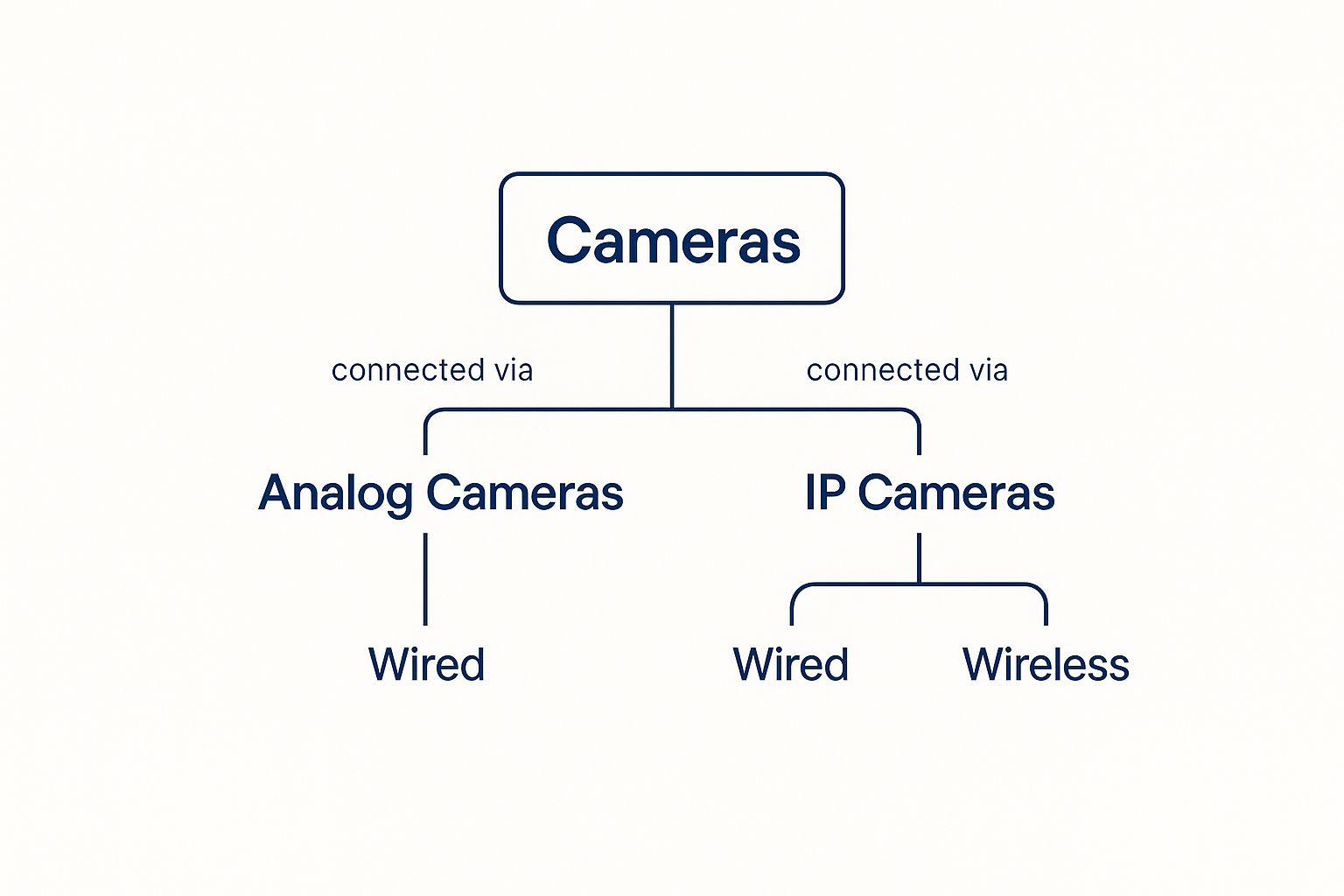
As you can see, both Analogue and IP systems can be wired. But only IP gives you the option of a truly wireless setup, which can be a massive advantage for certain types of properties.
Analogue Systems: The Old Reliable
For decades, analogue cameras were the go-to standard. They capture video and send the signal down a coaxial cable—the same kind of cable your old TV used—to a Digital Video Recorder (DVR). The DVR is what does the heavy lifting: digitising the signal, processing it, and storing it on a hard drive.
It’s a proven, no-frills technology. For a small shop just needing a simple view of the front door, an analogue system might look like a tempting, budget-friendly option. The cameras and DVRs are definitely cheaper upfront.
But here’s the catch: the resolution is usually much lower. That grainy, blurry footage you sometimes see on the news? That’s classic analogue. While newer “HD-over-Coax” technology has given them a bit of a boost, they still don’t come close to the pin-sharp detail of a proper IP camera.
IP Systems: The Modern Choice
IP cameras are basically powerful little computers in their own right. They capture high-resolution video and process it inside the camera itself, then send that clean, digital data across a network. This is usually done with an ethernet cable that connects to a Network Video Recorder (NVR).
The difference in image quality is genuinely night and day. An analogue camera might show you a vague shape, but a multi-megapixel IP camera can capture a clear face or a number plate from the other side of a car park.
Because IP cameras live on a network, they unlock a whole new world of features. You can pull up a live feed on your phone from anywhere, get smart alerts for specific events, and even run power to the cameras through the same ethernet cable that carries the data (a brilliant feature called Power over Ethernet, or PoE).
This is why we’re seeing such a huge shift in the security industry. The Aussie video surveillance market is set to hit around AUD 7.5 billion by 2030, and it’s IP cameras that are really driving that growth. Their incredible image quality and smart capabilities are why businesses are upgrading in droves.
IP vs Analogue Cameras at a Glance
To make it even clearer, let’s put them side-by-side. Here’s a quick comparison to help you see where each system shines and where it falls short.
| Feature | IP Cameras (The Modern Choice) | Analogue Cameras (The Old Reliable) |
|---|---|---|
| Image Quality | High resolution (HD to 4K+), crisp, clear images, digital zoom. | Lower resolution, often grainy, limited zoom capability. |
| Connectivity | Network cable (Ethernet), can be wireless. | Coaxial cable only, always wired. |
| Power | Often uses Power over Ethernet (PoE) – one cable for data & power. | Requires a separate power cable run to each camera. |
| Scalability | Easy to add more cameras to the network. Highly flexible. | Limited by the number of ports on the DVR. |
| Smart Features | Motion detection, facial recognition, analytics, remote access. | Very limited or no smart features. Basic recording. |
| Cost | Higher initial investment. | Lower upfront cost for cameras and recorder. |
| Best For | Businesses needing detailed footage, scalability, and smart tech. | Small sites with basic surveillance needs and a tight budget. |
While this table gives you the headlines, the real-world difference is huge. For any new installation, the superior features and future-proofing of an IP system almost always make it the right call.
The core principles here apply whether you’re securing a massive warehouse or just want to feel safer at home. If you’re interested, you can read our guide on choosing a house CCTV system. The scale is different, but the need for clarity and reliability is universal. Today, the flexibility and powerful features of IP cameras make them the hands-down winner for nearly every new commercial security system.
What Features Actually Matter?
So, you’ve decided it’s time to get serious about a commercial security camera system. Good move. But the second you start looking, you’ll probably feel like you’ve been hit by a tidal wave of technical terms. 4K resolution, PTZ, WDR, infrared night vision… it sounds more like a sci-fi movie script than a security solution.
It’s easy to get lost in all that jargon, but don’t stress. Think of this section as your no-nonsense translator. I’m going to break down what these features actually do and why they’re crucial for your factory in Newcastle, your cafe in Erina, or your retail shop right in Sydney’s CBD.
Picture Quality: Why Resolution Counts
First up, let’s talk resolution. You’ll see terms thrown around like 1080p, 4MP (megapixel), and 4K. The easiest way to think about resolution is to compare it to the detail in a photograph. A low-resolution image looks blurry and pixelated, whereas a high-resolution one is crisp, sharp, and clear.
Imagine someone nicks a case of stock from your loading dock in the dead of night. A basic 1080p camera might only show you a vague, blurry figure. A 4K camera, on the other hand, can give you an image clear enough to potentially identify the person’s face or even read the number plate on their ute as they speed off. That’s the real-world difference between having useful evidence and owning a completely useless video file.
For most commercial setups, 4MP to 8MP (which is 4K) is the sweet spot. It delivers fantastic detail without creating ridiculously large video files that will chew through your storage in no time. This level of clarity is simply non-negotiable if you want to capture evidence that’s actually usable.
Seeing in Tricky Light: WDR and Night Vision
Lighting is a massive headache for security cameras. Bright sunlight, deep shadows, and, of course, complete darkness can all make a cheap camera pretty much useless. This is where two critical features come into play: Wide Dynamic Range (WDR) and Night Vision.
Wide Dynamic Range (WDR) is your secret weapon against challenging lighting conditions. Picture your shopfront in Gosford on a sunny afternoon. The bright light streaming in from outside can turn anyone walking through the door into a dark, unidentifiable silhouette. WDR technology fixes this by balancing the super-bright and super-dark areas of the image simultaneously. The result? You can clearly see the person’s face and the sunny street behind them. It’s an absolute must-have for any camera pointed towards windows, glass doors, or entryways.
Night Vision, as you’d expect, is what keeps an eye on your business after you’ve locked up for the night. Modern commercial cameras use infrared (IR) light to see in total darkness, producing a surprisingly clear black-and-white image. The key spec to look for here is the IR range—in other words, how far the camera can see. A camera with a 30-metre range is perfect for covering a car park, a small yard, or a long hallway.
Active Monitoring: Pan-Tilt-Zoom (PTZ) Cameras
When it comes to covering large areas like a sprawling warehouse floor or an outdoor storage yard, a fixed camera just isn’t going to cut it. You really need a camera that can look around. That’s where Pan-Tilt-Zoom (PTZ) cameras come into their own.
Think of these as the all-seeing eyes of the security world. An operator can remotely:
- Pan the camera left and right.
- Tilt it up and down.
- Zoom right in to get a closer look at something specific.
Just one PTZ camera can often do the job of several fixed cameras, giving you the power to follow a person or vehicle as they move across your property. Some can even be programmed to automatically “patrol” an area, moving between preset points of interest. They are an incredibly powerful tool for active, real-time monitoring.
Sorting through all these features can feel a bit overwhelming, but the same core logic applies whether you’re securing a business or your own home. If you’re curious about residential options, you can dive deeper in our guide on the best security cameras for your home. While the application is tailored to a different environment, the underlying technology is very similar.
Ultimately, getting a handle on these core features helps you build a checklist of what you truly need, ensuring you only pay for the tech that will genuinely make your business safer.
How NVRs and AI Analytics Supercharge Your Security
Having great cameras with sharp resolution is a fantastic start, but it’s only half the story. Think of it like hiring a team of brilliant detectives who can see everything but have no way to store their notes or tell you when something important is happening. That’s where Network Video Recorders (NVRs) and Artificial Intelligence (AI) analytics come in.
These two bits of tech are the real engine room of a modern commercial security system. They’re what turns a simple recording device into a proactive security powerhouse that actually works for you.
The NVR is the system’s brain and its central library. Its main job is to diligently collect all the video feeds from your IP cameras and store them safely on high-capacity hard drives. It organises everything, so if you need to find footage of a delivery truck arriving last Tuesday at 2:15 PM, you can find that exact moment in seconds instead of spending hours scrolling through recordings.
The NVR Is Your Digital Archivist
Imagine trying to wrangle a dozen high-definition video streams without a central hub. It would be an absolute mess. An NVR tidies all of that up by creating a single, reliable point for storage and access.
A good NVR brings a few key advantages to the table:
- Dedicated Storage: Unlike a PC, an NVR is built for one job: continuous, 24/7 recording. This makes it incredibly stable and reliable.
- Easy Playback: You can quickly search footage by date, time, or even specific motion events, which makes investigating an incident a breeze.
- Remote Access: Modern NVRs plug into your network, letting you securely view live or recorded footage from your phone or computer, wherever you have an internet connection.
It’s the dependable workhorse of your security setup. But the real game-changer is what you can do with all that footage once you add a layer of intelligence over the top.
AI Analytics: The Smart Sentry on Duty
This is where your security system stops just reacting to problems and starts proactively preventing them. AI analytics is the clever software that analyses your video feeds in real-time, looking for specific events you’ve told it to care about. It’s like having a security guard watching every single camera at once—a guard who never gets tired and never blinks.
We worked with a warehouse manager on the Central Coast who was getting hammered by false alarms. Every time a stray cat wandered past a sensor or a tree branch swayed in the wind, his phone would blow up. It got to the point where he just started ignoring the notifications.
We upgraded his system with AI analytics and set it to only alert him when it detected a human or a vehicle in a restricted area after 9 PM. The false alarms stopped overnight. A few weeks later, he got a genuine alert, spotted two people trying to force a roller door, and called the police before they could get inside. That one alert saved him thousands in stolen tools and damages.
AI isn’t just about cutting down annoying notifications; it’s about giving you meaningful, actionable information. Instead of drowning in useless data, you get alerts that actually matter, letting you respond instantly when a real threat occurs.
Australian companies are quickly catching on, adopting sophisticated CCTV systems that integrate AI analytics. According to a recent Australia CCTV market report on imarcgroup.com, features like facial recognition, object tracking, and behavioural analysis are becoming standard, enabling real-time threat detection. When combined with other smart devices, these systems create a powerful, interconnected security network.
AI analytics can be programmed to look for all sorts of specific activities, such as:
- Line Crossing: Get an alert when someone crosses a virtual line you’ve drawn, like the entrance to a staff-only area.
- Intrusion Detection: Instantly know if a person or vehicle enters a predefined zone, such as a fenced-off yard.
- Loitering Detection: The system can flag individuals who hang around in an area for an unusual amount of time—a common precursor to theft or vandalism.
Because these smart systems rely on a strong network connection, it’s vital to make sure your digital infrastructure is properly locked down. For some practical advice on this, check out our guide on how to secure your WiFi network. A secure network ensures your security system can’t be compromised from the outside.
Strategic Camera Placement and Installation
So, you’ve picked out some top-notch gear for your commercial security camera system. Brilliant. But here’s a reality check: the best camera in the world is completely useless if it’s pointed at the wrong thing. You can’t just slap them on a wall and hope for the best.
Proper camera placement is part art, part science. It’s about thinking like a thief to figure out how they’d try to hit your business, and then beating them at their own game. This is your crash course in strategic surveillance.
Covering The Essentials
Every business, whether it’s a bustling cafe in Sydney or a quiet workshop on the Central Coast, has a few non-negotiable spots that need coverage. These are the foundational layers of your security.
Start with the obvious weak points:
- All Entrances and Exits: This means the front door, back doors, roller doors, and any fire escapes. You absolutely need a clear shot of every person who comes and goes.
- Point of Sale (POS) Areas: Placing a camera over your till or checkout is crucial. It helps deter internal theft and gives you clear evidence in case of a dispute or robbery.
- Stockrooms and Storage Areas: This is where your valuable assets live. A well-placed camera here can stop employee theft and catch burglars who make it past your initial defences.
- Car Parks and Loading Docks: The exterior of your property is just as important. Monitoring these areas helps prevent vehicle break-ins, illegal dumping, and vandalism.
Once you’ve got these basics locked down, you can start thinking about the finer details. This is where a professional eye becomes invaluable.
Eliminating Blind Spots and Respecting Privacy
A seasoned installer knows exactly how to survey a site and spot the “blind spots”—those sneaky little areas a thief could exploit. It might be a narrow laneway beside your building or a corner of the car park hidden by a tree. The goal is to create overlapping fields of view so there’s simply nowhere to hide.
However, it’s not just about blanketing your property in cameras. You also have to follow Australian privacy laws. It’s generally illegal to record audio without consent, and you can’t place cameras in areas where people have a reasonable expectation of privacy, like bathrooms or change rooms. A licenced professional will ensure your setup is both effective and fully compliant.
The real skill in camera layout is achieving maximum coverage without being intrusive. It’s a balancing act that protects your business while respecting the privacy of your staff and customers.
The demand for these thoughtfully designed systems is growing, especially with the boom in commercial construction and refurbishment. The Australian business CCTV market is valued at an estimated AUD 869.52 million, and with building approvals hitting around AUD 11.13 billion, the need for professional installations is only going to increase.
The Perils of a DIY Installation
We once got a call from a frantic retail manager in Newcastle. He’d tried to save a few quid by getting his “tech-savvy” nephew to install their camera system. A month later, they were robbed. When they went to check the footage, they discovered the NVR wasn’t recording—the hard drive was full and had been for weeks because nobody had set it up to overwrite old footage.
The system had failed them when they needed it most.
This story isn’t uncommon. A professional installation isn’t just about drilling holes and running cables. It’s about making sure every single component works together perfectly, day in and day out.
A licenced installer handles:
- Correct Cabling: Running high-quality, shielded cables to prevent signal interference and degradation over time.
- Secure Power Supply: Ensuring every camera has a reliable and uninterruptible power source.
- Optimal Configuration: Setting up the NVR correctly for recording schedules, motion detection, and remote access.
- Weatherproofing: Properly sealing all outdoor cameras and connections to withstand our harsh Aussie weather.
Trying to tackle this yourself often leads to more headaches and costs down the track. For a deeper dive into what a professional job involves, check out our guide on how to install security cameras. Getting it right the first time is the only way to guarantee your system is a fortress, not just a flimsy fence.
Finding the Right Security Partner in NSW
Alright, so you’ve got a handle on the tech, you know what features you need, and you’ve mentally mapped out where the cameras should go. But there’s one final piece of the puzzle, and frankly, it’s just as important as the hardware itself: choosing the right crew to put it all together. This is a serious investment in your business’s safety, so you need a team you can genuinely trust on your side.
Picking an installer for your commercial security camera system isn’t like finding a cheap tradie on Gumtree. You’re not just buying a box of cameras; you’re starting a long-term relationship. This is the team you’ll be calling when a camera goes down at a critical moment, when you need to expand your system as your business grows, or when you urgently need help pulling footage after an incident.
More Than Just a Quote
It’s tempting to just line up a few quotes and go with the cheapest one, but that’s often a recipe for disaster. A bargain-basement installer might cut corners on cabling (the stuff hidden in the walls), use flimsy connectors, or simply disappear the second they’ve been paid. You’re then left with a system that’s a ticking time bomb, waiting to fail when you need it most.
The real value comes from a partner who knows the local area—from the sprawling industrial estates in Newcastle to the bustling retail strips in Sydney’s CBD—and understands the unique security challenges we face here in NSW.
A great security partner doesn’t just sell you equipment. They listen to your concerns, design a system that actually solves your problems, and stick around to make sure it keeps working for years to come. That’s the difference between buying a camera and investing in proper security.
Think about it this way: you wouldn’t hire a dodgy mechanic to work on your company’s brand-new delivery truck, would you? The same logic applies here. You need a fully licensed and qualified team with a solid local reputation and proof they’ve done this all before.
Your Checklist for Finding the Right Installer
Before you sign on any dotted line, you need to ask some hard questions. This isn’t about being difficult; it’s about being a savvy business owner protecting your assets. Any good, reputable installer will welcome these questions and have solid answers ready to go.
Here’s what you should be asking any potential security partner:
- Are you fully licensed and insured? This is the absolute first question. Ask to see their security master license and public liability insurance. It’s a complete non-negotiable.
- Can you show me examples of similar work? Ask for case studies or even references from other local businesses, preferably in your industry. If they’ve secured a warehouse in the Hunter Valley just like yours, that’s a massive plus.
- What does your after-sales support look like? Find out exactly what their process is for handling technical issues. Do they offer phone support? What are their typical call-out times and fees? You need to know who to call when something goes wrong.
- Do you offer ongoing maintenance plans? A professional system needs regular check-ups to make sure camera lenses are clean, all the connections are solid, and the software is up to date. A proper maintenance plan is a great sign they’re committed to the long-term health of your system.
Finding the right partner means you’re not just getting a security system; you’re getting genuine peace of mind. You’ll have an expert team on call who knows your setup inside and out, ready to help keep your business safe and secure for the long haul.
Common Questions About Business Security Cameras
It’s perfectly normal to have a few lingering questions before you commit. After all, choosing the right system means balancing cost, coverage and peace of mind.
How Much Storage Do I Actually Need?
Imagine storage like a pantry: the more you stock, the more space you’ll need. High-resolution footage and longer retention periods demand bigger “shelves.”
A professional installer will crunch the numbers for you by looking at:
- Number of Cameras in your setup
- Resolution (for example, 4K vs 1080p)
- Frames Per Second (e.g. 15 FPS vs 30 FPS)
- Retention Period (a small shop might keep 7 days, a licensed venue 30 days or more)
They’ll size your NVR’s hard drives so you’re never scrambling to delete old clips.
Can I View My Cameras on My Phone?
Absolutely. Modern IP systems let you tap into live feeds via a secure app.
Picture this: you’re away for the weekend and get an alert. Instead of worrying, you open the app, check the foyer camera, and relax knowing everything’s fine. Instant reassurance in your pocket.
Do I Need to Put Up Signs Saying We Have Cameras?
Yes—both for legal compliance and deterrence. In NSW, clear signage at all public entrances is a must.
But it’s not just ticking a box. Bold signs also send a simple message: “We see you.” Most troublemakers move on when they know they’re under watch.
Ready for a security solution designed around your business? The team at Advanced Comtech has been installing and maintaining security systems across the Central Coast, Sydney and Newcastle for years. We handle everything from concept to commissioning, ensuring you get a reliable, user-friendly setup that endures.
Let’s talk about protecting what you’ve built. Visit Advanced Comtech to get started.





