
When you’re looking for the best security cameras for your home, whether you’re in the Central Coast, Sydney, or Newcastle, you really just want something that works. It needs to deliver clear footage, send reliable alerts, and be dead simple to set up. Whether you’re checking if you shut the garage door in Gosford or trying to spot a cheeky magpie at Mona Vale, a good system is non-negotiable.
Choosing the Right Security Camera for Your Home
Let me tell you about Dave from Gosford. He used to think all cameras were pretty much the same until a bold possum decided to dismantle his cheap one right under the pergola. That little whiskered invader taught him a valuable lesson: clarity is everything when you’re reviewing footage at 3 am. Dave’s fiasco is a perfect example of why it’s not just about recording something, but actually being able to recognise what you’re looking at.
A good camera should tick a few key boxes:
- Clear daytime video so you can tell a mate from a miscreant without squinting.
- Reliable night vision for those late-night check-ins.
- Smart motion alerts that can distinguish your dog from a prowler.
- Weatherproof designs built to withstand the harsh Aussie sun and salty sea air.
Dave’s Possum Revelation
Dave’s budget camera gave him nothing but fuzzy footage and a constant stream of false alerts every time a branch swayed in the breeze. Upgrading to a model with a higher megapixel count was like jumping from old-school analogue TV to crystal-clear HD. Suddenly, he could see the possum’s eyes reflecting in the darkness, plain as day.
A quality camera is like a good flat white—once you’ve tried the real deal, everything else just seems a bit flat.
It’s not just a gut feeling; the numbers back it up. The Australian CCTV camera market was valued at around A$869.52 million in 2024 and is expected to grow by 5.76% each year through 2034. Here in New South Wales, adoption is climbing at a rate of 5.2%. You can dig deeper into these trends over at Expert Market Research.
For more tailored advice on planning your home security in the Central Coast and beyond, have a look at our guide to CCTV systems, which covers everything from sensor types to installation tips.
By learning from Dave’s possum saga and understanding where the market is heading, you’re in a much better position to pick a system that’s just right for your terrace, townhouse, or beach house.
Key Features That Deliver Peace of Mind
Before you rush off to Bunnings, it pays to get clear on which features will actually make a difference for your specific property.
For example, a narrow Sydney terrace might only need a camera with a tight field of view, while a sprawling Central Coast beach house would benefit from a wider lens to cover the entire deck. And if you’re in Newcastle, solid weatherproofing is a must to handle those salty sea breezes.
Look for these core features:
- High resolution (1080p or 4K) for crisp, clear identification.
- A wide field of view to get rid of frustrating blind spots.
- Smart motion detection to drastically cut down on false alarms.
- Easy app access for monitoring things in real-time from your phone.
- Multiple storage options, like cloud, local SD card, or a hybrid of both.
When you prioritise these essentials, you can ignore the gimmicks and focus on what genuinely keeps your home safe.
Next Up
Right, so you’ve got an idea of what to look for. Ready to get it mounted? In the next section, we’ll dive into some pro tips for placement, height, and tamper-proofing to make sure you capture every angle without any annoying glare.
Investing in the right security camera is an investment in peace of mind.
Your home deserves nothing less. Stay secure
Decoding the Tech Specs That Actually Matter
Alright, let’s talk tech without making your eyes glaze over. Picking a home security camera can feel like you’re wading through a swamp of acronyms and numbers on the box. But you don’t need a degree in engineering to figure this out; you just need to know which specs are actually going to make a difference.
Think of it like this: you’re at a Knights game in Newcastle, trying to spot your mate in the crowd. With a cheap, low-res camera, all you’d see is a sea of red and blue blurs. But with a high-resolution one? You could pick out his dodgy haircut from the other side of the stadium. That’s the real-world difference we’re talking about.
Resolution: The Difference Between Seeing and Knowing
When you see specs like 1080p (Full HD) or 4K (Ultra HD), it’s all about detail. A 1080p camera is perfectly decent for general monitoring, giving you a clear enough picture of what’s happening. It’s the reliable workhorse of the security world.
But 4K is on another level entirely. It captures four times the detail, which means you can digitally zoom in on recorded footage without it turning into a pixelated mess. This is absolutely crucial for identifying important details like faces, number plates, or even a logo on someone’s shirt. If you ever need to hand footage over to the police, that kind of clarity can make all the difference.
Choosing the right resolution is about balancing cost with clarity. For most homes, 1080p is a great starting point, but 4K provides undeniable evidence when you need it most.
Field of View: Don’t Get Caught with Blind Spots
Next up is the field of view (FoV). It’s just a fancy way of saying how much the camera can actually see, and it’s measured in degrees. A wider angle means fewer blind spots, plain and simple.
Imagine you’re trying to keep an eye on your entire backyard on the Central Coast. A camera with a narrow FoV (around 90 degrees) is like looking through a toilet paper roll—it’s great for a tight space like a hallway or straight down the side of your Sydney terrace. But for a wide-open space, you’ll want something with a 130- to 180-degree lens to capture the whole scene. Getting this right means you might only need one camera instead of two, which can save you a bit of cash.
Night Vision: Seeing in the Dark
When the sun goes down, your camera’s job is only just getting started. Basic night vision uses infrared (IR) LEDs to see in the dark, which produces that classic black-and-white footage. It works, but it has its limits.
The real game-changer is colour night vision, which is becoming much more common. These cameras use advanced sensors and sometimes a small, built-in spotlight to capture footage in full colour, even in very low light. This is a massive upgrade. It’s the difference between telling police you saw ‘a dark car’ versus a ‘dark red Holden Commodore’. One of those descriptions is a hell of a lot more helpful.
Choosing the right camera comes down to understanding what these key features mean for your property. To get a better grasp of how these elements come together in a full setup, you can learn more about designing a complete house CCTV system in our detailed guide. It’s all about making smart choices so your tech truly works for you.
Choosing Between Wired and Wireless Cameras
This is the classic Aussie backyard barbie debate of the tech world: wired versus wireless. Do you commit to a rock-solid, reliable wired system that might involve a weekend of drilling and running cables? Or do you opt for the breezy convenience of a wireless setup that’s up and running in an hour but lives and dies by your occasionally dodgy Wi-Fi?
Let’s picture two neighbours in Hornsby. One bloke, let’s call him Steve, spends his Saturday on a ladder, feeding cables through his roof cavity, muttering things the kids shouldn’t hear. By Sunday arvo, though, his system is bulletproof. Next door, Chloe unboxes her wireless cameras, sticks them up, connects them to the app, and is back to her coffee before Steve’s even cleaned the gutters.
Both have their merits, and the best security cameras for your home depend entirely on your setup, your DIY skills, and frankly, your patience.
The Lowdown on Wired Security Cameras
A wired security camera system is the old-school heavyweight champion. It uses physical cables to connect the cameras to a central recording unit (like a DVR or NVR) and to a power source. This direct connection makes it incredibly reliable.
- Rock-Solid Connection: There’s no Wi-Fi signal to drop out just as the delivery driver is leaving your parcel. Your NBN could go down, and a wired system will keep recording locally without a fuss.
- Consistent Power: Because they’re connected to your home’s mains power, you never have to worry about a battery dying at a critical moment.
- Higher Quality Potential: A wired connection can often support higher-quality, uncompressed video streams, giving you that crystal-clear 4K footage we talked about earlier.
The obvious downside? Installation. It can be a real pain, often requiring a professional to run cables neatly through walls and ceilings. It’s a bigger upfront commitment in both time and money.
The Freedom of Wireless Security Cameras
Wireless cameras are the crowd-pleasers. They connect to your home network via Wi-Fi, which makes installation an absolute dream. You can mount them almost anywhere you have a decent signal.
But ‘wireless’ can be a bit of a misnomer. While they transmit data wirelessly, most still need a power cable. The truly wire-free options run on rechargeable batteries or even a nifty solar panel, giving you ultimate placement freedom.
The trade-off is that you’re at the mercy of your Wi-Fi signal, and a weak connection means laggy video or dropouts, especially if you live in a double-brick Sydney home.
Think of your Wi-Fi as a highway. If too many devices are on it—phones, laptops, smart TVs—your camera footage can get stuck in a traffic jam. This is especially true for older routers that struggle to reach the far corners of your property.
To help you visualise the market, this chart compares some key metrics for popular camera models.
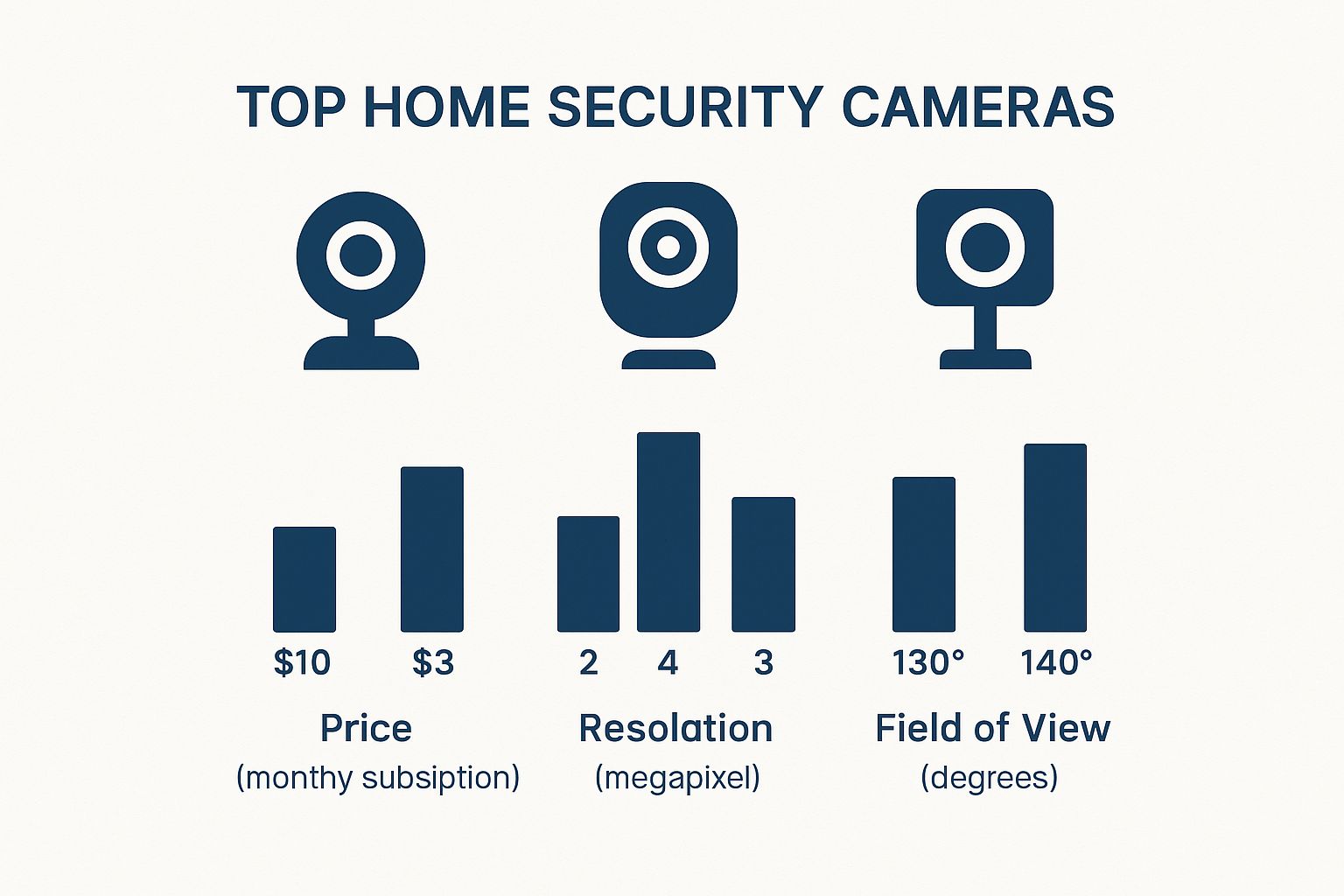
The data clearly shows the trade-offs between subscription costs, resolution, and how wide a view you get for your money.
Wired vs Wireless Security Camera Showdown
Still on the fence? Let’s break it down head-to-head. This table gives you a clear snapshot of the major differences to help you decide which system is the best fit for your home.
| Feature | Wired Cameras | Wireless (Wi-Fi) Cameras |
|---|---|---|
| Reliability | Extremely high. Not affected by Wi-Fi dropouts. | Depends entirely on your Wi-Fi strength and stability. |
| Installation | Complex. Often needs professional installation and drilling. | Super easy. DIY-friendly and can be set up in minutes. |
| Placement | Limited by cable length and access to the central recorder. | Very flexible. Can be placed anywhere with a power point & Wi-Fi signal. |
| Power Source | Consistent mains power, so they never die. | Most require a power cable. Some are truly wire-free (battery/solar). |
| Security | Generally more secure as they’re a closed-circuit system. | Can be vulnerable to hacking if your network isn’t secure. |
Ultimately, there’s no single “best” option—only what’s best for you. If you value set-and-forget reliability and have the budget for a professional install, wired is hard to beat. If you want a quick, flexible solution you can install yourself, wireless is the way to go.
For those considering the wireless route, it’s worth exploring the benefits of a complete setup. You can find more details in our guide to wireless home alarm systems, which explains how they integrate for total protection.
A strong wireless setup is fantastic, but it relies on a robust network. If your connection drops every time someone uses the microwave, a wired or hybrid system might be the smarter choice to ensure you don’t miss a thing.
Getting Your Head Around Smart Features and AI
Today’s security cameras aren’t just dumb lenses recording everything that moves. They’re getting seriously clever. We’ve moved way past the days of sifting through hours of footage just to see a tree branch swaying in the wind. The best cameras now are packed with smarts that actually make your life easier and your phone notifications meaningful.
Picture this: you’re grabbing a coffee in Terrigal when your phone pings. Instead of a vague “Motion Detected” alert that could be a passing car or a rogue ibis, it says, “Person Detected at Front Door.” Now that’s an alert you’ll actually want to check. This is what AI-powered detection is all about.
AI That Separates the Important from the Irrelevant
These cameras have been trained to tell the difference between people, animals, vehicles, and even packages. For anyone living on a busy Sydney street or dealing with the curious local wildlife on the Central Coast, this is a massive improvement.
- Person Detection: This is the big one. It cuts through all the noise and only pings you when a person steps into the frame.
- Package Detection: Get a specific heads-up when a parcel arrives, so you know exactly when to pop home and grab it off the porch.
- Pet Detection: Great for keeping an eye on what your furry mate is up to, without getting a notification every time they chase their own tail.
- Vehicle Detection: Handy for monitoring your driveway without getting an alert every single time a car drives past your house.
This kind of intelligence means you only pay attention when it genuinely matters. It transforms your security setup from a constant, annoying buzz into a genuinely helpful watchdog.
More Than Just a Silent Observer
Beyond the fancy AI, modern cameras have a few other tricks up their sleeve. One of the most useful is two-way audio. This is brilliant for telling the AusPost driver to leave a parcel behind the pot plant or for politely—or not so politely—shooing that bin-raiding ibis off your lawn. It’s basically an intercom you can use from anywhere in the world.
Then there’s smart home integration. The trend is crystal clear: Aussies love connecting their tech. Market insights show smart indoor cameras alone have seen a growth of around 14% each year as more of us build out our connected homes. You can find more details on this trend in the full smart home security camera market report.
Being able to say, “Hey Google, show me the backyard camera” on your kitchen smart display while you’re cooking dinner is the kind of simple, practical tech that just makes life better.
The Big Storage Question: Cloud vs. Local
So, where does all this footage end up? You’ve basically got two choices: cloud storage or local storage. Each has its own set of pros and cons, and what’s right for you really boils down to your budget and how you feel about privacy.
Cloud Storage:
With the cloud, your video clips are automatically sent to a secure online server. It’s incredibly convenient because you can access your footage from anywhere, and if a thief is bold enough to steal your camera, your evidence is safely stored off-site. The catch? It almost always comes with a monthly subscription fee, which can set you back anywhere from A$5 to A$20 per camera.
Local Storage:
This option saves footage directly onto a physical device, usually a microSD card slotted into the camera itself or a central hub like an NVR. The massive plus here is there are no ongoing fees, and your recordings stay completely private, right there in your home. The main risk, of course, is that if the camera gets stolen or damaged, your footage is gone with it.
For a lot of people, a hybrid approach hits the sweet spot. You can use local storage for 24/7 recording and a cloud plan just for saving important, motion-triggered events. Understanding how all these features work together is crucial for creating a system that works for you, and you can dive deeper in our guide to complete smart home security systems. By weighing up the convenience of the cloud against the privacy of local storage, you can land on a setup that gives you real peace of mind without costing a fortune.
Pro Tips for Camera Installation and Placement
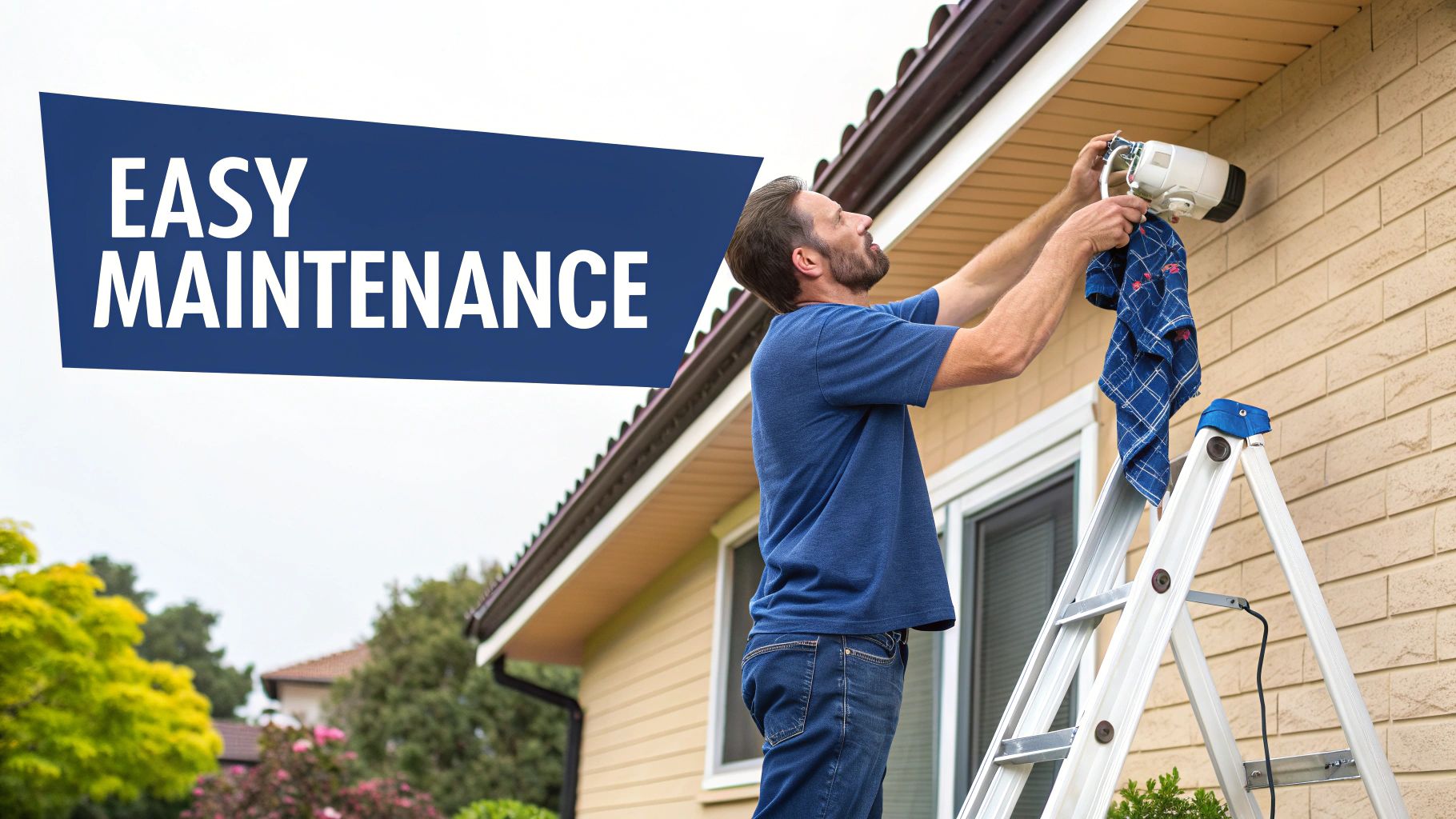
Alright, you’ve unboxed your shiny new gear. Now for the fun bit: deciding where to stick it. Getting the placement right is genuinely half the battle, because a 4K camera pointing at the sky isn’t going to catch much.
The security needs of a terrace house in Newtown are worlds apart from a sprawling property up in the Hunter Valley. One needs to watch a tight laneway, the other needs to cover half an acre. The principles, however, are the same: think like a baddie. Where would you try to get in?
Finding the Sweet Spots
Your first priority should always be the main entry points. Most intruders are lazy and will try the front door first, so that’s your non-negotiable starting point.
- Front and Back Doors: Pop a camera above or near your main doors. The goal is to get a clear shot of anyone’s face as they approach.
- Ground-Floor Windows: Pay close attention to windows at the back or side of the house, especially those hidden from the street. These are classic weak spots.
- Garages and Side Gates: These are often overlooked entryways. A camera covering your driveway or side path can spot trouble before it even reaches the house.
Positioning is key. Mount your cameras high enough to be out of easy reach—about three metres up is a good rule of thumb. This stops someone from simply knocking it down with a broom handle. You want it visible enough to act as a deterrent, but not so accessible that it can be tampered with.
A well-placed camera is like a silent security guard that never takes a smoko break. Its mere presence can be enough to make a potential thief think twice and move on to an easier target.
Battling the Aussie Sun and Staying Legal
That harsh Aussie sun can be a real pain for security cameras, causing glare that whites out your footage. Try to position cameras so they aren’t pointing directly at the rising or setting sun. Placing them under eaves or pergolas is a great way to shield them from the worst of the glare and the rain.
Now for the legal stuff. In NSW, you’re well within your rights to install cameras on your property. The big rule is that you can’t deliberately record your neighbours’ private spaces—like their backyard, living room window, or pool area. It’s all about reasonable privacy. Honestly, a friendly chat with your neighbour beforehand can save a lot of grief down the line.
The demand for these setups is growing fast. The Australian video surveillance market is set to boom, expected to nearly double from A$2,644.7 million in 2024 to A$4,872.7 million by 2030. This surge is driven by homeowners wanting complete, easy-to-manage solutions that include professional installation and cloud services.
While many wireless systems are DIY-friendly, a professional installation ensures everything is optimised. An expert can spot blind spots you’d miss, secure the wiring, and get everything networked perfectly. For a deeper dive, check out our guide on how to install security cameras for a flawless setup. It’s a small investment for getting it right the first time.
Your Common Home Security Camera Questions
Got a few questions rattling around in your head? You’re not the only one. Once you start digging into the world of home security cameras, a few curly ones always seem to pop up.
Here are some of the most common things we get asked by folks around Sydney, the Central Coast, and Newcastle when they’re trying to pick the right cameras for their home. It’s easy to feel a bit swamped by all the tech talk, so let’s cut through the noise and get you some straight answers.
How Much Should I Expect to Pay for a Good Home Security Camera System in Australia?
The cost can be all over the map, swinging from a cheap and cheerful camera at Kmart to a full-blown professional setup. You can easily find a single, decent quality indoor camera from a well-known brand for around A$100 to A$200. These are perfect for keeping an eye on the dog or just the main living area.
If you’re thinking about a more complete outdoor system with multiple cameras and a central recorder, you’re likely looking at a range from A$500 to over A$2,000. The final price tag really hinges on things like the brand, the video quality (4K costs a fair bit more than 1080p), and of course, how many cameras you need to cover your property.
Don’t get caught out by ongoing costs, either! Many of the big brands need a monthly subscription to store your footage in the cloud or to unlock their best features, like AI person detection. These plans can add A$5 to A$20 per camera, per month, which definitely adds up. Always factor in these potential sneaky fees when you’re budgeting.
Do I Need a Professional to Install My Security Cameras?
Honestly, it depends on two things: the type of system you buy and how handy you are with a drill. Most of the newer wireless and battery-powered cameras are designed for easy DIY installation. If you can hang a picture frame, you can probably get one of these up and running in 15 minutes.
But for more complex wired systems that involve running cables through walls or your roof cavity, calling in a licensed professional is usually the smartest move. They’ll make sure everything is installed safely, securely, and in the best possible spots for maximum coverage. For that clean, no-mess finish and genuine peace of mind, a pro is well worth it.
A professional installer does this day in and day out. They know how to avoid common stuff-ups like drilling into a water pipe or placing a camera where the afternoon sun will completely blind it. Sometimes, paying an expert saves you a much bigger headache down the track.
Are Security Cameras Legal and What About My Neighbours’ Privacy?
This is a big one, and for good reason. In NSW, it’s generally legal to install security cameras on your own property. The absolute golden rule is to respect your neighbours’ reasonable expectation of privacy.
What does that mean? It means your cameras shouldn’t be pointed at places where they expect to be private – like looking directly into their windows, over their back garden, or at their pool area. It’s usually fine if your camera happens to catch a small slice of the street or their driveway, but the camera’s main job must be to monitor your property.
A friendly chat over the fence before you install them is always a good idea. A simple heads-up can prevent a lot of awkwardness later on. A little bit of communication goes a long, long way.
How Do I Protect My Security Camera Footage From Being Hacked?
Great question. The last thing you want is for your security system to become a security risk in itself. Keeping your cameras safe from hackers is crucial, and thankfully, it’s not as hard as it sounds.
Here are the three most important things you need to do:
- Use a Strong, Unique Password: When you first set it up, don’t use ‘Password123’ or your dog’s name. Create a long, complex password with a mix of letters, numbers, and symbols.
- Turn On Two-Factor Authentication (2FA): Think of this as your system’s deadbolt. 2FA means that even if a hacker somehow steals your password, they still can’t get in without a second code, which is usually sent straight to your phone.
- Keep Your Firmware Updated: The companies that make these cameras regularly release software updates to patch security weaknesses. Make sure you install these as soon as they’re available. Most camera apps will give you a little nudge when an update is ready.
By taking these simple steps, you make it incredibly difficult for anyone to get unauthorised access to your cameras, keeping your footage private and your home secure.
Feeling more confident about finding the best security cameras for your home? Getting the right advice and a professional installation can make all the difference. The team at Advanced Comtech has been helping homeowners across the Central Coast, Sydney, and Newcastle secure their properties for years. Whether you need a simple setup or a fully integrated smart home security solution, we’ve got the local knowledge and technical expertise to get it done right.
Ready to get smart, secure, and connected? Get in touch with us today for a stress-free quote.





