
Let’s be real, nothing ruins a good mood faster than dodgy Wi-Fi. One minute you’re deep into a Bluey marathon with the kids, the next you’re staring at the dreaded spinning wheel of doom during a critical work call. If you’re anywhere from the Central Coast to Sydney or up in Newcastle, you’ve likely blamed everything from the NBN to a southerly buster for your internet troubles.
But here’s the thing: the real culprit is almost always a weak or poorly set-up home network. This is about so much more than just plugging in that generic modem your internet provider sent you and crossing your fingers. A proper home network is the backbone of your entire connected life, and getting it right means you can finally enjoy seamless streaming, lag-free gaming, and a work-from-home setup that doesn’t make you want to throw your laptop out the window.
The Daily Digital Struggle
Does this sound familiar? It’s a typical weeknight. The kids are in their rooms, trying to get homework done on the Department of Education portal, but it keeps timing out. You’re in the home office, and that massive report you need to upload is moving at a glacial pace. Meanwhile, your partner is trying to watch the latest hit show, but it’s buffering every two minutes. Movie night is a bust, again.
This isn’t just a fleeting annoyance; it’s a constant source of frustration. It’s the 21st-century version of fighting over the TV remote, only now the whole family is battling for a sliver of bandwidth. All this digital chaos points to one thing: a network that was never designed for the demands of a modern Aussie household.
A professional home network isn’t a luxury anymore—it’s the essential plumbing for your digital life. It’s the foundation that allows everything else, from your smart TV to your home security system, to work the way it’s supposed to.
This is exactly where professional home networking installation services step in. They take that daily digital battle and turn it into a state of blissful, uninterrupted connection. The whole idea is to get you past the limits of a single, overworked router and build a system that blankets every corner of your home with strong, reliable Wi-Fi.
With Australia’s National Broadband Network (NBN) now available to roughly 12.53 million homes and businesses, the internet pipe coming into your house is faster and more reliable than ever. In fact, the NBN access network boasts an impressive uptime of 99.95%. The problem usually isn’t the connection to your home; it’s the way that connection is distributed inside your home.
Professional services fix that internal “plumbing,” optimising your modem, router, and overall network to make sure that powerful NBN signal reaches every device, everywhere. You can learn more about the incredible scale of the NBN network in Australia. To see how we sort out these Wi-Fi and telecommunication headaches, have a look at our service page.
What Home Networking Installation Actually Involves
Think of professional home networking installation services like hiring a licensed sparky for your house’s wiring. You wouldn’t just grab a bunch of cables from Bunnings, chuck them in the walls, and hope the lights turn on, would you? Of course not. It’s exactly the same with your internet.
This is the professional process of designing, setting up, and fine-tuning the entire system that gets the internet from your NBN box to every single device in your home—and your backyard, for that matter.
More Than Just a Modem in a Box
Let’s be clear: this goes miles beyond just plugging in the basic, all-in-one modem your provider sent you in the mail. That little box is often a jack-of-all-trades and master of none, especially in a double-brick home or a sprawling property.
A proper installation involves a strategic plan tailored to your specific needs. It’s about creating a bespoke solution that works for your home, whether it’s a sprawling acreage in the Hunter Valley, a multi-level terrace in Sydney, or a modern build on the Central Coast.
The goal is to build a digital foundation that’s as reliable as your home’s plumbing. You just turn on the tap, and it works—every single time, in every single room.
This means we’re looking at the whole picture. The process involves selecting the right gear and making sure it all works together perfectly to give you the flawless connection you’re paying for.
The Nuts and Bolts of a Pro Setup
So, what does this actually look like in practice? It’s a combination of smart planning and skilled execution. A professional installer will handle everything, including:
- Choosing the right equipment: This means selecting the best routers, switches, and wireless access points (WAPs) for your home’s size and construction material.
- Strategic placement: Figuring out the optimal spots to place access points to completely eliminate those frustrating Wi-Fi dead zones for good.
- Running data cabling: Where needed, neatly installing high-speed data cables for devices that need a rock-solid connection, like your smart TV or home office computer.
- System configuration: Setting everything up to be secure, fast, and incredibly reliable, so your network isn’t just fast, but safe too.
Ultimately, a professional installation moves you from a place of constant internet frustration to one of quiet confidence. Want to see how we tackle these Wi-Fi and telecommunication challenges? We create systems that just work.
The Key Components of a Professional Network Setup
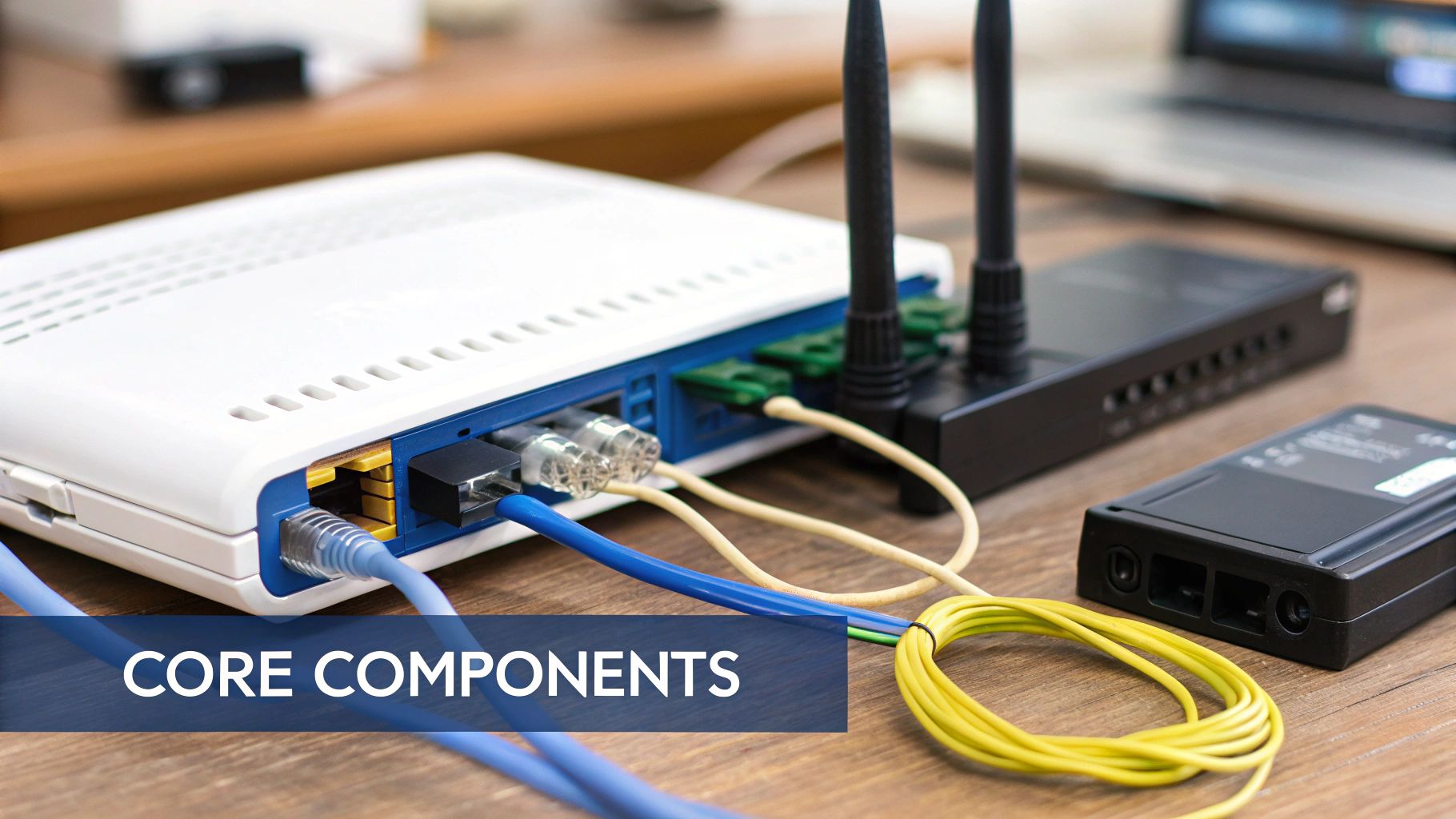
Alright, let’s pull back the curtain on what makes a professional network tick. It’s not just a single, lonely box with a few blinking lights. A truly great home network is a team of specialised devices all working together, kind of like a perfectly coordinated logistics operation for your data.
Imagine this: your mate Barry lives on a big block out near Gosford. He thought one router would be enough. Now, he can’t get a signal in the shed where he’s trying to watch the footy, and the security camera on the front gate keeps dropping out. Barry’s having a shocker. What Barry needs isn’t one overworked device; he needs a proper team.
- The Modem: This is your receiving dock. Its one and only job is to accept the internet signal from your provider’s network and bring it into your home.
- The Router: This is the dispatch manager. It takes that raw internet feed from the modem and starts directing traffic, telling data packets precisely where they need to go, whether it’s your laptop, your smart TV, or your phone.
- Switches: Think of these as local distribution hubs. If you’ve got a home office with a computer, printer, and a network drive, a switch connects them all with ultra-fast, rock-solid wired connections.
- Wireless Access Points (WAPs): These are your delivery drivers. We place them strategically around your home to blanket every corner—from the back bedroom to the patio—with a strong, consistent Wi-Fi signal.
Why Your All-in-One ISP Box Just Doesn’t Cut It
That generic modem/router combo your internet provider gave you? It tries to do all of these jobs at once. For a small apartment, it might just get the job done. But for the double-brick homes we see all over Sydney or a larger property on the Central Coast, it’s like asking one person to run the warehouse, manage dispatch, and drive all the delivery trucks. It gets overwhelmed, fast.
This is exactly why you get those infuriating Wi-Fi blackspots and buffering videos. The signal from that single box just isn’t powerful enough to punch through multiple walls and cover your whole property.
A custom setup with dedicated components isn’t overkill; it’s the only reliable way to conquer Wi-Fi dead zones for good. It ensures every device gets the strong, stable signal it needs to perform properly.
A proper home networking installation service designs a system using these individual, high-performance components. With the Aussie wireless router market valued at around US$267.34 million and growing, it’s clear more people are catching on to the need for a solid network foundation for their smart homes and work-from-home setups. You can read more about the market trends driving demand for professional Wi-Fi.
This professional approach is worlds away from just plugging in a cheap range extender from the local electronics shop. If you’re curious about the right way to expand your coverage, our guide on the differences between a Wi-Fi extender and a mesh network is a great read. By using dedicated WAPs and other purpose-built gear, we build you a seamless network that just works. Our Wi-Fi and telecommunications services are designed to solve these exact problems.
DIY vs Professional Installation: The Real Costs
We’ve all been there. Staring at a new router from JB Hi-Fi, thinking, “How hard can this be?” The urge to save a few quid and tackle your home network setup yourself is strong. But let’s be honest about the hidden costs that don’t show up on the price tag.
That weekend DIY project can quickly turn into hours of hair-pulling frustration. You end up wrestling with a tangled mess of cables, trying to make sense of conflicting advice on internet forums, and the final result is often a network that’s patchy at best. One minute it’s fine, the next you’re staring at the spinning wheel of death.
Calling in a professional for home networking installation services is really an investment in your own sanity. It’s all about getting the job done right the first time, saving you the stress, hassle, and the recurring headache of figuring out why the Wi-Fi has dropped out again.
Comparing Your Options
So, you’re at a crossroads: go it alone or bring in an expert? It’s a common dilemma. To help you decide, let’s take a side-by-side look at what each path really involves.
DIY vs Professional Home Network Installation
| Factor | DIY Approach | Professional Service |
|---|---|---|
| Initial Cost | Looks cheaper upfront because you’re only buying basic, off-the-shelf gear. | A higher initial investment to cover professional labour and commercial-grade hardware. |
| Time Investment | A lot of your time goes into research, setup, and then the inevitable troubleshooting. | Your time commitment is minimal. The experts handle everything from start to finish. |
| Performance & Reliability | Often leads to annoying Wi-Fi dead zones, unpredictable speeds, and frequent dropouts. | The network is properly planned and optimised for full coverage, fast speeds, and rock-solid stability. |
| Security | It’s easy to miss crucial security settings, leaving your network and data vulnerable. | Advanced security is built-in, including things like secure guest networks and proper firewalls. |
| Long-Term Value | Can end up costing more over time with constant troubleshooting and upgrades needed. | You get a robust, future-proof system that saves you endless time and frustration down the track. |
At a glance, the DIY route seems like the budget-friendly choice. But when you factor in your time, the performance gaps, and potential security risks, the value of a professional installation becomes crystal clear.
Where the Time Really Goes
This chart gives you a peek behind the curtain, showing how a professional’s time is typically spent during an installation.
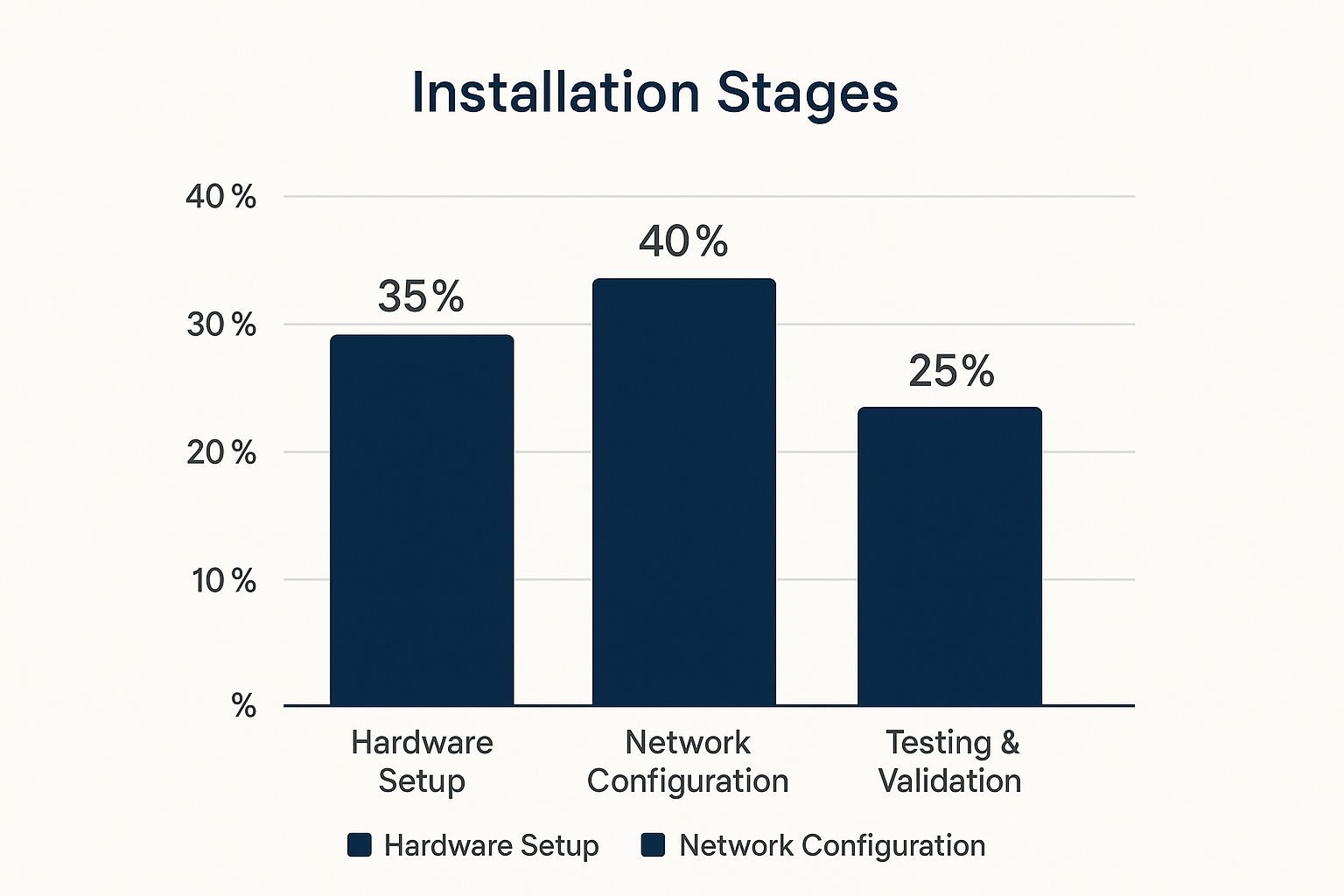
As you can see, a huge chunk of the effort goes into proper configuration and thorough testing—the very steps that often get rushed or skipped entirely in a DIY setup. This methodical approach is exactly what guarantees a seamless, high-performing network. If you’re curious about the specifics, our Wi-Fi and telecommunications services page breaks down how our experts manage every stage of the process.
Choosing the Right Installers for Your Home
Not all tech services are the same, and let’s be honest, you’ve probably had your share of tradies who were… let’s just say, less than ideal. Finding the right team to handle your home networking installation services is absolutely crucial, especially when you need a solid connection in Sydney, Newcastle, or the Central Coast.
Think of it like choosing a good mechanic; you want someone who knows the local conditions, speaks your language, and won’t take you for a ride. It’s not just about technical skill; it’s about trust and knowing the job will be done properly.
What to Look for in a Local Pro
When you’re checking out potential installers, don’t just go for the first name you find. Here’s a quick checklist to help you pick a winner who will deliver a network that just works, without any headaches.
- Proper Licensing: This is non-negotiable. Make sure they hold a valid ACMA registered cabler license. It’s the official tick of approval that shows they’re legally qualified to work on data cabling in Australia.
- Genuine Local Reviews: Hunt down testimonials from people in your area. Reviews from folks in Chatswood, Gosford, or Merewether are way more relevant than a five-star rating from someone halfway across the country.
- Experience with Aussie Homes: Your installer should have a proven track record working with the kinds of homes we have here in NSW. Think modern builds, but also those older double-brick properties that are an absolute nightmare for Wi-Fi signals.
- A Commitment to Clean Work: Nobody wants ugly cables tacked along their beautiful skirting boards. A true professional takes pride in their work, making sure the installation is tidy and almost invisible.
Be wary of quotes that seem too good to be true—they usually are. Rock-bottom prices often mean corners are being cut, whether it’s with cheap gear, rushed work, or a lack of proper qualifications.
The demand for reliable networks is exploding. As the broader Australian networking market grows, driven by the NBN rollout and the boom in smart devices, professional installation is the only way to properly integrate all this tech. You can read more about the scale of Australia’s data centre networking market to see just how big it’s getting.
Choosing the right installer means finding a local expert who understands all this and is committed to getting it right the first time. For a closer look at professional solutions, check out our Wi-Fi and telecommunications services.
Common Questions About Home Network Installations
We get a lot of questions about getting home Wi-Fi sorted properly, and fair enough—it can seem like a bit of a dark art. Here are some of the most common queries we hear from folks across the Central Coast, Sydney, and Newcastle, with straightforward, no-nonsense answers.
How Much Does Professional Home Network Installation Cost?
This is the big one, isn’t it? The honest answer is: it depends. The cost really hinges on the size of your home, its construction (those lovely double-brick walls!), and what you actually need the network to do.
A basic setup for a small apartment will naturally be less than a comprehensive solution for a large, multi-storey house with outdoor coverage. The best way to think about it is as an investment in your home’s essential infrastructure, just like plumbing or electrical work. A good installer will always provide a clear, itemised quote upfront, so there are absolutely no nasty surprises.
My NBN Is Slow. Will a New Network Fix It?
Ah, the classic question! While a professional installation can’t magically increase the speed you pay for from your internet provider, it makes a massive difference in ensuring you actually get that speed, everywhere in your house.
Often, that “slow NBN” feeling isn’t the NBN at all. It’s usually a weak Wi-Fi signal or an overloaded, cheap router acting as a huge bottleneck. A proper home networking installation service removes that bottleneck, delivering the full speed of your NBN plan to all your devices. The result is internet that feels dramatically faster and far more reliable.
Your internet is only as good as the network inside your home. A professional setup unleashes the true speed you’re already paying for by eliminating the weak links in the chain.
Do I Need Data Cabling, or Is Wi-Fi Enough?
Great question. For most everyday things, like scrolling on your phone or tablet, Wi-Fi is fantastic. But for devices that don’t move around and demand the best possible speed and stability, a wired connection via data cabling is still the undisputed champion.
Think of your Smart TV for streaming 4K footy, your desktop computer for work, or a gaming console. These devices thrive on a wired connection. A smart installation plan often uses a hybrid approach: rock-solid wired connections for those key devices and powerful, seamless Wi-Fi for everything else. This gives you the best of both worlds, and helps you learn more about how to secure your Wi-Fi network properly.
Ready to finally sort out your home’s digital backbone? The expert team at Advanced Comtech designs and installs robust, reliable home networks that just work. Get in touch with us to see how we can help you stay smart, secure, and connected. Check out our Wi-Fi and telecommunications services.





